


What Game Settings Work Best on 240Hz monitor?
What Game Settings Work on 240Hz monitor. Tested & verified settings for best FPS and visual quality on SA hardware budgets.
Read moreConsole gaming on PC monitor: Use the Arozzi Nova to run PS5 and Xbox with low latency, crisp visuals, and simple HDMI setup. Quick settings, audio options, and lag fixes inside. 🎮🖥️
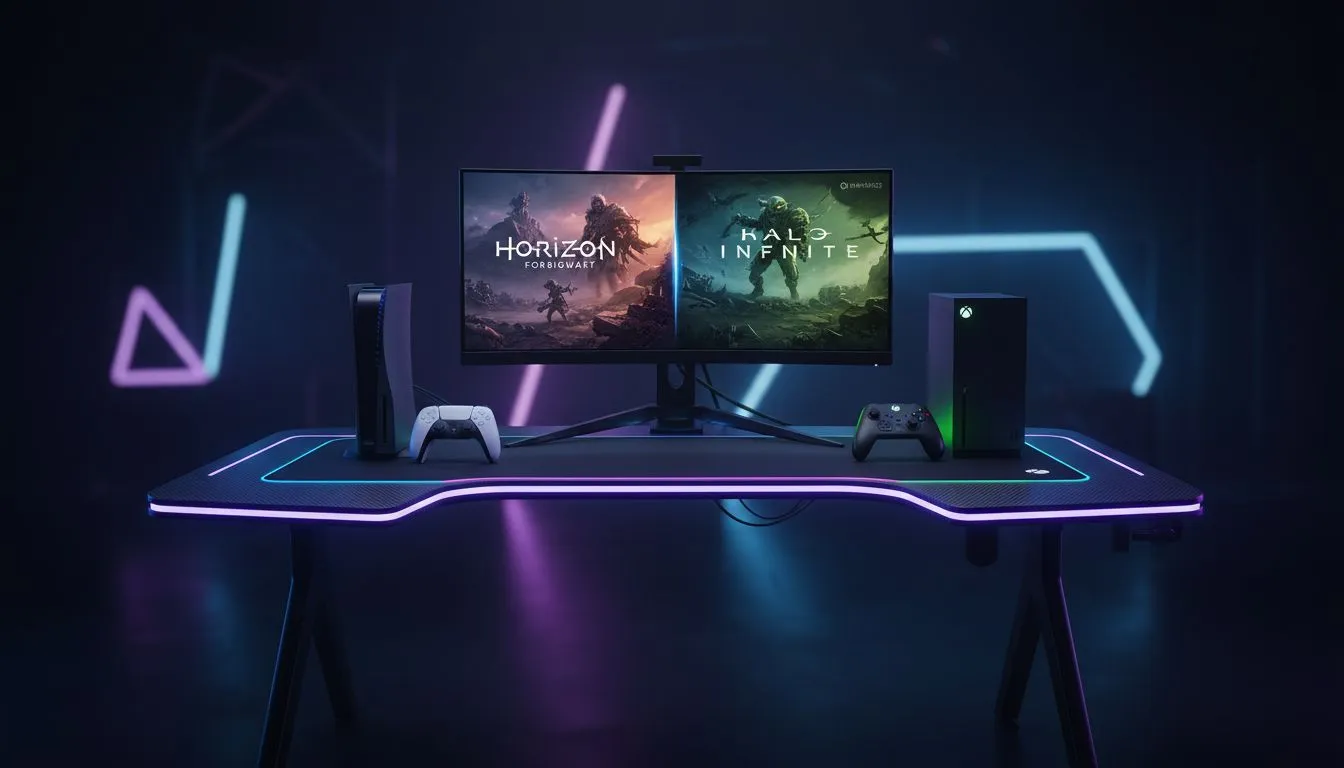
Tired of fighting for the living room TV just to play your PS5 or Xbox? You are not alone. Many South African gamers are moving their consoles to a dedicated desk setup. Console Gaming on PC Monitor: Arozzi Nova with PS5 & Xbox offers a level of immersion and responsiveness that traditional TVs often struggle to match. It is time to reclaim your gaming time... ✨
The transition from a couch to a gaming chair is about more than just space. It is about performance. When you look at the best PC monitor deals, you will notice that monitors offer much lower input lag than standard television sets. This means your button presses feel instantaneous.
For many, the sheer variety of PC monitors available in ZAR price brackets makes it easier to find a screen that fits a specific budget. Whether you need a high refresh rate for competitive shooters or deep colours for RPGs, the desktop environment provides a more intimate experience. ⚡
When connecting a PS5 or Xbox Series X to a monitor, ensure you go into the console's screen settings and enable 'Performance Mode'. This allows the console to prioritise higher frame rates over resolution, making full use of your monitor's high refresh capabilities.
The Arozzi Nova stands out because it balances style with technical specs. When browsing all gaming monitors, the Nova’s sleek aesthetic often catches the eye. It is designed to handle the 120Hz output that modern consoles provide.
Many local players prefer curved monitors like the Nova because the gentle arc matches the natural curvature of the human eye. This reduces eye strain during those long weekend raids or ranked marathons. The immersion factor is significantly higher when the edges of the screen sit within your peripheral vision. 🚀
While some prefer portable monitors for local LAN events in Johannesburg or Cape Town, a stationary setup is the gold standard. If you want the sharpest image possible, looking into 5K & 4K monitors is essential. Modern consoles can push incredible detail, and a high-resolution monitor ensures you see every texture.
Don’t forget the ergonomics. Using the right monitor accessories, such as adjustable arms, allows you to position the screen at eye level. This prevents the dreaded "gamer neck" and keeps you comfortable for hours. 🔧
Ready to Upgrade Your Console Experience? Why settle for a blurry TV when you can experience your PS5 or Xbox with professional-grade clarity? Explore our massive range of gaming monitors and find the perfect Arozzi Nova or high-performance screen to dominate your next match.
Yes. Connect via HDMI, set PS5 resolution/refresh to match the Nova, enable HDR if supported, and use PS5 video settings for best results. (arozzi nova ps5 setup)
Yes. Use HDMI, pick native resolution and max refresh available, enable variable refresh if supported, and optimize Xbox display settings.
Yes. HDMI 2.1 is required for native 4K@120. Without it you can use 1080p@120 or 4K@60 depending on the monitor and HDMI version.
Enable monitor Game Mode, set the console to the monitor's native resolution/refresh, disable extra image processing and use low latency settings.
Use the console's optical or HDMI audio out, an HDMI audio extractor, USB headset, or connect the console to a soundbar for sound.
Enable HDR only if the Nova supports it and you calibrate brightness; otherwise disable to avoid washed colors. (monitor hdr ps5 settings)
Good value for low input lag and high refresh options; ideal if you prioritize responsiveness and crisp visuals for PS5 and Xbox.
What Game Settings Work on 240Hz monitor. Tested & verified settings for best FPS and visual quality on SA hardware budgets.
Read more
What Cooling Solution Works Best with 144Hz monitor in SA Climate Detailed answer with SA data, expert analysis & practical recommendations for local buyers.
Read more
What Monitor Pairs Best with 240Hz monitor for Gaming in SA Detailed answer with SA data, expert analysis & practical recommendations for local buyers.
Read more
What Monitor Pairs Best with 1440p monitor for Gaming in SA Detailed answer with SA data, expert analysis & practical recommendations for local buyers.
Read moreWhat Monitor Pairs Best with 1440p monitor for Gaming Detailed answer with SA data, expert analysis & practical recommendations for local buyers.
Read more
the 144Hz monitor for student. Plain-English explanation of what it means, why it matters & how it affects your buying decisions in SA.
Read more
Every spec on PCIe 5.0 explained in plain English. What matters for gaming and creator work in 2026, what's marketing fluff, and how each number translates to real-world performance.

A head-to-head look at WiFi 7: real-world performance, ZAR pricing and which option delivers better value for SA builders. The clear answer — no fluff.

Everything you need to set up and tune PCIe 5.0 properly: the prep work, the settings that actually matter, and the mistakes to skip. Written for SA builders in 2026.

Everything you need to set up and tune X870E Motherboard properly: the prep work, the settings that actually matter, and the mistakes to skip. Written for SA builders in 2026.

Wondering what a 512GB SSD capacity really holds? This guide breaks down how many games, photos, and documents fit on 512GB, with real-world ranges 📦💾

Every spec on vrm explained in plain English. What matters for gaming and creator work in 2026, what's marketing fluff, and how each number translates to real-world performance.

Every spec on motherboard explained in plain English. What matters for gaming and creator work in 2026, what's marketing fluff, and how each number translates to real-world performance.

Premium vs Midrange Motherboards in South Africa: real-world performance, SA pricing, power draw and which one delivers better value for your build for SA buyers. The clear answer — without the fluff.
Wondering what a 512GB SSD capacity really holds? This guide breaks down how many games, photos, and documents fit on 512GB, with real-world ranges 📦💾
Every spec on PCIe 5.0 explained in plain English. What matters for gaming and creator work in 2026, what's marketing fluff, and how each number translates to real-world performance.
A head-to-head look at WiFi 7: real-world performance, ZAR pricing and which option delivers better value for SA builders. The clear answer — no fluff.

Every spec on USB4 explained in plain English. What matters for gaming and creator work in 2026, what's marketing fluff, and how each number translates to real-world performance.