


What Game Settings Work Best on 240Hz monitor?
What Game Settings Work on 240Hz monitor. Tested & verified settings for best FPS and visual quality on SA hardware budgets.
Read moreElevate your monitor to reduce neck strain and improve posture — simple adjustments and the right riser or stand can cut pain, boost comfort, and heighten focus. 🪑🔧
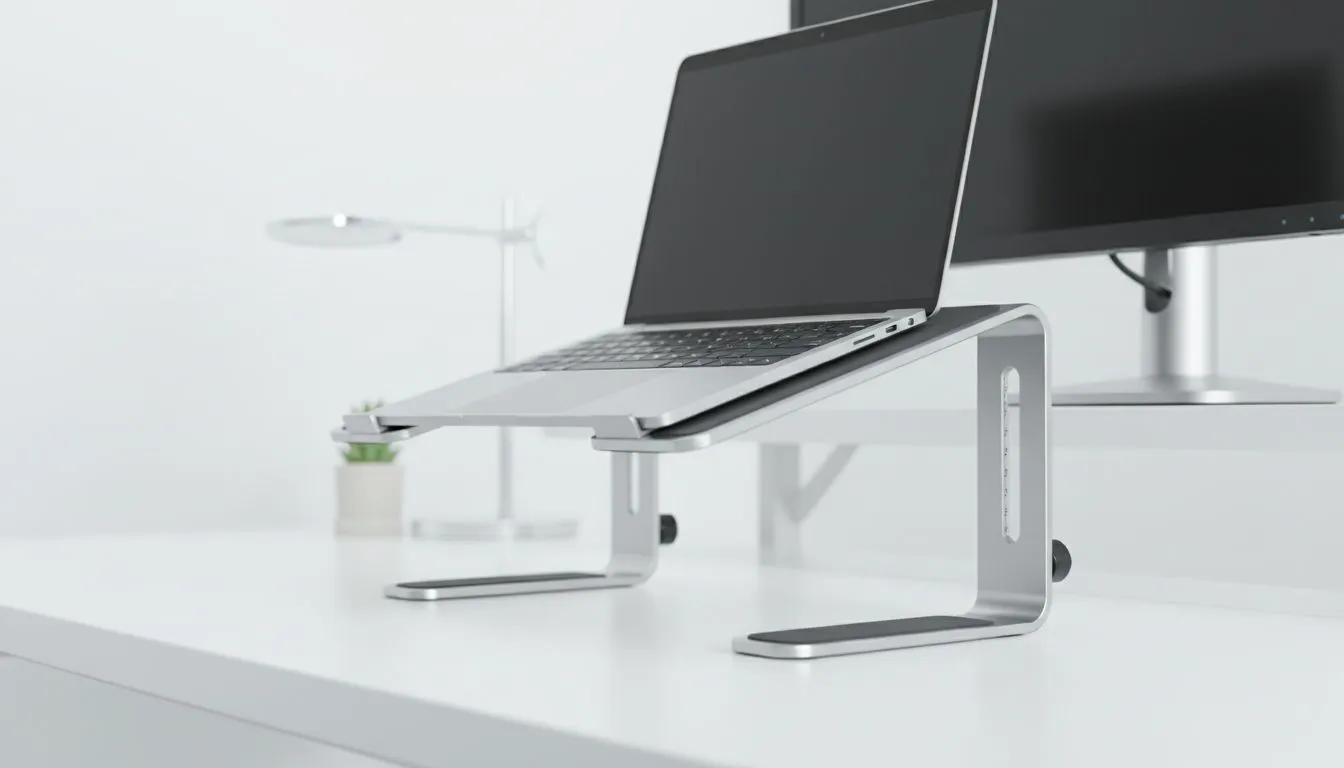
South African gamers, streamers and remote workers—look up. A slight monitor lift can fix that nagging neck ache and sharpen your posture. This guide shows practical, affordable ways to elevate your screen, set ergonomic angles, and choose the right accessories for your setup. Read quick tips, local buying links, and a tidy checklist to make the change today.
Elevating your monitor helps align your eyes with the top third of the display. That simple shift reduces forward head tilt and eases upper‑back tension. If you fancy a fast upgrade, check Evetech’s curated monitor accessories for stands and risers to start small and effective: monitor accessories on Evetech.
Place the top of the screen at eye level. Tilt the display slightly up so you look down at a 10–20 degree angle. Keep the screen about an arm’s length away. These small adjustments reduce neck strain and help maintain a neutral spine during long sessions. If you prefer branded mounts, Evetech lists Orico options that fit many setups: Orico monitor mounts and stands.
On Windows, use the PowerToys FancyZones utility to create custom snap layouts for your windows. It's a lifesaver for managing multiple apps on an ultrawide monitor, letting you organise your timeline, preview window, and asset folders perfectly for video editing.
A sit‑stand desk is ideal but costly. A gas‑spring monitor arm gives the same height range and flexibility. Single‑mount arms free desk space and let you quickly change posture. For value buys and compact solutions, browse Evetech’s WINX accessories collection: WINX monitor accessories.
If you’re budgeting, target durable VESA‑compatible arms or stackable risers. Evetech filters help you find gear by price; try the budget filter for reliable options under R3,338: budget monitor accessories under R3,338. Prices are shown in ZAR on each product page for clear local context.
A Cape Town streamer raised his ultrawide by 6 cm using a low‑cost riser. Neck pain dropped, focus rose, and his streams felt more comfortable. Small changes made a big difference.
Ready to Find Your Perfect Match? The Mac vs Windows debate is complex, but for maximum power, choice, and value in South Africa, Windows is hard to beat. Explore our massive range of laptop specials and find the perfect machine to conquer your world.
Set the top of the screen at or just below eye level—follow ergonomic monitor height guidance to keep a neutral neck and avoid downward tilt.
It helps significantly by reducing forward head posture, but combine with posture checks, breaks, and ergonomic seating for best results.
Choose an adjustable, stable monitor riser or arm with good weight capacity and tilt to maintain eye level and reduce neck strain.
Yes—use a laptop stand with an external keyboard and mouse to position the screen at ergonomic height and cut neck strain.
Place your primary monitor centered at eye level and angle the secondary close; a dual monitor stand with height and tilt helps.
Yes—pair a standing desk with an elevated monitor and follow ergonomic height guidelines so your eyes stay level when standing.
Temporarily use a sturdy box or books, but opt for a stable monitor riser or adjustable arm for a secure, long-term solution.
What Game Settings Work on 240Hz monitor. Tested & verified settings for best FPS and visual quality on SA hardware budgets.
Read more
What Cooling Solution Works Best with 144Hz monitor in SA Climate Detailed answer with SA data, expert analysis & practical recommendations for local buyers.
Read more
What Monitor Pairs Best with 240Hz monitor for Gaming in SA Detailed answer with SA data, expert analysis & practical recommendations for local buyers.
Read more
What Monitor Pairs Best with 1440p monitor for Gaming in SA Detailed answer with SA data, expert analysis & practical recommendations for local buyers.
Read moreWhat Monitor Pairs Best with 1440p monitor for Gaming Detailed answer with SA data, expert analysis & practical recommendations for local buyers.
Read more
the 144Hz monitor for student. Plain-English explanation of what it means, why it matters & how it affects your buying decisions in SA.
Read more
Every spec on PCIe 5.0 explained in plain English. What matters for gaming and creator work in 2026, what's marketing fluff, and how each number translates to real-world performance.

A head-to-head look at WiFi 7: real-world performance, ZAR pricing and which option delivers better value for SA builders. The clear answer — no fluff.

Everything you need to set up and tune PCIe 5.0 properly: the prep work, the settings that actually matter, and the mistakes to skip. Written for SA builders in 2026.

Everything you need to set up and tune X870E Motherboard properly: the prep work, the settings that actually matter, and the mistakes to skip. Written for SA builders in 2026.

Wondering what a 512GB SSD capacity really holds? This guide breaks down how many games, photos, and documents fit on 512GB, with real-world ranges 📦💾

Every spec on vrm explained in plain English. What matters for gaming and creator work in 2026, what's marketing fluff, and how each number translates to real-world performance.

Every spec on motherboard explained in plain English. What matters for gaming and creator work in 2026, what's marketing fluff, and how each number translates to real-world performance.

Premium vs Midrange Motherboards in South Africa: real-world performance, SA pricing, power draw and which one delivers better value for your build for SA buyers. The clear answer — without the fluff.
Wondering what a 512GB SSD capacity really holds? This guide breaks down how many games, photos, and documents fit on 512GB, with real-world ranges 📦💾
Every spec on PCIe 5.0 explained in plain English. What matters for gaming and creator work in 2026, what's marketing fluff, and how each number translates to real-world performance.
A head-to-head look at WiFi 7: real-world performance, ZAR pricing and which option delivers better value for SA builders. The clear answer — no fluff.

Every spec on USB4 explained in plain English. What matters for gaming and creator work in 2026, what's marketing fluff, and how each number translates to real-world performance.