

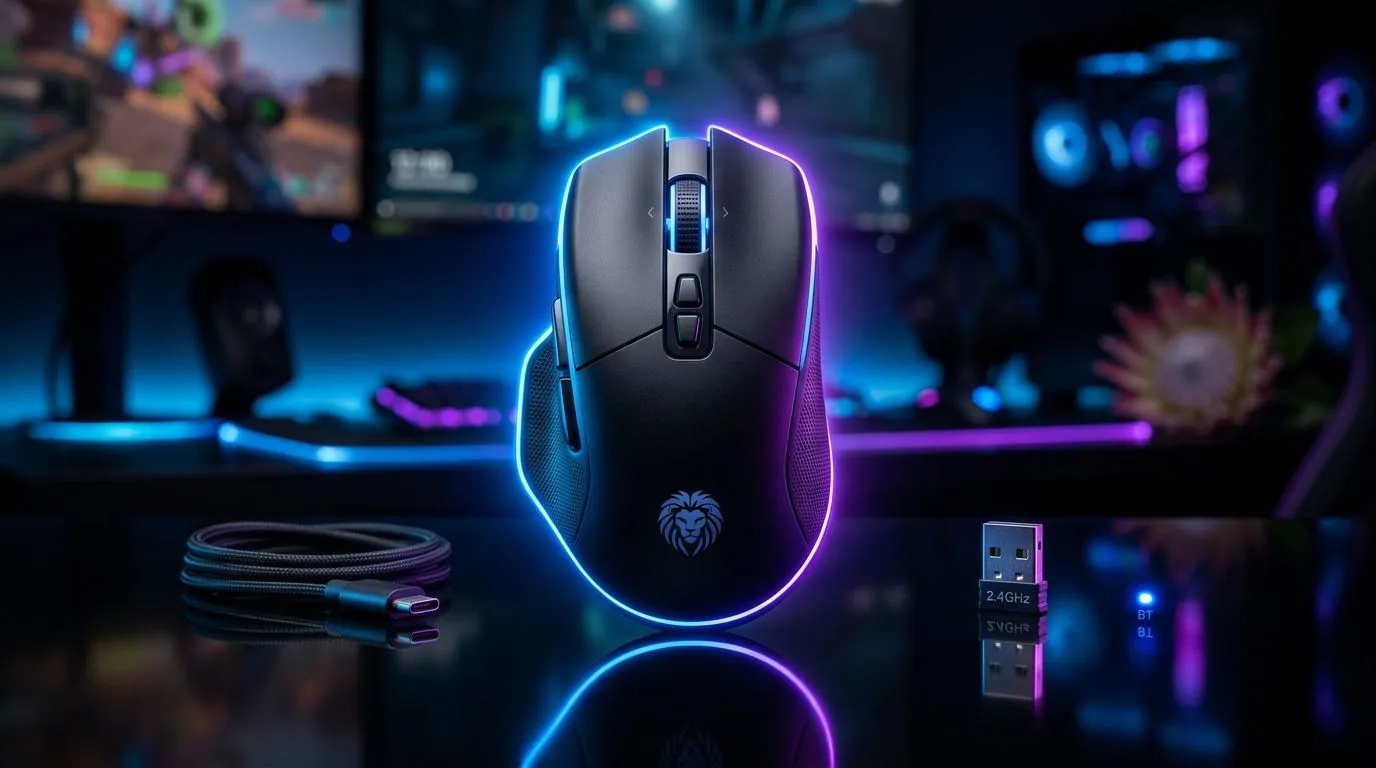
Gaming Mouse Guide: Wired vs 2.4GHz vs Bluetooth for SA Gamers (the quick reality check) 🎮
Every firing squad’s got a preference… but the real difference is how your mouse connects. In South Africa, where load shedding, Wi‑Fi congestion, and budget constraints are part of daily life, picking the right connection type can mean smoother tracking and fewer “why is my cursor stuttering?” moments.
So let’s cut through the noise. This guide breaks down Gaming Mouse Guide: Wired vs 2.4GHz vs Bluetooth for SA Gamers so you can buy confidently, not just hope. ⚡
Gaming Mouse Guide: Wired vs 2.4GHz vs Bluetooth for SA Gamers (what changes in real gameplay?) ⚙️
Connection type affects three things most gamers feel:
Latency and consistency
- Wired: Your mouse is tethered to the PC, so you get the most consistent, least “surprise” input.
- 2.4GHz wireless (USB dongle): Usually performs closest to wired in day-to-day gaming.
- Bluetooth: Can work well for non-competitive play, but it’s more sensitive to interference and device juggling.
Evetech stocks a wide range of gaming mice across these categories, so you can match connection style to how you actually play.
Battery and setup friction
- Wired: No battery anxiety. Plug in and go.
- 2.4GHz: You charge occasionally, but most modern models feel near-instant.
- Bluetooth: Often involves pairing, and switching devices can be fiddly.
If you’re the type who hates downtime, wired or 2.4GHz is usually the calmer choice.
South African home networks (Wi‑Fi reality)
In many SA homes, 2.4GHz Wi‑Fi is crowded. The key point: 2.4GHz wireless gaming mice typically use their own low-latency link via a dongle, not your Wi‑Fi network. Still, Bluetooth can share the airwaves more broadly, especially when you add phones, tablets, and more radios to the mix.
Wired gaming mice for SA gamers (when “less hassle” wins) 🖱️
If you want reliability above all else, wired is hard to beat. It’s also a smart move for competitive sessions where you don’t want to think about charging.
Who wired is best for
- FPS players chasing ultra-consistent input
- Players using monitors with USB hubs (wired keeps things simpler)
- Anyone who just wants to game immediately
What to check before you buy
Look at:
- sensor performance (especially if the mouse supports high polling)
- cable quality (braided or well-protected is a bonus)
- whether the mouse fits your grip style (right size matters more than you think)
For options, browse:
2.4GHz wireless for SA gamers (the “almost wired” sweet spot) 🚀
For most people, 2.4GHz via USB dongle is the best balance. You get wireless freedom without feeling like you’re taking a latency risk.
Why 2.4GHz tends to feel better than Bluetooth
- Dedicated dongle links are designed for low latency
- No pairing dance once set up
- Typically stable during long sessions
Practical buying checklist
Before you commit, confirm:
- the mouse includes a proper USB dongle
- battery life claims match your play schedule
- you’re comfortable with charging (even if it’s only weekly)
Evetech has a solid selection here:
Bluetooth gaming mice for SA gamers (great for desks, mixed for esports) ✨
Bluetooth can be convenient if you move between devices. Think office PC at 9am, gaming on your main rig at 7pm… and maybe laptop in between.
Where Bluetooth fits best
- casual gaming and variety titles
- someone who often switches between PC, laptop, and tablet
- low-pressure play where consistency matters less than convenience
Potential downsides to watch
- pairing issues
- more connection variability depending on your environment
- additional steps compared to dongles
If you’re going Bluetooth, do it for flexibility, not for maximum competitive edge.
How to choose fast (without opening 20 tabs) 🔧
Use this simple decision flow:
- Are you competitive (ranked FPS, consistent aim training)? Choose wired or 2.4GHz.
- Do you switch devices constantly? Choose Bluetooth, or consider 2.4GHz if your setup allows it.
- Do you hate battery management? Choose wired.
- Is your budget tight (and you still want a quality upgrade)? Check Evetech deals before you decide on connection type.
Productivity Pro Tip ⚡
SA power and Wi‑Fi days, keep things simple: if you’re choosing between wireless types, pick 2.4GHz with a dongle for gaming sessions. For non-gaming desktop work, Bluetooth can still be useful. Also, store your mouse with the USB dongle where you won’t lose it so you avoid “where is it?” resets after power cuts or PC moves.
Gaming Mouse Guide: Wired vs 2.4GHz vs Bluetooth for SA Gamers (don’t forget accessories) 🎮
A great mouse can still feel “off” without a matching surface and setup. If you’re upgrading, it’s worth thinking about:
- mousepads sized for your movement style
- grip accessories if your hands sweat during long sessions
- clean sensor and feet for smooth glide
Start here:
Ready to buy: a quick buyer mindset for SA gamers 🧠
When you buy a mouse, you’re not just choosing a spec. You’re choosing your daily friction level.
- Wired lowers uncertainty.
- 2.4GHz reduces that “wired-like” feeling gap.
- Bluetooth gives convenience and device freedom.
Pick the connection style that matches your life at home, then prioritise fit, sensor quality, and comfort.
Ready to Find Your Perfect Match? If you’re done guessing and you want a mouse that fits your gaming style and your desk setup, browse Evetech’s latest options. Explore our massive range of laptop specials and pair your next upgrade with the right peripherals for maximum value in South Africa.











