


What Game Settings Work Best on 240Hz monitor?
What Game Settings Work on 240Hz monitor. Tested & verified settings for best FPS and visual quality on SA hardware budgets.
Read moreLarge smartwatch display boosts glanceability and reduces misreads when reading notifications on the go — clearer text, bigger touch targets, and safer, faster interactions. ⌚️👀
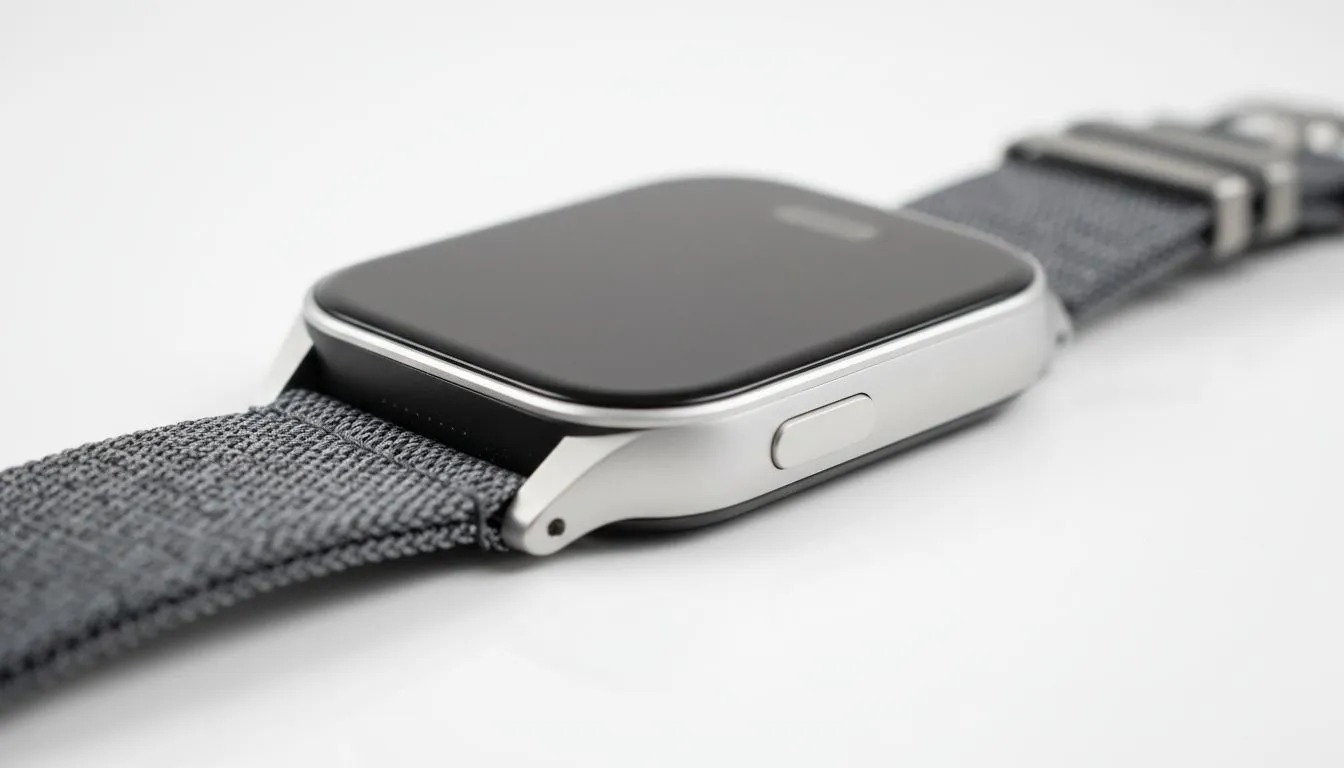
Ever found yourself squinting at your wrist while rushing between meetings in Sandton or navigating the morning commute? We have all been there. A tiny screen makes staying connected more of a chore than a convenience. Upgrading to a large smartwatch display is the easiest way to ensure you are better for reading notifications on the go without breaking your stride. It is about clarity and efficiency... not just aesthetics. 🚀
When you are active, every second counts. A larger screen allows for more text lines... meaning you can read a full WhatsApp message or email preview at a single glance. You no longer need to pull your phone out of your pocket or handbag just to see if a notification is urgent. Checking out the latest smartwatch range shows how modern panels are prioritising high-resolution clarity to make these interactions seamless.
To make the most of your screen, customise your notification settings to only show 'High Priority' apps. This prevents your wrist from buzzing constantly and ensures that when you do look down, the information is actually worth your time.
Our local sun is notoriously bright. A bigger display often comes with improved peak brightness levels and more room for high-contrast UI elements. This makes a large smartwatch display significantly better for reading notifications on the go, especially when you are out for a midday run or sitting at an outdoor cafe. Brands like Promate smartwatches have mastered this balance, offering vibrant screens that remain legible even under the harshest Gauteng or Cape Town glare. ☀️
You do not need to spend a fortune to get a premium viewing experience. Many users are surprised to find affordable watches under R1000 that still pack impressive 1.8-inch or 2.0-inch displays. These devices offer the perfect entry point for anyone looking to simplify their digital life without compromising on the quality of the display.
By choosing a larger face, you also benefit from easier touch navigation. Larger icons mean fewer accidental taps, which is vital when you are moving quickly. It is a practical upgrade that genuinely changes how you interact with your tech every day. ✨
Ready to Upgrade Your Wrist? Staying connected shouldn't be a struggle. Whether you're tracking fitness or managing a busy work schedule, a bigger screen makes all the difference. Explore our full range of smartwatches and find the perfect fit for your lifestyle today.
A large smartwatch display improves readability and glanceability, shows more text at once, and reduces scrolls so you process notifications faster and safer.
Larger screens can use more power, but OLEDs, efficient refresh rates, and software optimizations often offset battery tradeoffs.
Aim for a screen that balances text size and wrist comfort—roughly 1.5"+ diagonal on many models boosts readability without bulk.
Yes—bigger touch targets reduce mis-taps and let you act on notifications quicker, improving the overall wearable UX.
Some larger watches feel heavier, but thin bezels and ergonomic cases keep comfort high while delivering better notification legibility.
Look for models noted for large screen smartwatch benefits—popular picks combine bright OLEDs, high pixel density, and long battery life.
Use concise previews, adjust font size, enable prioritized alerts, and organize apps to improve notification glanceability and speed.
What Game Settings Work on 240Hz monitor. Tested & verified settings for best FPS and visual quality on SA hardware budgets.
Read more
What Cooling Solution Works Best with 144Hz monitor in SA Climate Detailed answer with SA data, expert analysis & practical recommendations for local buyers.
Read more
What Monitor Pairs Best with 240Hz monitor for Gaming in SA Detailed answer with SA data, expert analysis & practical recommendations for local buyers.
Read more
What Monitor Pairs Best with 1440p monitor for Gaming in SA Detailed answer with SA data, expert analysis & practical recommendations for local buyers.
Read moreWhat Monitor Pairs Best with 1440p monitor for Gaming Detailed answer with SA data, expert analysis & practical recommendations for local buyers.
Read more
the 144Hz monitor for student. Plain-English explanation of what it means, why it matters & how it affects your buying decisions in SA.
Read more
Every spec on PCIe 5.0 explained in plain English. What matters for gaming and creator work in 2026, what's marketing fluff, and how each number translates to real-world performance.

A head-to-head look at WiFi 7: real-world performance, ZAR pricing and which option delivers better value for SA builders. The clear answer — no fluff.

Everything you need to set up and tune PCIe 5.0 properly: the prep work, the settings that actually matter, and the mistakes to skip. Written for SA builders in 2026.

Everything you need to set up and tune X870E Motherboard properly: the prep work, the settings that actually matter, and the mistakes to skip. Written for SA builders in 2026.

Wondering what a 512GB SSD capacity really holds? This guide breaks down how many games, photos, and documents fit on 512GB, with real-world ranges 📦💾

Every spec on vrm explained in plain English. What matters for gaming and creator work in 2026, what's marketing fluff, and how each number translates to real-world performance.

Every spec on motherboard explained in plain English. What matters for gaming and creator work in 2026, what's marketing fluff, and how each number translates to real-world performance.

Premium vs Midrange Motherboards in South Africa: real-world performance, SA pricing, power draw and which one delivers better value for your build for SA buyers. The clear answer — without the fluff.
Wondering what a 512GB SSD capacity really holds? This guide breaks down how many games, photos, and documents fit on 512GB, with real-world ranges 📦💾
Every spec on PCIe 5.0 explained in plain English. What matters for gaming and creator work in 2026, what's marketing fluff, and how each number translates to real-world performance.
A head-to-head look at WiFi 7: real-world performance, ZAR pricing and which option delivers better value for SA builders. The clear answer — no fluff.

Every spec on USB4 explained in plain English. What matters for gaming and creator work in 2026, what's marketing fluff, and how each number translates to real-world performance.