


Call of Duty Warzone 2 Settings on RX 7600: Best Performance
Call of Duty Warzone 2 Settings on RX 7600. Real-world benchmark data, FPS numbers & performance analysis. What SA gamers can actually expect.
Read moreWondering how long the Logitech G Pro X 2 Superlight battery lasts? Get the truth on endurance, charging habits, and tips to extend your mouse life. ����🎮
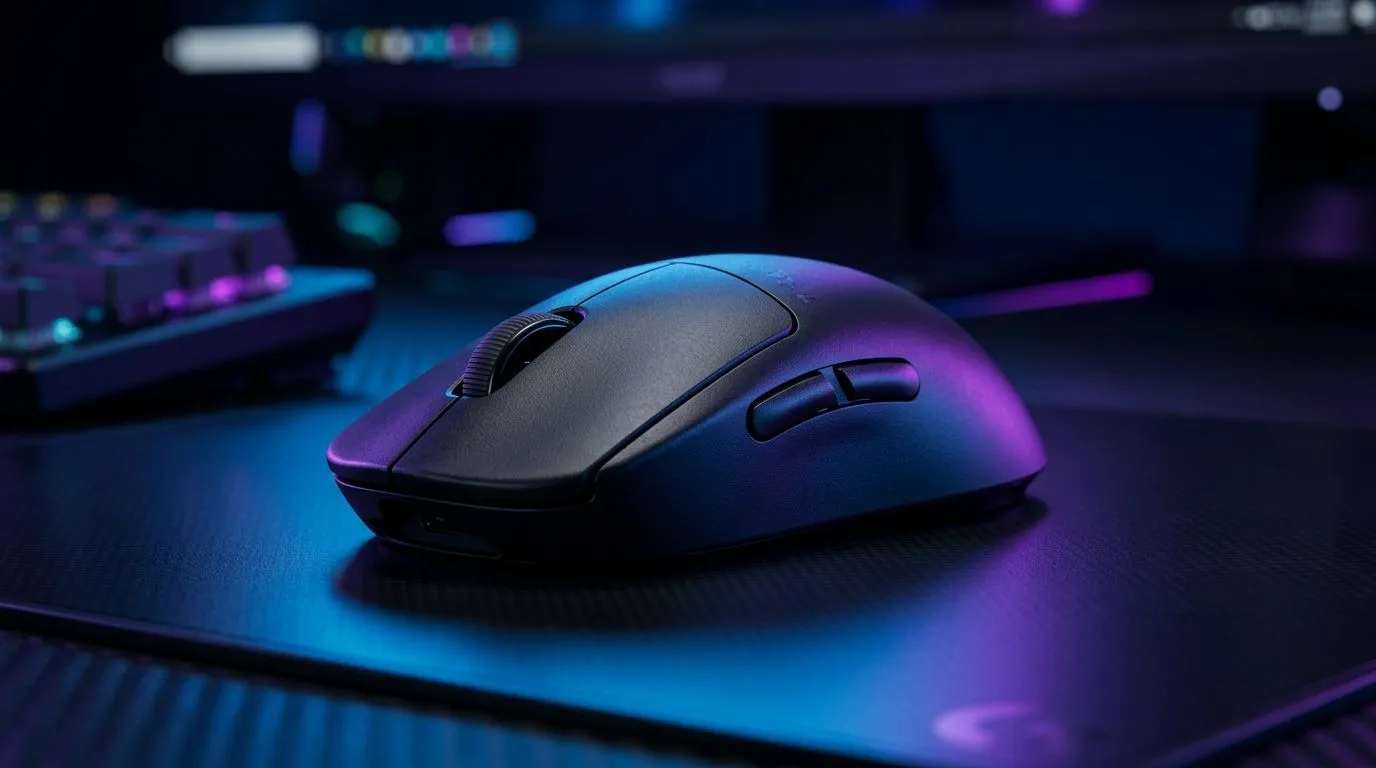
South African gamers don’t want surprises mid-match… especially not a mouse that suddenly goes dark. If you’re considering the Logitech G Pro X 2 Superlight battery life: how long does it last? then you’re asking the right question. In this guide, we’ll break down expected runtime, what drains battery faster (hello RGB-less doesn’t mean “zero”), and how to squeeze more hours out of your setup. 🔋
The Logitech G Pro X 2 Superlight is built for long sessions. Logitech states that the mouse can last up to 95 hours on a full charge with LIGHTSPEED wireless. That “up to” matters, though. Your actual hours will vary based on polling rate, movement style, and how consistently you wake and use the mouse.
On the Evetech store pages for the mouse category, you’ll also find the right sort of buyer context: choosing between wired and wireless options, and matching your habits to your gear. If you’re not sure whether wireless is worth it for your playstyle, it helps to compare what you gain (freedom of movement) versus what you manage (charging habits). ⚡
A quick checklist you can use:
To squeeze more real-world runtime, try charging in “small top-ups” after heavy gaming days instead of waiting for a full drain. Lithium-based batteries generally prefer partial cycles. If you share your PC with a busy household, also place a charging cable you’ll actually see, so it becomes routine.
If you’re asking “how long does it last?” in a way that helps you plan your week, here’s a realistic approach: start with Logitech’s published up to 95 hours claim, then subtract a bit for your setting. For most players, a multi-session week (competitive nights plus normal daily use) fits comfortably inside that range.
If you tend to game late, don’t want to think about charging, and you’d rather “set and forget,” it can help to look at both wireless and wired buying options side-by-side. That’s why many buyers cross-shop categories first, even before they decide on a specific model.
And if you’re leaning toward wired for maximum consistency and zero battery anxiety, you can compare here: Wired gaming mouse options.
What we love about the G Pro X Superlight line is that it’s designed for competitive play. But the best battery life is the one that matches your routine. Ask yourself:
If you already own the mouse and just want better day-to-day reliability, accessories matter too. A charging cable you can access fast means fewer “why is it dead?” moments. For compatible add-ons and related gear, have a look at Evetech’s mouse accessory options: Mouse accessories. 🔧
Keep your charging cable plugged into a monitor USB port if your PC wakes reliably. That way the mouse charges when you’re at the desk, not only when you remember it. Label the cable end or use a different colour tag so it doesn’t get lost among other peripherals.
Yes… but don’t obsess. “Up to” means real hours depend on how you play. If you normally use the mouse for a few hours at a time, the G Pro X 2 Superlight battery life is typically more than enough for regular gaming weeks. If you’re a marathon player who runs high intensity sessions with your PC always awake, you’ll still likely get impressive runtime, but you should build a simple charging habit.
So the real question becomes: do you want wireless freedom and manageable charging… or wired consistency with no battery mind games? Either way, Evetech makes it easy to compare the options in one place before you commit.
Ready to Find Your Perfect Match? The Mac vs Windows debate is complex, but for maximum power, choice, and value in South Africa, Windows is hard to beat. Explore our massive range of laptop specials and find the perfect machine to conquer your world.
Tone Snapshot Friendly, authoritative, human-sounding style with South African spelling, short crisp sentences, light emoji use, and practical guidance focused on real-world battery life expectations.
Quality Checklist
The Logitech G Pro X 2 Superlight offers up to 95 hours of battery life on a single charge, depending on your usage, lighting settings, and polling rate.
It is best to recharge your mouse when the G Hub software shows battery levels below 20% to ensure you don't lose connection during intense gaming sessions.
Yes, you can continue using the mouse while it charges via the USB-C cable, which provides a fast and reliable connection to keep you in the game.
You can easily monitor your battery status and remaining percentage through the Logitech G Hub software on your PC.
Modern lithium-ion batteries in Logitech mice are designed to handle being plugged in, so there is no risk of overcharging or damaging the battery.
Factors like high polling rates, surface type, and continuous movement can impact the overall battery performance of your wireless gaming mouse.
Call of Duty Warzone 2 Settings on RX 7600. Real-world benchmark data, FPS numbers & performance analysis. What SA gamers can actually expect.
Read more
GTA 6 Settings on RTX 5070 Ti: Performance. Real-world benchmark data, FPS numbers & performance analysis. What SA gamers can actually expect.
Read more
Top GPU Setup for Accounting Students picks evaluated on performance, value & SA availability with current Rand pricing from Evetech.
Read more
When Will the RTX 6090 Launch in South Africa Detailed answer with SA data, expert analysis & practical recommendations for local buyers.

Top Valorant Settings for RTX 5070: FPS Optimisation picks evaluated on performance, value & SA availability with current Rand pricing from Evetech.

RDNA 3.5 Graphics in Ryzen AI 400? Can You Game. Plain-English explanation of what it means, why it matters & how it affects your buying decisions in SA.

GPU Price Index : December Report. Current stock data & price tracking for SA buyers. See what is available and where prices are heading.

Core i5-14600K + B760 + RTX 5060 Build Under. Full parts list, Rand pricing & expected performance. Build confidently with SA-available components.

RX 7600 Apex Legends at 4K: FPS Benchmark. Real-world benchmark data, FPS numbers & performance analysis. What SA gamers can actually expect.

RX 7900 XTX GTA 6 at 4K: FPS Benchmark & Optimal. Real-world benchmark data, FPS numbers & performance analysis. What SA gamers can actually expect.

Head-to-head comparison of RTX 5070 vs RX 9070 XT: Gaming Performance for SA gamers. Performance benchmarks, Rand pricing & which delivers better value.

Top Laptop with Ryzen 5 + RTX 4090 Laptop: Picks picks evaluated on performance, value & SA availability with current Rand pricing from Evetech.

Top Budget GPU for Marvel Rivals picks evaluated on performance, value & SA availability with current Rand pricing from Evetech.

Valorant Settings on RTX 5070: Performance. Real-world benchmark data, FPS numbers & performance analysis. What SA gamers can actually expect.

Top Budget GPU for Assassins Creed Shadows picks evaluated on performance, value & SA availability with current Rand pricing from Evetech.