


What Game Settings Work Best on 240Hz monitor?
What Game Settings Work on 240Hz monitor. Tested & verified settings for best FPS and visual quality on SA hardware budgets.
Read morePrebuilt gaming PC for CS2 - • Identify high-value keyword • Generate long-tail keywords • Match search intent • Create SEO-ready elements 😊🎮
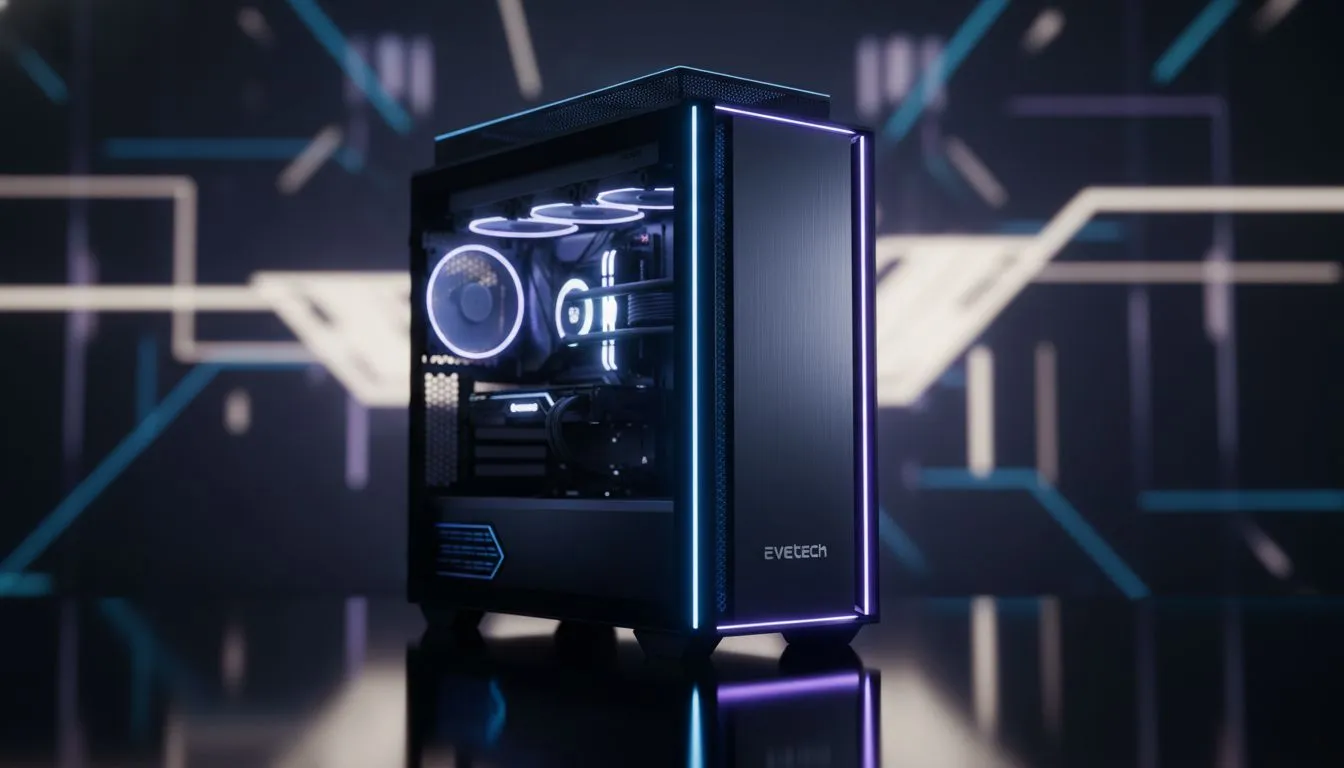
Counter-Strike 2 has changed the landscape of competitive shooters in South Africa. If your old rig is stuttering during a smoke execute on Mirage, you are already at a disadvantage. Finding the right prebuilt gaming PC for CS2 ensures you get maximum frames without the headache of manual assembly. It is about clicking heads... not troubleshooting hardware compatibility while your teammates wait in the lobby. ⚡
While building your own rig is a rite of passage for some, the current hardware climate makes ready-to-ship systems incredibly attractive. You get a balanced machine where the CPU won't bottleneck your GPU... all backed by a single local warranty. For those just starting their journey, exploring our range of budget gaming PCs is the most cost-effective way to jump into the server with confidence.
CS2 is more demanding than Global Offensive ever was. The new sub-tick system and volumetric smokes require a modern processor and a decent chunk of VRAM. If you want to maintain a steady 144Hz or 240Hz refresh rate, you cannot rely on ancient hardware. Most competitive players in SA aim for a sweet spot where performance meets price... often finding that systems to buy PCs under R20k provide the perfect frame-to-ZAR ratio for 1080p dominance. 🚀
To get the most out of your new prebuilt, ensure you enable NVIDIA Reflex in the game settings. This reduces system latency significantly, making your mouse clicks feel instantaneous. Also, keep your "Global Shadow Quality" on at least Medium... it allows you to see player shadows through certain doorways before they see you.
Are you playing for fun on the weekends or grinding the Faceit levels? Your goals dictate your hardware needs. Pro-level play requires absolute stability. Even a minor frame drop during a clutch can lead to a loss. For enthusiasts who want to play at 1440p or ensure they never drop below 400 FPS, we recommend looking to buy PCs above R20k to secure future-proof components like the latest RTX series cards and high-speed DDR5 memory.
We have spent hours testing various configurations to see which ones handle the Source 2 engine best. Our selection process focuses on thermal management... especially important during those hot South African summer afternoons. You can browse our specifically curated pre-built PC deals to find a machine that has been professionally assembled and stress-tested. ✨
If you are looking for the absolute peak of value, keep an eye on our best gaming PC deals section. We frequently update these listings with the latest components from AMD and Intel to ensure you get the most "bang for your buck" in the local market. Whether you need a compact mid-tower or a flashy RGB powerhouse... there is a configuration ready to ship to your doorstep. 🔧
Ready to Dominate the Server? Finding the right prebuilt gaming PC for CS2 doesn't have to be a gamble. Whether you are climbing the ranks or just playing with mates, we have the hardware to keep you at the top of the scoreboard. Explore our massive range of gaming PC specials and find the perfect machine to conquer the competition.
Prebuilt systems save time, arrive tested with warranty support and tuned drivers—ideal for reliable CS2 performance without DIY hassle.
Prioritise GPU, CPU single-thread speed, 16GB+ RAM, NVMe SSD and a quality PSU for consistent high FPS in CS2.
Evetech models with RTX 4060/4070 and Ryzen 5/7 or Intel i5/i7 offer the best balance of cost and FPS for CS2.
Yes—budget prebuilts with GTX 1660 Super or RTX 3050 reach competitive 1080p FPS when settings are tuned.
Most Evetech prebuilts include manufacturer warranty and local support, simplifying repairs and future upgrades.
Choose RTX for DLSS and future features; mid-range RTX cards deliver better 1080p and 1440p FPS in CS2.
Upgrade the GPU, add more RAM, and switch to a faster NVMe SSD. Confirm compatibility with Evetech before buying parts.
What Game Settings Work on 240Hz monitor. Tested & verified settings for best FPS and visual quality on SA hardware budgets.
Read more
What Cooling Solution Works Best with 144Hz monitor in SA Climate Detailed answer with SA data, expert analysis & practical recommendations for local buyers.
Read more
What Monitor Pairs Best with 240Hz monitor for Gaming in SA Detailed answer with SA data, expert analysis & practical recommendations for local buyers.
Read more
What Monitor Pairs Best with 1440p monitor for Gaming in SA Detailed answer with SA data, expert analysis & practical recommendations for local buyers.
Read moreWhat Monitor Pairs Best with 1440p monitor for Gaming Detailed answer with SA data, expert analysis & practical recommendations for local buyers.
Read more
the 144Hz monitor for student. Plain-English explanation of what it means, why it matters & how it affects your buying decisions in SA.
Read more
Every spec on PCIe 5.0 explained in plain English. What matters for gaming and creator work in 2026, what's marketing fluff, and how each number translates to real-world performance.

A head-to-head look at WiFi 7: real-world performance, ZAR pricing and which option delivers better value for SA builders. The clear answer — no fluff.

Everything you need to set up and tune PCIe 5.0 properly: the prep work, the settings that actually matter, and the mistakes to skip. Written for SA builders in 2026.

Everything you need to set up and tune X870E Motherboard properly: the prep work, the settings that actually matter, and the mistakes to skip. Written for SA builders in 2026.

Wondering what a 512GB SSD capacity really holds? This guide breaks down how many games, photos, and documents fit on 512GB, with real-world ranges 📦💾

Every spec on vrm explained in plain English. What matters for gaming and creator work in 2026, what's marketing fluff, and how each number translates to real-world performance.

Every spec on motherboard explained in plain English. What matters for gaming and creator work in 2026, what's marketing fluff, and how each number translates to real-world performance.

Premium vs Midrange Motherboards in South Africa: real-world performance, SA pricing, power draw and which one delivers better value for your build for SA buyers. The clear answer — without the fluff.
Wondering what a 512GB SSD capacity really holds? This guide breaks down how many games, photos, and documents fit on 512GB, with real-world ranges 📦💾
Every spec on PCIe 5.0 explained in plain English. What matters for gaming and creator work in 2026, what's marketing fluff, and how each number translates to real-world performance.
A head-to-head look at WiFi 7: real-world performance, ZAR pricing and which option delivers better value for SA builders. The clear answer — no fluff.

Every spec on USB4 explained in plain English. What matters for gaming and creator work in 2026, what's marketing fluff, and how each number translates to real-world performance.