


RTX 5070 Valorant Optimised Settings: Best Graphics for Max FPS 2026
RTX 5070 Valorant Optimised Settings: Graphics. Real-world benchmark data, FPS numbers & performance analysis. What SA gamers can actually expect.
Read moreStandard vs Extended Gaming Mousepad — decide fast with size, desk fit, playstyle and sensor tips. Learn pros, cons, and pick the right pad for FPS, MMO, and low-DPI setups. 🖱️📏
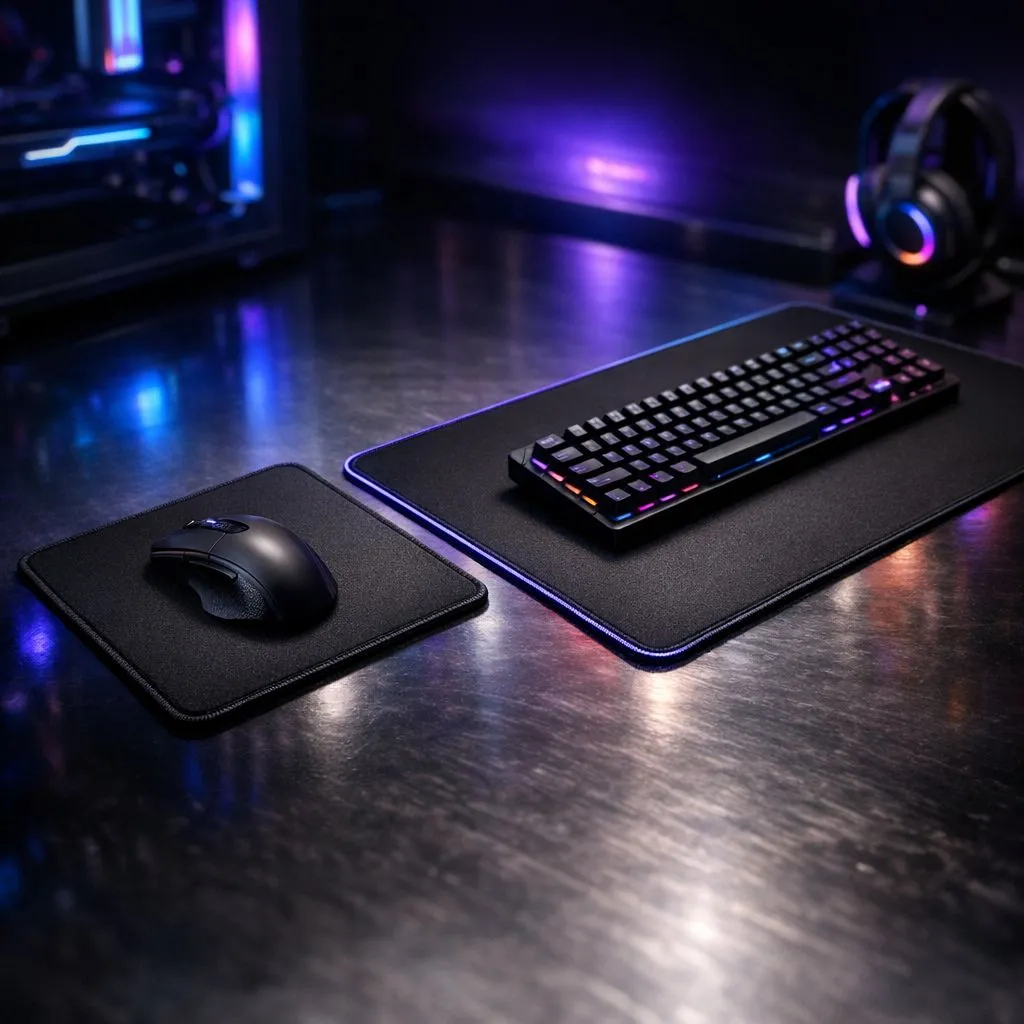
Ever run out of mousepad in a clutch moment? We've all been there… that frantic lift-and-swipe that costs you the round. It’s a classic gaming tragedy. Choosing between a standard vs extended gaming mousepad isn't just about desk aesthetics; it's a core decision that impacts your aim, consistency, and overall comfort. Let's break down how to choose the right surface for your playstyle and finally give your mouse the space it deserves.
Think of your mousepad as the foundation of your aim. A bigger surface doesn't magically make you a pro, but it removes a critical barrier to performance, especially if you use a lower sensitivity setting (DPI). The debate over a standard vs extended gaming mousepad boils down to one key factor: unrestricted movement.
A larger pad allows for sweeping arm movements, which many competitive FPS players prefer for its consistency and precision. A smaller pad forces you into wrist-aiming, which can be faster for quick snaps but less stable over long sessions. The goal is to find a size that never makes you feel limited.
Don't count out the classic square just yet. A standard-sized mousepad is a perfect fit for many gamers, especially those with limited desk space or a high-DPI playstyle. If you're a wrist-aimer who makes small, precise adjustments, a massive surface might be overkill.
They're also more portable, easier to clean, and generally more budget-friendly. For a versatile setup that handles both work and play, a high-quality standard pad from our own Evetech mousepads range is often the most practical choice. It gets the job done without dominating your entire desk.
So, why are extended mousepads so popular? Simple: they create a single, unified surface for both your keyboard and mouse. This has two huge benefits. First, your keyboard won't slide around during intense gaming sessions. Second, you have a massive, uninterrupted area for mouse movement. No more edges, no more compromises.
For low-DPI arm-aimers in games like CS2 or Valorant, this is essential. The smooth glide across a huge surface allows for consistent 180-degree turns without lifting the mouse. From popular extended mousepads to even more massive XXL mousepads, these desk mats also protect your desk surface and create a clean, organised look.
Your 'effective DPI' (eDPI) is your mouse DPI multiplied by your in-game sensitivity. To find your sweet spot, start with a low eDPI (e.g., 800) and see if you can do a comfortable 180-degree turn across your mousepad. Slowly increase it until aiming feels responsive but still controllable. This will quickly tell you if you need more space!
Making the final call in the standard vs extended gaming mousepad showdown comes down to a few personal factors.
Low-DPI players (400-800) who use their whole arm to aim almost always benefit from an extended pad. High-DPI players (>1600) who primarily use their wrist can comfortably use a standard pad. Top-tier options from brands like Steelseries cater to both styles, offering exceptional tracking surfaces in multiple sizes.
Measure your desk! It sounds obvious, but it's the most important step. Ensure an extended pad won't hang off the edge. If you're looking for performance without a hefty price tag, you can find some incredible options offering great value from Marvo.
Your mousepad is a major part of your setup's look. Do you want a minimalist vibe with sleek, non-RGB options, or do you want to sync up your battle station with some flashy, eye-catching RGB mousepads? The choice is yours, and neither affects raw performance.
Ultimately, the best gaming mousepad is one you never have to think about. It should just be there… a reliable surface that lets your skill shine.
Ready to Upgrade Your Surface? Whether you need a compact mat for a tight space or a full-desk pad for ultimate freedom, the perfect surface is waiting. Explore our massive range of gaming mousepads and find the perfect foundation for your victory.
Standard pads cover just the mouse area; extended pads span keyboard and mouse, offering uniform glide and desk protection for larger setups.
FPS and low-DPI players often prefer extended mousepad space for large sweeping movements; check 'best mousepad size for FPS' when deciding.
Yes — extended mousepad benefits include consistent wrist support and preventing accidental mouse drops off the mat during big motions.
Measure usable desk depth and width. Use a desk-size mousepad guide: choose standard for tight desks, extended for full-width coverage.
Cloth extended pads offer control and comfort; hard surfaces give speed. Pick based on playstyle and sensor compatibility.
Yes — extended pads allow your keyboard to sit on the mat, creating a stable surface and consistent feel across mouse and keys.
Prioritize playstyle, desk fit, and mouse DPI. For sweeping moves, choose larger pads; for compact setups, standard mousepads work fine.
RTX 5070 Valorant Optimised Settings: Graphics. Real-world benchmark data, FPS numbers & performance analysis. What SA gamers can actually expect.
Read more
Top Laptop with Core i7 + RX 7700S: Picks picks evaluated on performance, value & SA availability with current Rand pricing from Evetech.
Read more
When Will the RTX 6090 Launch in South Africa Detailed answer with SA data, expert analysis & practical recommendations for local buyers.

Top Valorant Settings for RTX 5070: FPS Optimisation picks evaluated on performance, value & SA availability with current Rand pricing from Evetech.

RDNA 3.5 Graphics in Ryzen AI 400? Can You Game. Plain-English explanation of what it means, why it matters & how it affects your buying decisions in SA.

GPU Price Index : December Report. Current stock data & price tracking for SA buyers. See what is available and where prices are heading.

Core i5-14600K + B760 + RTX 5060 Build Under. Full parts list, Rand pricing & expected performance. Build confidently with SA-available components.

RX 7600 Apex Legends at 4K: FPS Benchmark. Real-world benchmark data, FPS numbers & performance analysis. What SA gamers can actually expect.

RX 7900 XTX GTA 6 at 4K: FPS Benchmark & Optimal. Real-world benchmark data, FPS numbers & performance analysis. What SA gamers can actually expect.

Head-to-head comparison of RTX 5070 vs RX 9070 XT: Gaming Performance for SA gamers. Performance benchmarks, Rand pricing & which delivers better value.

GPU Setup Guide Gamers. Clear setup instructions with SA-specific considerations, troubleshooting tips & recommended components.

Top RTX 5090 Under R12000 picks evaluated on performance, value & SA availability with current Rand pricing from Evetech.

Call of Duty Warzone 2 Settings on RX 7600. Real-world benchmark data, FPS numbers & performance analysis. What SA gamers can actually expect.

GTA 6 Settings on RTX 5070 Ti: Performance. Real-world benchmark data, FPS numbers & performance analysis. What SA gamers can actually expect.