


Dedicated Media Keys for Streamers: Improve Workflow Fast
Dedicated media keys give streamers one-touch control to mute, switch scenes, clip highlights, and adjust audio — cutting task time and boosting consistency 🎛️⚡
Read moreStreaming bundle guide for 2025: pick the best mic, camera, and light kits, compare prices, and follow pro setup steps to stream with crisp audio and pro visuals 🎙️💡
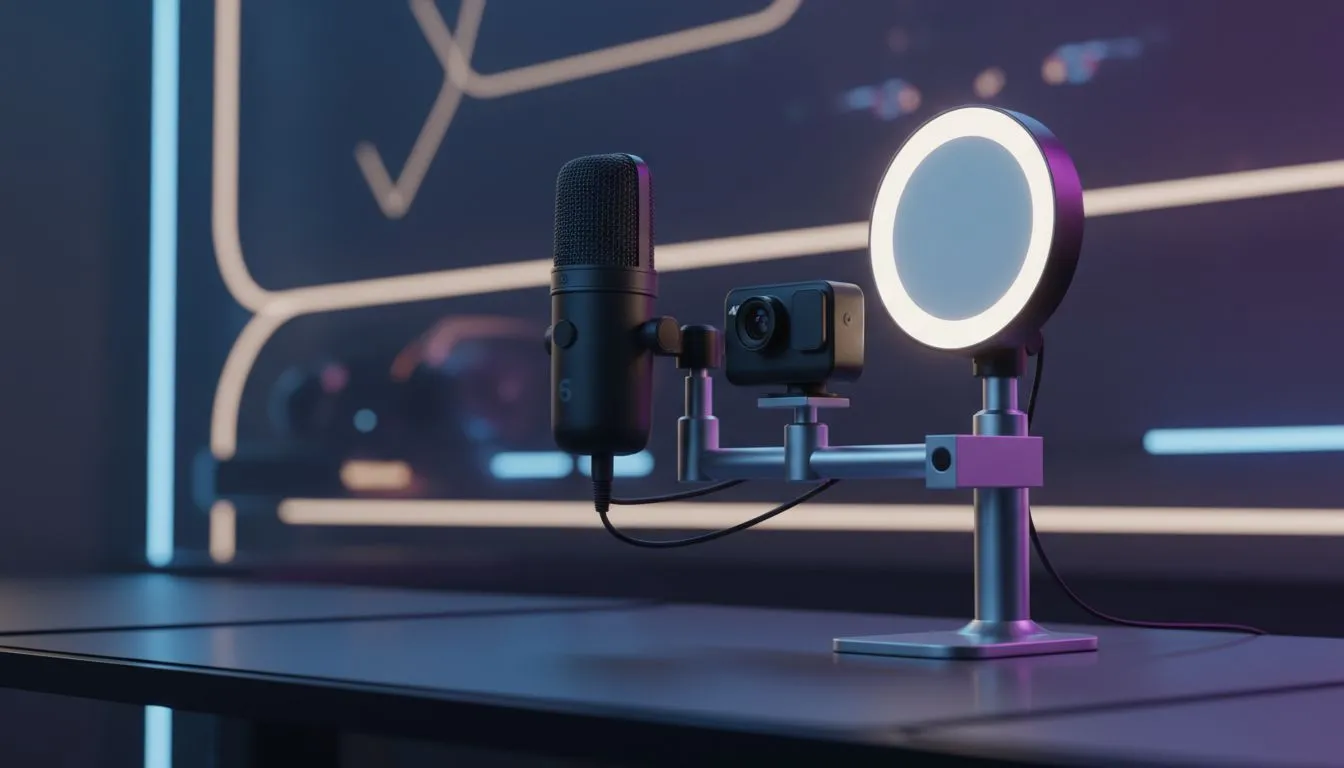
Thinking about launching your Twitch or YouTube career in 2025? You don't need a Hollywood studio to start. Whether you're in Joburg or Cape Town, the right streaming bundle: mic, camera & light setup 2025 edition is your ticket to building a community. Let's look at how to build a pro-level broadcast rig that looks crisp and sounds amazing without emptying your wallet.
Here is the golden rule of content creation... viewers will forgive grainy video, but they will click away immediately if your audio is bad. While a headset mic is okay for Discord, a dedicated setup elevates your production value instantly.
Invest in high-quality standalone microphones to give your voice that rich, broadcast quality. A USB condenser mic is usually the sweet spot for beginners, offering plug-and-play simplicity with professional results. To monitor your audio levels and hear in-game footsteps clearly, pair your mic with high-fidelity headphone headsets that are comfortable enough for long sessions.
You might have the best camera on the market, but without proper lighting, your feed will look muddy. A simple key light and a fill light can transform a dark bedroom into a professional studio.
Once your face is lit, you need to manage your digital workspace. Most SA streamers now use dual PC monitors to keep the game on one screen and OBS or chat on the other. It’s vital for engagement; if you miss chat messages, you miss the chance to bond with your audience.
Streaming is resource-intensive. You are rendering a game and encoding video simultaneously. Beyond a strong CPU and GPU, you need speed. Loading assets, transitions, and saving local recordings of your streams requires reliable solid state drives. An NVMe drive ensures your PC doesn't stutter when you hit "Go Live."
Your peripherals are your tools of the trade. A clunky mouse can ruin a clutch moment, so look for a responsive gaming mouse that suits your grip style.
If you are worried about the "click-clack" of mechanical keys bleeding into your mic, you might want to look for linear switches. You don't have to spend a fortune either; there are excellent cheapest gaming keyboard options in South Africa that offer great performance without the noise or the high price tag.
For variety streamers who switch between shooters and RPGs or racing games, keeping ergonomic gaming controllers on hand is a must. It allows you to lean back and relax during story-driven games, changing the vibe of the stream.
Finally, tie your setup together with the right accessories. This includes capture cards if you are streaming console gameplay, green screens, or Stream Decks to manage scenes. Browsing through dedicated streaming essentials can help you find those specific quality-of-life tools that make running a show easier.
Don't aim your lights directly at your face if they are too harsh. Bounce the light off a white wall or use a softbox diffuser. This creates a softer, more flattering shadow that looks great on camera and prevents eye strain during marathon streams.
Building the perfect streaming bundle: mic, camera & light setup 2025 is about balance. Start with great audio, add decent lighting, and upgrade your peripherals as your channel grows.
Ready to Go Live? Your audience is waiting, and the right gear is the only thing standing between you and your first viral clip. Whether you need a crisp mic or a full lighting rig, we've got you covered. Shop our full range of Streaming Gear and start your journey today.
The best streaming bundle balances mic, camera, and light for your budget; our 2025 picks include USB mics, 1080p/4K webcams, and compact LED panels.
Expect $200–$800 for quality streaming bundle options; entry kits are cheaper, while pro setups with 4K cameras and XLR mics cost more.
You need a capture card only for console or HDMI camera input. USB webcams and microphones generally work plug-and-play without one.
Pair a cardioid USB or XLR mic, a 1080p+ webcam or mirrorless camera, and an adjustable bi-color LED panel for balanced audio and visuals.
Yes. Choose a compact microphone arm, small LED panels, and a mini webcam or ring light to save space while keeping pro-quality output.
Pre-made streaming bundle kits offer matched components and convenience; they can save money but check specs to ensure they meet your needs.
Place a key LED at a 45° angle, use a soft fill to reduce shadows, and set the mic just off-axis to avoid plosives and screen reflections.
Dedicated media keys give streamers one-touch control to mute, switch scenes, clip highlights, and adjust audio — cutting task time and boosting consistency 🎛️⚡
Read more
PBT vs ABS keycaps: Clear, local guide for South African gamers—compare feel, sound, durability and where to buy. Find the best material for your budget and playstyle 🎮🇿🇦
Read more
- Multi-Function Digital Dial: define benefits - Show gamer setups and macros - Offer buying and setup tips Multi-Function Digital Dial puts programmable control at your fingertips for faster actions and smoother streaming. 🎮⚙️
Read more
- Explain benefits; - Show the science; - Compare options; - Recommend picks. Magnetic wrist rest for gaming cuts wrist strain and boosts comfort during long sessions 🕹️✨
Read more
best gaming keyboard South Africa: Learn how to pick a low-latency mechanical keyboard, choose switches, layout and budget for competitive play 🎮⚡
Read more
Best wireless keyboard and mouse combo for small desks — curated, space-saving picks that boost comfort and productivity in tight setups. Find low-profile layouts, compact mice, and reliable range to fit your compact workstation. 🖱️⌨️
Read more
Discover webcams that automatically adjust light and color for crystal-clear video calls 🎥✨. Boost your streaming quality today!

Discover webcams that blend into your workflow 🎯 Capture moments while you work, stream, or create. Upgrade your setup with smart, multitasking tech!
Dedicated media keys give streamers one-touch control to mute, switch scenes, clip highlights, and adjust audio — cutting task time and boosting consistency 🎛️⚡
PBT vs ABS keycaps: Clear, local guide for South African gamers—compare feel, sound, durability and where to buy. Find the best material for your budget and playstyle 🎮🇿🇦
- Multi-Function Digital Dial: define benefits - Show gamer setups and macros - Offer buying and setup tips Multi-Function Digital Dial puts programmable control at your fingertips for faster actions and smoother streaming. 🎮⚙️
- Explain benefits; - Show the science; - Compare options; - Recommend picks. Magnetic wrist rest for gaming cuts wrist strain and boosts comfort during long sessions 🕹️✨