


What Game Settings Work Best on 240Hz monitor?
What Game Settings Work on 240Hz monitor. Tested & verified settings for best FPS and visual quality on SA hardware budgets.
Read moreUSB-C hub for MacBook lets you transform a laptop into a full desktop workstation—connect monitors, Ethernet, storage and power pass-through in minutes. ⚡🖥️
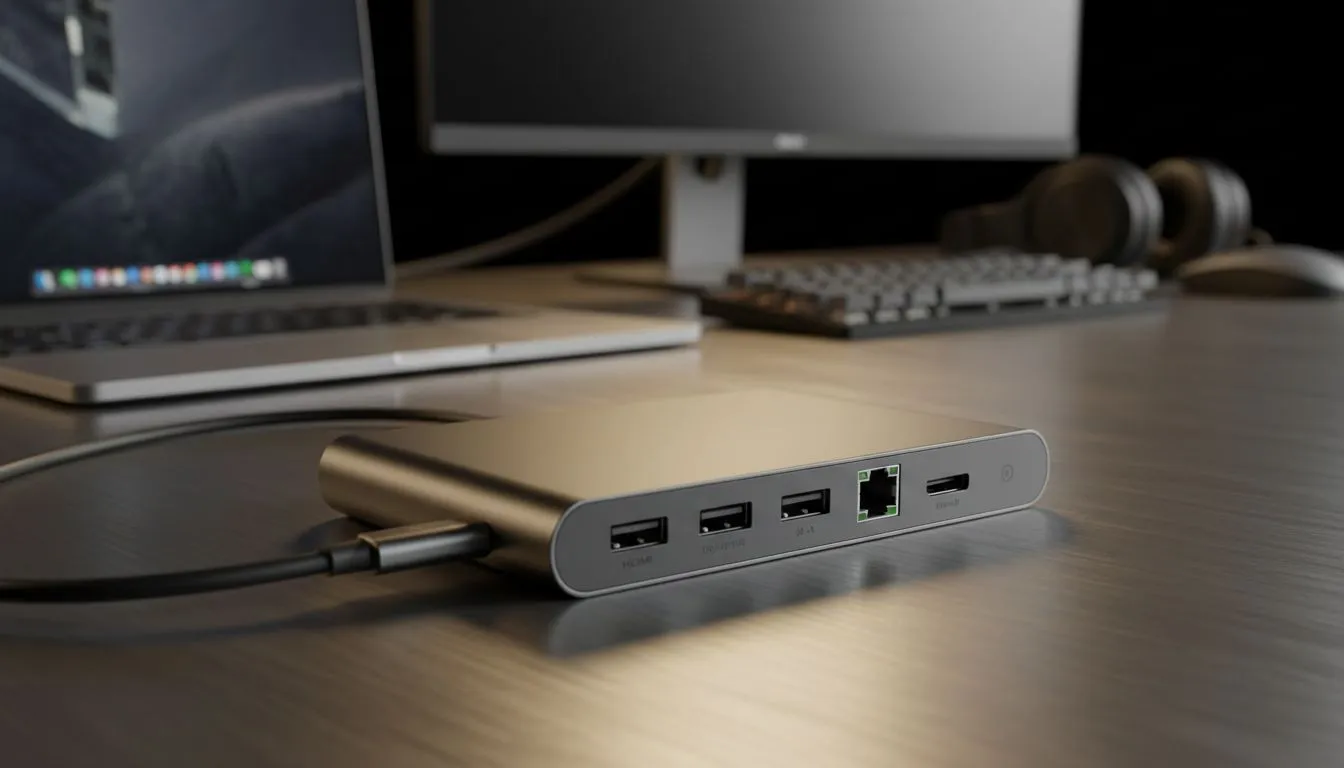
So, you've got a sleek, powerful MacBook… but where did all the ports go? That minimalist design is great for on-the-go, but back at your desk, it feels limiting. What if you could connect your monitor, keyboard, mouse, and more with a single cable? That's the magic of a USB-C hub for your MacBook, the key to transforming your portable powerhouse into a full-blown desktop command centre right here in South Africa. 💻
In the quest for thinness, Apple ditched legacy ports like USB-A, HDMI, and the SD card reader. While this cleans up the look, it creates a real-world problem: dongle-geddon. A dedicated USB-C hub for a MacBook solves this instantly. It's a single, compact device that plugs into one of your MacBook's Thunderbolt/USB-C ports and expands it into a versatile docking station, letting you build a proper desktop setup without the clutter.
This isn't just about convenience; it's about workflow. Imagine editing videos and offloading footage from an SD card while your machine is plugged into a stable Ethernet connection and a 4K monitor. This is the level of productivity a simple hub unlocks.
Not all hubs are created equal. Finding the perfect one means matching its features to your needs. Before you browse for essential PC components and accessories, consider what your ideal MacBook desktop setup requires.
Think about your daily workflow. The best USB-C hub for your MacBook will have the right mix of ports for you.
Use velcro cable ties or a desk-mounted cable spine to route all your peripheral wires to your USB-C hub. This keeps your space tidy and makes connecting your MacBook a clean, one-cable action. A clean setup isn't just about looks; it helps you focus and be more productive.
With the right hub, you're ready to build. This is where your laptop truly becomes the heart of a powerful workstation. The hub acts as the central brain, connecting everything seamlessly.
Start by connecting your main display, a high-quality mechanical keyboard, and an ergonomic mouse. These peripherals make a massive difference for long work or gaming sessions. You can find some amazing options in our gaming accessories deals, which often offer incredible value.
Next, plug in your extras: a webcam for those endless Teams calls, an external SSD for lightning-fast storage, and that all-important Ethernet cable for stable connectivity. Suddenly, your MacBook isn't just a laptop anymore. It’s a versatile, powerful desktop that you can disconnect with a single plug when it's time to head out. For anyone looking to seriously upgrade their entire peripheral game, exploring a curated list of Gaming Accessories is the perfect next step.
Ready to Build Your Ultimate Setup? A full desktop experience is just one hub away. Transform your MacBook from a simple laptop into a productivity beast. Explore our incredible range of accessories and find the perfect gear to complete your command centre today.
Yes. A USB-C hub for MacBook adds displays, Ethernet, USB ports and power delivery so you can use a full desktop setup.
Choose a Thunderbolt 3 or DisplayPort-capable USB-C hub that supports MST or dual 4K outputs for dual monitor MacBook setups.
Many USB-C hubs include power delivery (PD) passthrough. Look for 60W–100W PD if you need full MacBook charging while docked.
For high-resolution multiple displays and fast storage, a Thunderbolt 3 hub is best. A standard USB-C hub works for basic ports and single displays.
Yes. A usb-c hub with ethernet for MacBook provides a reliable wired connection for faster, lower-latency networking.
Most hubs include SD card readers and USB-A or USB-C ports so you can connect cameras, external SSDs and other peripherals.
Pick a portable usb-c hub for MacBook Air with PD charging, at least one HDMI/DisplayPort output and the ports you use daily.
What Game Settings Work on 240Hz monitor. Tested & verified settings for best FPS and visual quality on SA hardware budgets.
Read more
What Cooling Solution Works Best with 144Hz monitor in SA Climate Detailed answer with SA data, expert analysis & practical recommendations for local buyers.
Read more
What Monitor Pairs Best with 240Hz monitor for Gaming in SA Detailed answer with SA data, expert analysis & practical recommendations for local buyers.
Read more
What Monitor Pairs Best with 1440p monitor for Gaming in SA Detailed answer with SA data, expert analysis & practical recommendations for local buyers.
Read moreWhat Monitor Pairs Best with 1440p monitor for Gaming Detailed answer with SA data, expert analysis & practical recommendations for local buyers.
Read more
the 144Hz monitor for student. Plain-English explanation of what it means, why it matters & how it affects your buying decisions in SA.
Read more
Every spec on PCIe 5.0 explained in plain English. What matters for gaming and creator work in 2026, what's marketing fluff, and how each number translates to real-world performance.

A head-to-head look at WiFi 7: real-world performance, ZAR pricing and which option delivers better value for SA builders. The clear answer — no fluff.

Everything you need to set up and tune PCIe 5.0 properly: the prep work, the settings that actually matter, and the mistakes to skip. Written for SA builders in 2026.

Everything you need to set up and tune X870E Motherboard properly: the prep work, the settings that actually matter, and the mistakes to skip. Written for SA builders in 2026.

Wondering what a 512GB SSD capacity really holds? This guide breaks down how many games, photos, and documents fit on 512GB, with real-world ranges 📦💾

Every spec on vrm explained in plain English. What matters for gaming and creator work in 2026, what's marketing fluff, and how each number translates to real-world performance.

Every spec on motherboard explained in plain English. What matters for gaming and creator work in 2026, what's marketing fluff, and how each number translates to real-world performance.

Premium vs Midrange Motherboards in South Africa: real-world performance, SA pricing, power draw and which one delivers better value for your build for SA buyers. The clear answer — without the fluff.
Wondering what a 512GB SSD capacity really holds? This guide breaks down how many games, photos, and documents fit on 512GB, with real-world ranges 📦💾
Every spec on PCIe 5.0 explained in plain English. What matters for gaming and creator work in 2026, what's marketing fluff, and how each number translates to real-world performance.
A head-to-head look at WiFi 7: real-world performance, ZAR pricing and which option delivers better value for SA builders. The clear answer — no fluff.

Every spec on USB4 explained in plain English. What matters for gaming and creator work in 2026, what's marketing fluff, and how each number translates to real-world performance.