


What Game Settings Work Best on 240Hz monitor?
What Game Settings Work on 240Hz monitor. Tested & verified settings for best FPS and visual quality on SA hardware budgets.
Read more• Compare USB-C hub vs docking station; • Match ports, power, and displays; • Recommend setups by workflow; • Buying tips and top picks ✅ USB-C hub vs docking station explained fast — pick the right setup for your workstation and monitors. 🔌
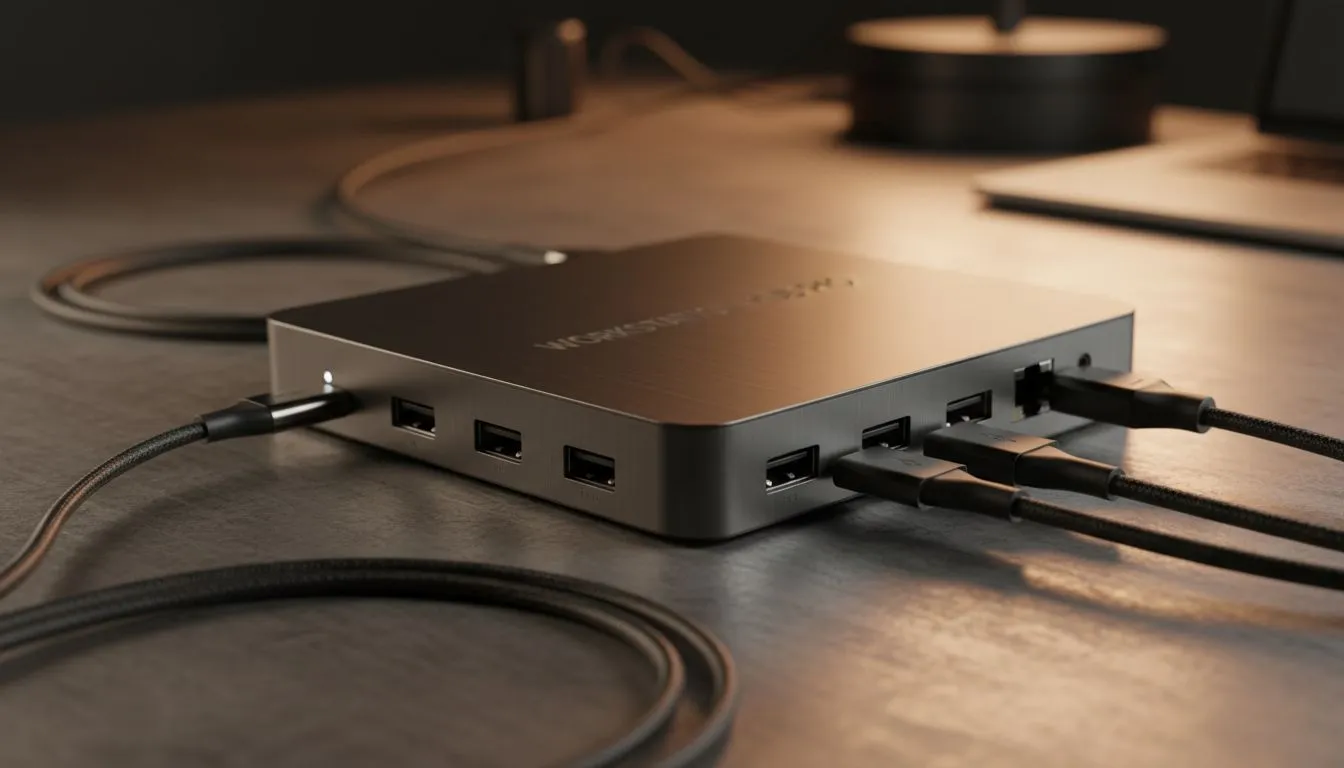
If you are tired of unplugging five different cables every time you move your laptop, you have likely hit the USB-C Hub vs Docking Station dilemma. In South Africa, where our desks often serve as both a remote office and a high-intensity gaming zone, choosing the right connectivity tool is vital. It is not just about adding ports... it is about managing power and data effectively. ⚡
USB-C hubs are the ultimate companions for the professional on the move. They are typically small, bus-powered devices that expand a single port into several options like USB-A, HDMI, or SD card slots. If you are a student or a digital nomad frequenting coffee shops in Sandton, these are perfect. Many users opt for versatile Promate docking stations because they offer a balance of portability and port variety without needing an external power brick.
However, hubs have limits. Because they draw power from your laptop, they might struggle to run high-draw peripherals like external hard drives and RGB keyboards simultaneously. They are great for quick fixes but might not be the foundation of a permanent "pro" setup.
A docking station is a different beast entirely. These devices usually come with their own dedicated power supply, allowing them to charge your laptop while driving multiple high-resolution monitors. If you are looking for a permanent desk solution to handle dual 4K screens and stable Ethernet, you should look at premium docking stations under R2000. 🚀
On Windows, use the PowerToys FancyZones utility to create custom snap layouts for your windows. It's a lifesaver for managing multiple apps on an ultrawide monitor, letting you organise your timeline, preview window, and asset folders perfectly for video editing.
The choice usually comes down to your specific workflow and budget. If you only need to connect a mouse and a single monitor occasionally, entry-level docking stations under R1000 provide excellent value for money. They bridge the gap between a basic hub and a full-scale dock perfectly.
For power users, bandwidth is the deciding factor. A true docking station uses Thunderbolt or high-spec USB-C protocols to ensure your data transfer speeds remain high even when every port is occupied. This is essential for gamers who cannot afford input lag or creators who need to move massive video files. ✨
When comparing a USB-C hub vs docking station, check the Refresh Rate support. Many cheap hubs cap HDMI output at 30Hz... which feels sluggish for gaming or even basic scrolling. A dedicated dock is more likely to support 60Hz or higher. You can explore our full catalogue of docking stations to find a model that supports your specific monitor configuration and refresh rate requirements.
Ready to Upgrade Your Workstation? Whether you need a portable hub for your travels or a powerhouse dock for your home office, we have the tech to keep you connected. Explore our massive range of docking station specials and find the perfect match for your South African setup.
A USB-C hub adds extra ports for simple expansion; a docking station offers more power, multiple displays, and persistent desktop features. See usb-c hub vs docking station.
For two or more high-res screens, a docking station is usually best. A usb-c hub for multiple monitors can work for basic setups or lower resolutions.
Some hubs offer limited power delivery, but full laptop charging often requires a docking station; compare docking station vs usb c hub power delivery.
Many docks support both, but check protocols and drivers. See usb-c hub compatibility macbook windows before buying to avoid surprises.
Thunderbolt often delivers better bandwidth for 4K@60Hz or high refresh. Review thunderbolt vs usb-c dock differences for display needs.
For portability, choose a lightweight usb-c hub for travel. Docking stations prioritize ports and power over portability.
Match your ports, monitor count, and PD needs. Use a how to choose usb-c hub or docking station checklist: ports, power, display, and budget.
What Game Settings Work on 240Hz monitor. Tested & verified settings for best FPS and visual quality on SA hardware budgets.
Read more
What Cooling Solution Works Best with 144Hz monitor in SA Climate Detailed answer with SA data, expert analysis & practical recommendations for local buyers.
Read more
What Monitor Pairs Best with 240Hz monitor for Gaming in SA Detailed answer with SA data, expert analysis & practical recommendations for local buyers.
Read more
What Monitor Pairs Best with 1440p monitor for Gaming in SA Detailed answer with SA data, expert analysis & practical recommendations for local buyers.
Read moreWhat Monitor Pairs Best with 1440p monitor for Gaming Detailed answer with SA data, expert analysis & practical recommendations for local buyers.
Read more
the 144Hz monitor for student. Plain-English explanation of what it means, why it matters & how it affects your buying decisions in SA.
Read more
Every spec on PCIe 5.0 explained in plain English. What matters for gaming and creator work in 2026, what's marketing fluff, and how each number translates to real-world performance.

A head-to-head look at WiFi 7: real-world performance, ZAR pricing and which option delivers better value for SA builders. The clear answer — no fluff.

Everything you need to set up and tune PCIe 5.0 properly: the prep work, the settings that actually matter, and the mistakes to skip. Written for SA builders in 2026.

Everything you need to set up and tune X870E Motherboard properly: the prep work, the settings that actually matter, and the mistakes to skip. Written for SA builders in 2026.

Wondering what a 512GB SSD capacity really holds? This guide breaks down how many games, photos, and documents fit on 512GB, with real-world ranges 📦💾

Every spec on vrm explained in plain English. What matters for gaming and creator work in 2026, what's marketing fluff, and how each number translates to real-world performance.

Every spec on motherboard explained in plain English. What matters for gaming and creator work in 2026, what's marketing fluff, and how each number translates to real-world performance.

Premium vs Midrange Motherboards in South Africa: real-world performance, SA pricing, power draw and which one delivers better value for your build for SA buyers. The clear answer — without the fluff.
Wondering what a 512GB SSD capacity really holds? This guide breaks down how many games, photos, and documents fit on 512GB, with real-world ranges 📦💾
Every spec on PCIe 5.0 explained in plain English. What matters for gaming and creator work in 2026, what's marketing fluff, and how each number translates to real-world performance.
A head-to-head look at WiFi 7: real-world performance, ZAR pricing and which option delivers better value for SA builders. The clear answer — no fluff.

Every spec on USB4 explained in plain English. What matters for gaming and creator work in 2026, what's marketing fluff, and how each number translates to real-world performance.