


Call of Duty Warzone 2 Settings on RX 7600: Best Performance
Call of Duty Warzone 2 Settings on RX 7600. Real-world benchmark data, FPS numbers & performance analysis. What SA gamers can actually expect.
Read moreWondering how much to spend on a wireless gaming mouse in South Africa? 🖱️ Our ZAR price guide breaks down tiers to help you find the perfect balance between performance and budget. Upgrade your setup today! 🚀
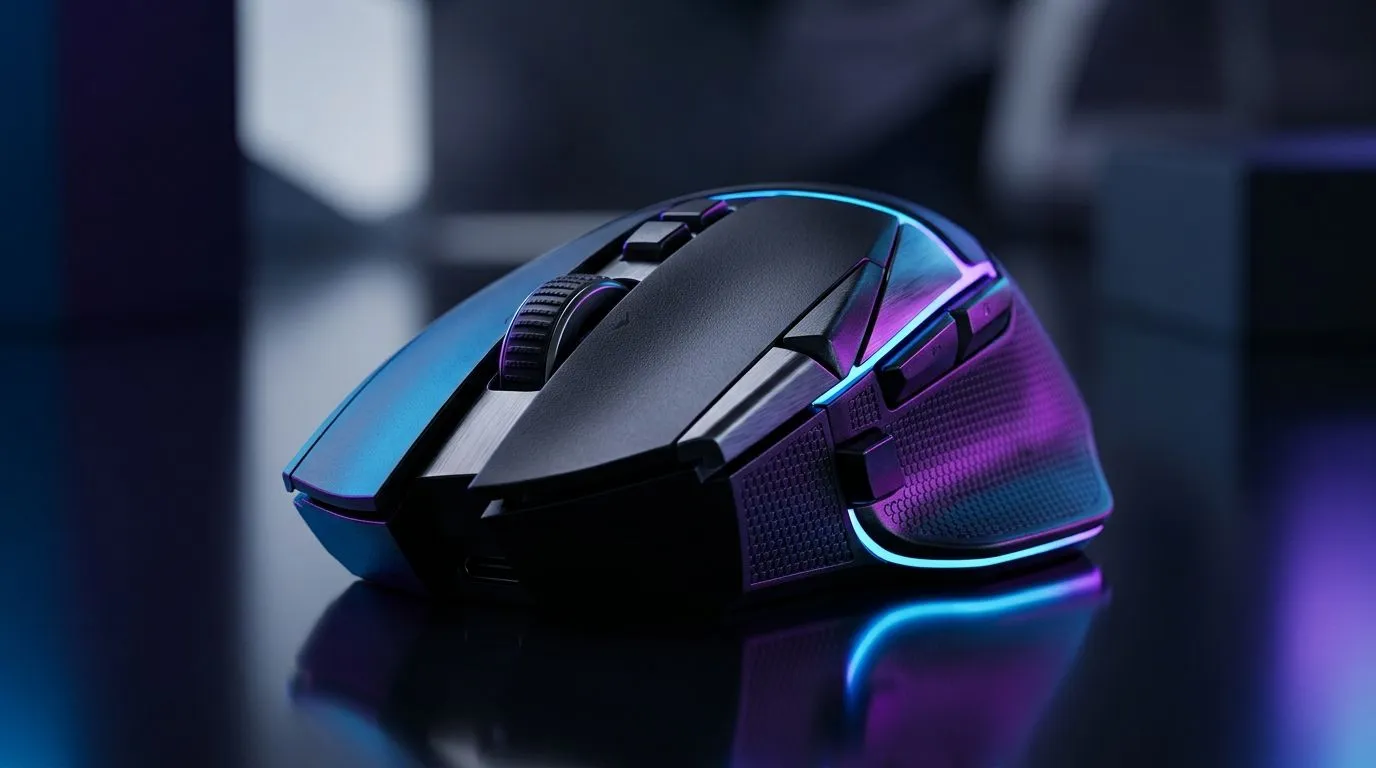
If your aim is to win more often, your gear matters… including the humble mouse. In South Africa, prices swing fast between sales, bundles and “import-but-not-actually” vibes. So before you impulse-buy a wireless gaming mouse, let’s make it simple: what’s a fair Wireless Gaming Mouse Price Guide: How Much Should You Spend in SA?, what you’re paying for, and which upgrades actually affect gameplay. 🎮
Wireless gaming mice aren’t “just” wireless. The price usually reflects a few practical factors you can feel on the desk:
A better sensor typically means more consistent tracking across surfaces and lower lift-off distance. That matters for flick shots and smooth micro-adjustments. For wireless specifically, stable tracking helps because polling and wireless performance work together.
Many wireless mice advertise 1000Hz polling, and that’s the baseline most gamers aim for. Still, the real-world advantage depends on your PC, mousepad, and whether you’re running a stable USB connection. If your setup can’t maintain consistent performance, higher polling can’t magically fix it.
Some models last days… others last weeks. If you forget to charge, you’ll notice at the worst possible moment. Look for a mouse that supports comfortable charging (wired charging, docking, or easy USB-C access).
Wireless usually adds a bit of weight due to the battery. Manufacturers compensate with better balance, lighter shells, and refined shapes. If a mouse feels off in your hand, your aim suffers.
In competitive play, you’ll often “test” the mouse with rapid clicks. A higher-end mouse usually offers more reliable switches and better long-term feel.
Here’s a grounded way to think about spending in ZAR. Prices can change, but these tiers help you avoid overpaying or buying too cheap.
In this tier, you can find wireless mice that work. But expect compromises: lighter sensors, shorter battery life, less robust build, or limited customisation software.
Best for: school, office + occasional gaming, story games, and beginners.
This is where you start seeing sensor performance, better wireless stability, and enough buttons to actually play comfortable. If you’re FPS-curious or you’re already competitive in South Africa’s ranked playlists, this tier is where value often lands.
Best for: CS-style aim training, Fortnite builds, Apex legends practice… basically, “I want consistency”.
Premium wireless mice typically add refined shapes, more reliable wireless performance, better switches, and higher-quality build materials. The battery life also tends to be more forgiving.
Best for: long sessions, esports-level habits, and players who care about tuning their setup.
Before you choose a model, check these points. They help you buy once, not twice.
In South Africa power cuts happen. To keep your sensor and wireless performance consistent, store your mouse on a mousepad and avoid charging it in a dusty, high-heat spot. Dust buildup on the sensor area can cause tracking glitches, especially with budget skates and higher polling settings.
Sales are common, and that’s good. But “cheap wireless” can be expensive if the battery dies mid-queue or the sensor skips during a spray.
For browsing options across styles and price points, start here:
A mate of mine tried to “save money” on a wireless mouse during a weekend sale. The first session felt fine… then battery drain started creeping in. After two rounds of ranked, it was dead. He switched to charging mid-game and hated it. That’s the key lesson: wireless is convenience, but only if your battery life matches your play habits.
So if you’re buying for competitive play, don’t just hunt the lowest ZAR tag. Aim for a mouse that fits your routine. If you play for 2 to 3 hours a day, prioritise battery comfort over flashy marketing.
If you want a simple rule:
Ready to Find Your Perfect Match? If you’re tired of guessing, use Evetech to compare real stock and deal pricing in South Africa. Start with our wireless mouse selection, then fine-tune with accessories if you want a better fit and smoother glide: Explore all wireless gaming mice on Evetech.
For casual gaming, R800 to R1,500 is ideal. Competitive players should look at the R2,000 to R3,500 range for top-tier sensors and ultra-low latency.
Budget wireless mice have improved significantly. While they may lack advanced features, many offer reliable sensors suitable for entry-level gaming.
Premium mice offer superior optical sensors, weight reduction, optical switches, and advanced wireless technology like HyperSpeed or LIGHTSPEED.
RGB lighting is largely aesthetic. While it can increase the price, performance-focused gamers should prioritize sensor quality and battery life over lights.
Modern flagship wireless mice feature latency-free technology that matches or exceeds wired performance, making them the new standard for pros.
A quality wireless gaming mouse should last 3 to 5 years with proper care, though battery degradation may occur over time depending on usage patterns.
Call of Duty Warzone 2 Settings on RX 7600. Real-world benchmark data, FPS numbers & performance analysis. What SA gamers can actually expect.
Read more
GTA 6 Settings on RTX 5070 Ti: Performance. Real-world benchmark data, FPS numbers & performance analysis. What SA gamers can actually expect.
Read more
Top GPU Setup for Accounting Students picks evaluated on performance, value & SA availability with current Rand pricing from Evetech.
Read more
When Will the RTX 6090 Launch in South Africa Detailed answer with SA data, expert analysis & practical recommendations for local buyers.

Top Valorant Settings for RTX 5070: FPS Optimisation picks evaluated on performance, value & SA availability with current Rand pricing from Evetech.

RDNA 3.5 Graphics in Ryzen AI 400? Can You Game. Plain-English explanation of what it means, why it matters & how it affects your buying decisions in SA.

GPU Price Index : December Report. Current stock data & price tracking for SA buyers. See what is available and where prices are heading.

Core i5-14600K + B760 + RTX 5060 Build Under. Full parts list, Rand pricing & expected performance. Build confidently with SA-available components.

RX 7600 Apex Legends at 4K: FPS Benchmark. Real-world benchmark data, FPS numbers & performance analysis. What SA gamers can actually expect.

RX 7900 XTX GTA 6 at 4K: FPS Benchmark & Optimal. Real-world benchmark data, FPS numbers & performance analysis. What SA gamers can actually expect.

Head-to-head comparison of RTX 5070 vs RX 9070 XT: Gaming Performance for SA gamers. Performance benchmarks, Rand pricing & which delivers better value.

Top Laptop with Ryzen 5 + RTX 4090 Laptop: Picks picks evaluated on performance, value & SA availability with current Rand pricing from Evetech.

Top Budget GPU for Marvel Rivals picks evaluated on performance, value & SA availability with current Rand pricing from Evetech.

Valorant Settings on RTX 5070: Performance. Real-world benchmark data, FPS numbers & performance analysis. What SA gamers can actually expect.

Top Budget GPU for Assassins Creed Shadows picks evaluated on performance, value & SA availability with current Rand pricing from Evetech.