


So, you’ve unboxed your shiny Xbox Series X or S, installed your favourite games, and… bam. That dreaded “Storage Full” notification hits you right in the feels. 😩 With massive titles like Starfield and Call of Duty eating up gigabytes faster than a hadeda gobbles earthworms, your console's internal drive just doesn’t cut it.
Don't start deleting your favourites just yet. The solution is an Xbox Expansion Card, and we’re here to break down the best options from Seagate and Western Digital available right here in South Africa.
Why You Need an Official Xbox Expansion Card
Before you grab any old drive, you need to understand the Xbox Velocity Architecture. This is the secret sauce that makes next-gen games load at lightning speed. To maintain that performance, you need a storage card that plugs directly into the dedicated port on your console and matches the internal SSD's speed perfectly.
While a standard external SSD is great for storing and playing older Xbox One, 360, and original Xbox games, it can't run titles optimised for Series X|S. For that, you need an official Xbox Expansion Card.
The Main Contenders: Seagate vs. Western Digital 🚀
For a while, Seagate was the only name in the game. Now, Western Digital has joined the party, giving South African gamers more choice. Both options deliver identical performance, so your decision will likely come down to brand loyalty, availability, and price.
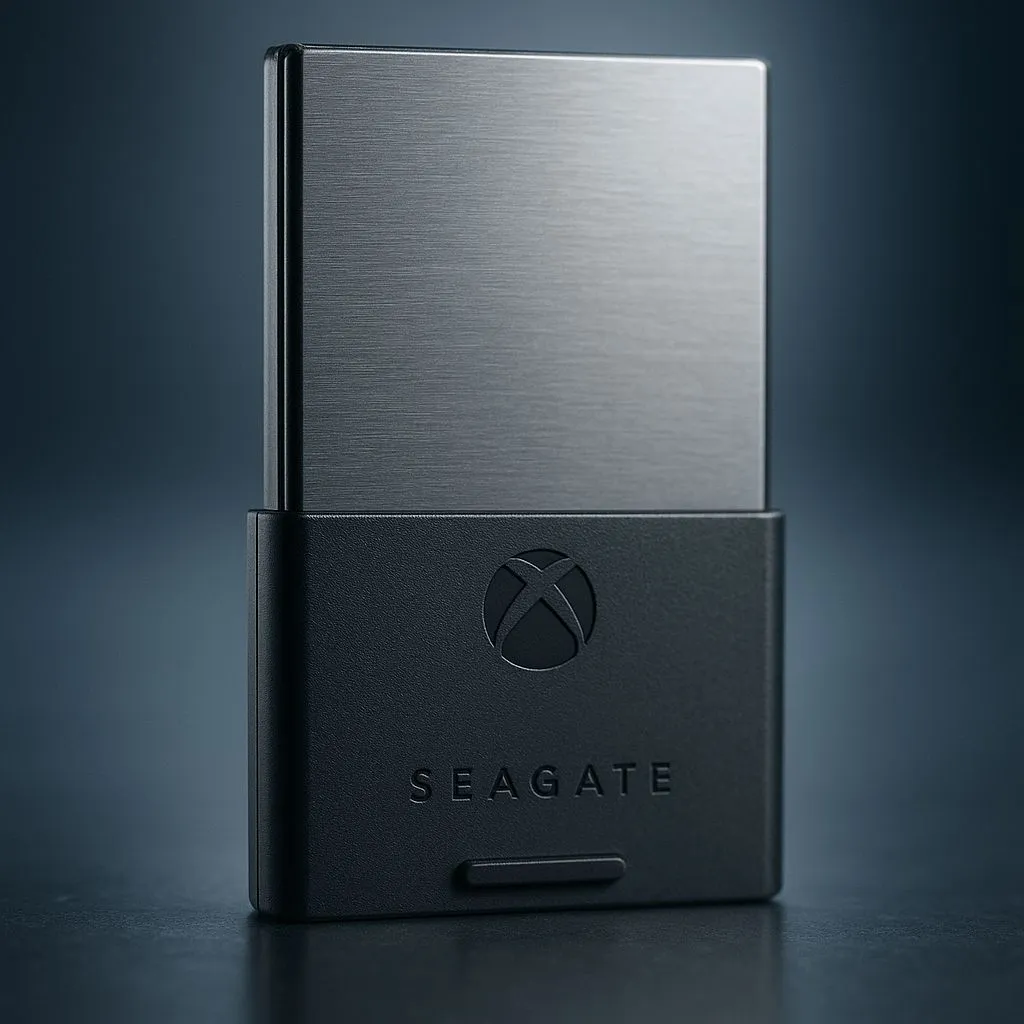
Seagate Storage Expansion Card for Xbox
As the original launch partner, Seagate’s card is the one most gamers are familiar with. It’s a tiny, robust unit that simply plugs into the back of your console, instantly expanding your library.
- Capacities: Typically available in 512GB, 1TB, and 2TB models.
- Performance: Perfectly mirrors the console's internal drive speed. No compromises.
- Build: It's compact and built to last, matching the Xbox aesthetic.
It’s a proven and reliable choice, backed by a brand known for its top-tier solid state drives. You simply can’t go wrong with it.
WD_BLACK C50 Expansion Card for Xbox
Western Digital’s WD_BLACK C50 is the newer kid on the block, bringing welcome competition to the market. It functions identically to the Seagate card, leveraging the same custom NVMe technology required by the Xbox Velocity Architecture.
- Capacities: Launched with 512GB and 1TB options.
- Design: Features the signature rugged, industrial look of the WD_BLACK gaming line.
- Value: Its entry into the market has helped stabilise prices, often making it a great value proposition.
Storage Management Pro Tip 🎮
Even with an expansion card, smart storage management helps. Move games you're not actively playing but want to keep installed to a cheaper, larger external HDD or SSD. This frees up your high-speed expansion card for the titles you play daily. Transferring them back is much faster than re-downloading!
Making the Right Choice in South Africa 💰
So, which Xbox Expansion Card should you buy?
- Check Your Budget: The 1TB model is the sweet spot for most gamers, offering a massive library boost without breaking the bank. The 512GB is a great entry point if you just need a little extra breathing room.
- Hunt for Deals: Prices can fluctuate. Always check Evetech to find the latest SSD deals to see which brand offers the best price-per-gigabyte in ZAR on any given day.
- Consider the Ecosystem: If you already trust Seagate or WD for your other storage needs, you might lean towards your preferred brand.
Ultimately, both the Seagate and WD_BLACK Xbox Expansion Cards are fantastic products. They are the only way to seamlessly expand your storage for next-gen games. Whether you're looking for an official card or browsing a wide range of SSDs for other uses, the key is getting the right tool for the job.
Ready to End Your Storage Woes? Stop deleting and start playing. An Xbox Expansion Card is the ultimate upgrade for any serious Xbox gamer in South Africa. Explore our range of high-speed external storage and give your game library the space it deserves.











