


What Game Settings Work Best on 240Hz monitor?
What Game Settings Work on 240Hz monitor. Tested & verified settings for best FPS and visual quality on SA hardware budgets.
Read moreXREAL Hub battery life tips to keep your headset running on long flights without draining your phone or laptop. Learn USB-C passthrough, power bank choices, and low-power settings ✈️🔋
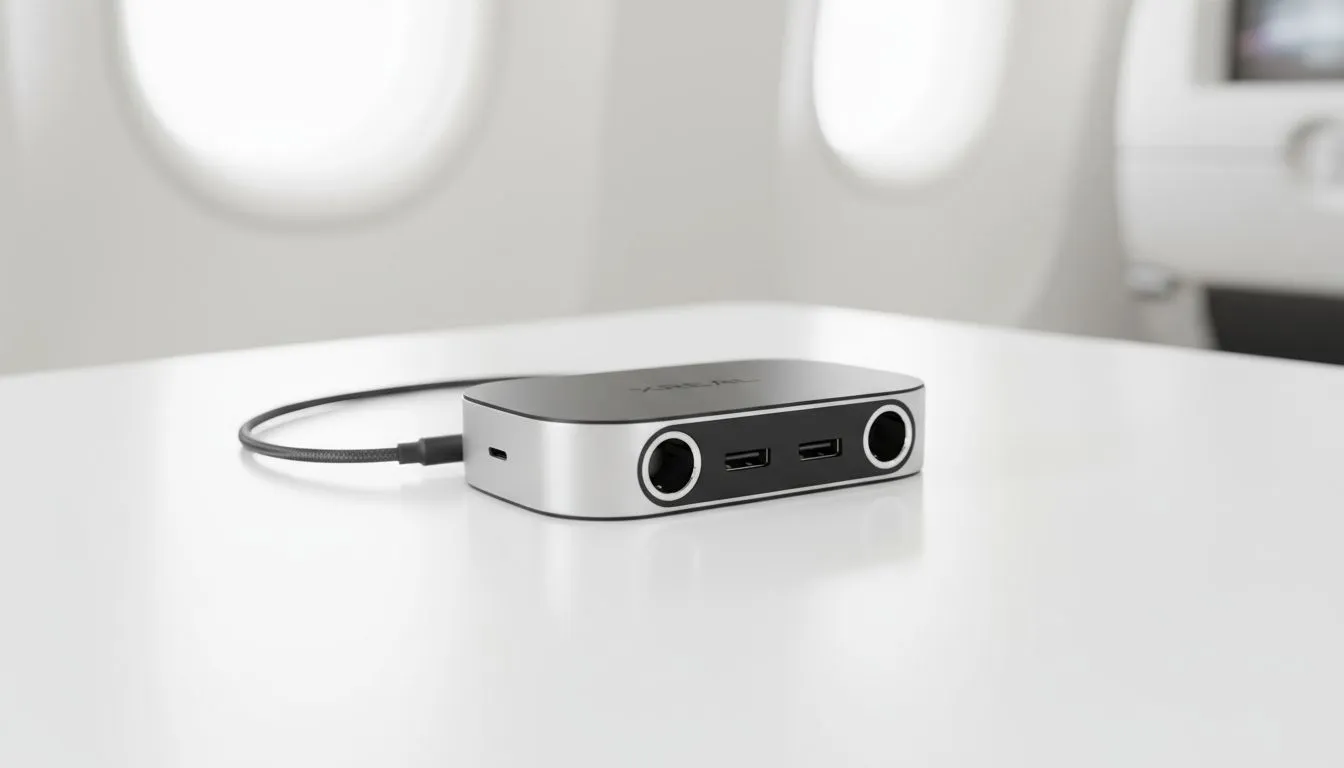
Flying out of Cape Town or Johannesburg often involves long hours in a cramped seat. Staying entertained is the only way to survive the journey. If you are using the XREAL Hub, managing your battery life is crucial for uninterrupted play. Let’s look at how to maximise your XREAL Hub battery life so you can enjoy movies or games from take-off until you land.
The XREAL Hub is a must-have for travellers because it allows you to charge your phone or handheld while you use your glasses. If you are looking for specialised AR glasses accessories, this hub is likely at the top of your list. However... it does not have its own internal battery. It draws power from your connected source or an external power bank. To keep things running smoothly, always connect a high-output power source to the Hub’s USB-C charging port before you start your session.
Your source device is usually the weakest link in the chain. When you browse the latest range of AR glasses, you might see high refresh rates advertised. While 120Hz looks incredible for gaming, it eats through battery life. Switching your device to 60Hz can save a significant amount of power over a ten-hour flight... You should also turn off any background apps or wireless features like Bluetooth if they are not needed for your session. Reducing the brightness on your host device can also extend your playtime by up to twenty percent ⚡.
Use a power bank with at least 20,000mAh capacity and Power Delivery (PD) support. Make sure it can output at least 45W. This ensures that the XREAL Hub can fast-charge your smartphone or Steam Deck while simultaneously powering the glasses. It prevents the slow battery drain that happens with cheaper, lower-wattage chargers... keeping your setup stable for hours.
If you are in the market for high-end AR glasses, price often reflects the efficiency of the display technology. More efficient OLED panels in newer models draw less current from the XREAL Hub. This helps extend your total runtime during those long hauls across the Atlantic. Always ensure your cables are in good condition... Frayed or low-quality cables can lead to power loss and heat build-up. This is the last thing you want when you are halfway through a movie 🚀.
Ready to Elevate Your Travel Experience? Don't let a dead battery ruin your next international flight. With the right gear and a few smart settings, you can stay entertained for hours. Explore our massive range of AR glasses and accessories and find the perfect companion for your next adventure.
Yes. Use USB-C passthrough and a PD power bank to preserve phone charge. Follow xreal hub battery saver tips to maintain runtime on long flights.
Choose a USB-C PD power bank (20W+), preferably with passthrough. Check xreal hub power bank compatibility and airline capacity limits before flying.
Many XREAL Hub setups support USB-C passthrough charging. Use a PD charger and quality cable to enable xreal hub usb-c passthrough charging.
Lower brightness, disable extras, enable low-power mode and follow xreal hub power management tips to extend battery on long flights.
Most airlines allow carry-on power banks within capacity limits. Use approved batteries and cables to safely charge xreal hub during flight.
It depends on headset load. Laptops can supply more power but may drain faster; use passthrough charging and xreal hub power management to balance draw.
Precharge devices, enable low-power mode, use a PD power bank with USB-C passthrough, and set up cables for easy access to use xreal hub on plane.
What Game Settings Work on 240Hz monitor. Tested & verified settings for best FPS and visual quality on SA hardware budgets.
Read more
What Cooling Solution Works Best with 144Hz monitor in SA Climate Detailed answer with SA data, expert analysis & practical recommendations for local buyers.
Read more
What Monitor Pairs Best with 240Hz monitor for Gaming in SA Detailed answer with SA data, expert analysis & practical recommendations for local buyers.
Read more
What Monitor Pairs Best with 1440p monitor for Gaming in SA Detailed answer with SA data, expert analysis & practical recommendations for local buyers.
Read moreWhat Monitor Pairs Best with 1440p monitor for Gaming Detailed answer with SA data, expert analysis & practical recommendations for local buyers.
Read more
the 144Hz monitor for student. Plain-English explanation of what it means, why it matters & how it affects your buying decisions in SA.
Read more
Every spec on PCIe 5.0 explained in plain English. What matters for gaming and creator work in 2026, what's marketing fluff, and how each number translates to real-world performance.

A head-to-head look at WiFi 7: real-world performance, ZAR pricing and which option delivers better value for SA builders. The clear answer — no fluff.

Everything you need to set up and tune PCIe 5.0 properly: the prep work, the settings that actually matter, and the mistakes to skip. Written for SA builders in 2026.

Everything you need to set up and tune X870E Motherboard properly: the prep work, the settings that actually matter, and the mistakes to skip. Written for SA builders in 2026.

Wondering what a 512GB SSD capacity really holds? This guide breaks down how many games, photos, and documents fit on 512GB, with real-world ranges 📦💾

Every spec on vrm explained in plain English. What matters for gaming and creator work in 2026, what's marketing fluff, and how each number translates to real-world performance.

Every spec on motherboard explained in plain English. What matters for gaming and creator work in 2026, what's marketing fluff, and how each number translates to real-world performance.

Premium vs Midrange Motherboards in South Africa: real-world performance, SA pricing, power draw and which one delivers better value for your build for SA buyers. The clear answer — without the fluff.
Wondering what a 512GB SSD capacity really holds? This guide breaks down how many games, photos, and documents fit on 512GB, with real-world ranges 📦💾
Every spec on PCIe 5.0 explained in plain English. What matters for gaming and creator work in 2026, what's marketing fluff, and how each number translates to real-world performance.
A head-to-head look at WiFi 7: real-world performance, ZAR pricing and which option delivers better value for SA builders. The clear answer — no fluff.

Every spec on USB4 explained in plain English. What matters for gaming and creator work in 2026, what's marketing fluff, and how each number translates to real-world performance.