


What Game Settings Work Best on 240Hz monitor?
What Game Settings Work on 240Hz monitor. Tested & verified settings for best FPS and visual quality on SA hardware budgets.
Read moreXREAL Hub Nintendo Switch guide: connect your Switch to the XREAL Hub for portable big-screen gaming with HDMI/USB-C setup, power tips, and fast troubleshooting 🎮📺
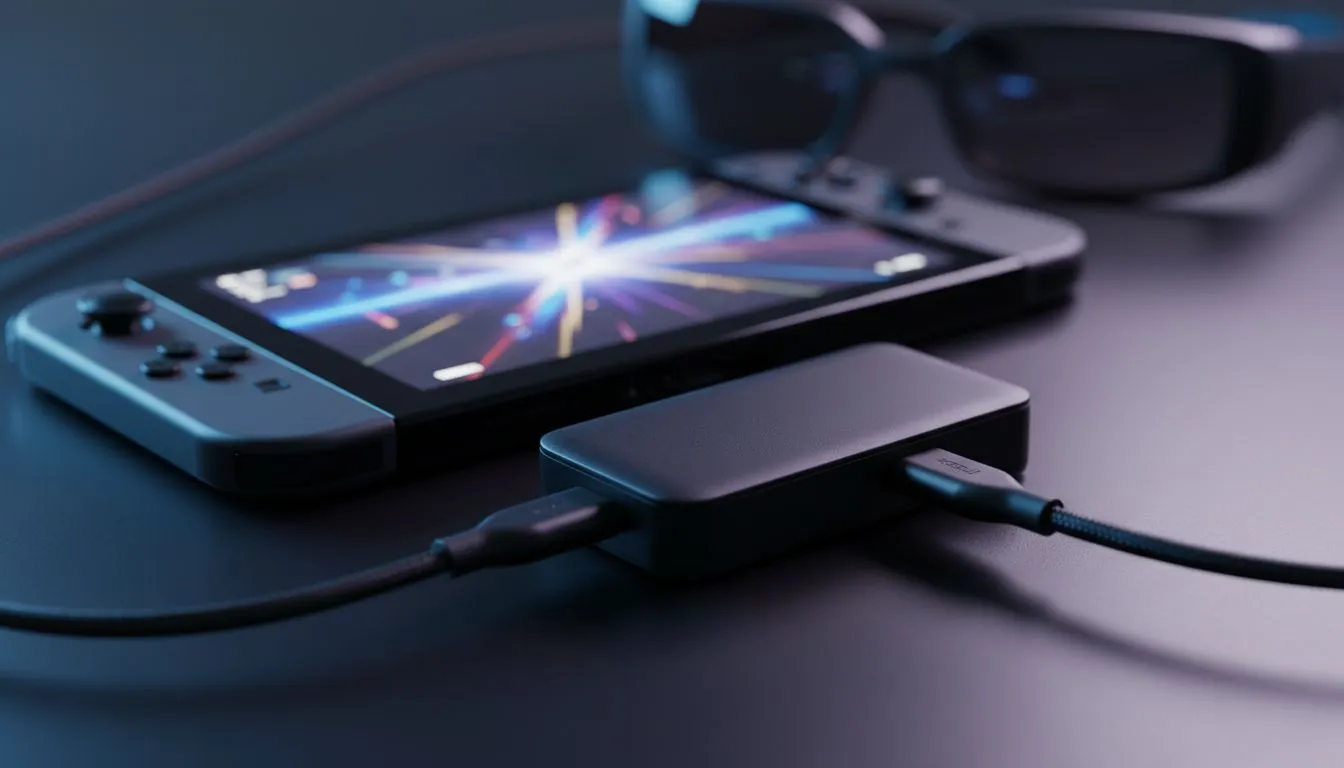
Tired of squinting at that 6.2-inch Switch screen during a long flight from OR Tambo? We have all been there. While the Nintendo Switch is a marvel of handheld engineering, some worlds are just too big for a tiny display. Using an XREAL Hub Nintendo Switch setup allows you to project your favourite games onto a massive virtual screen anywhere in South Africa. 🚀
The Nintendo Switch is notoriously picky about how it outputs video. Unlike a laptop, it requires a specific handshake and power delivery to trigger its "docked mode" for external displays. This is where the XREAL Hub becomes an essential accessory. It acts as the bridge between your console and the latest AR glasses available at Evetech.
Without this hub, you simply cannot get a signal from the Switch to your glasses. The hub manages the power input and video output simultaneously. This means you can play for hours without worrying about your battery dying mid-boss fight. It is a neat, compact solution for those who value a clean setup... whether you are at your desk or on the couch.
Always use a PD-rated (Power Delivery) wall charger or a high-capacity power bank with the XREAL Hub. The Switch requires a steady 15V 2.6A input to maintain docked mode. Using a standard phone charger might result in a flickering screen or no image at all.
Connecting your gear is straightforward. First, plug your Nintendo Switch into the USB-C port on the hub. Next, connect your charging cable to the power input port. Finally, plug your glasses into the remaining video output port. You should see the Switch screen go dark and the virtual display flicker to life in your lenses.
If you are looking to upgrade your mobile kit, browsing a collection of AR glasses will show you just how far this tech has come. The clarity of a 1080p OLED projection makes titles like The Legend of Zelda or Metroid Dread look stunning. The colours are vibrant... and the deep blacks of the virtual screen beat any standard LCD handheld display. ✨
We often deal with limited space or shared living rooms. The XREAL Hub Nintendo Switch combo gives you a private cinema experience without needing a physical TV. It is also a brilliant solution for load shedding. If your power bank is charged, you can keep playing on a "130-inch" screen even when the lights go out.
For those who want the best experience, investing in high-end AR glasses ensures you get the highest refresh rates and lowest latency. This is vital for fast-paced games like Super Smash Bros or Mario Kart. The setup is lightweight enough to fit in a small carry case, making it the ultimate travel companion for local gamers. 🔧
Ready to Elevate Your Handheld Gaming? Don't settle for a small screen when you can play on a massive virtual display. Whether you are commuting or relaxing at home, we have the gear to transform your experience. Explore our massive range of AR glasses and accessories and find the perfect match for your Nintendo Switch today.
No. Use the XREAL Hub USB-C or HDMI input to mirror your Switch without the official dock; follow the XREAL Hub Switch HDMI setup steps.
Use a high-quality USB-C to HDMI adapter or a certified USB-C cable that supports DisplayPort Alt Mode for reliable XREAL Hub Switch connection.
Provide 15–18W USB-C PD to the XREAL Hub or use the hub's power input per the XREAL Hub power requirements for Switch to avoid display issues.
Yes. Connect via USB-C/HDMI and mirror output to the XREAL Hub for portable big-screen gaming while keeping handheld controls active.
Flicker often stems from cable quality or insufficient power. Try a different HDMI/USB-C cable and ensure proper USB-C PD power to fix XREAL Hub Switch flicker.
No. The XREAL Hub Switch setup mirrors video only; wireless controllers and network remain functional while you enjoy portable big-screen gaming.
Check the XREAL Hub firmware notes. Occasionally updates improve Switch compatibility; follow the XREAL Hub Switch troubleshooting steps if needed.
What Game Settings Work on 240Hz monitor. Tested & verified settings for best FPS and visual quality on SA hardware budgets.
Read more
What Cooling Solution Works Best with 144Hz monitor in SA Climate Detailed answer with SA data, expert analysis & practical recommendations for local buyers.
Read more
What Monitor Pairs Best with 240Hz monitor for Gaming in SA Detailed answer with SA data, expert analysis & practical recommendations for local buyers.
Read more
What Monitor Pairs Best with 1440p monitor for Gaming in SA Detailed answer with SA data, expert analysis & practical recommendations for local buyers.
Read moreWhat Monitor Pairs Best with 1440p monitor for Gaming Detailed answer with SA data, expert analysis & practical recommendations for local buyers.
Read more
the 144Hz monitor for student. Plain-English explanation of what it means, why it matters & how it affects your buying decisions in SA.
Read more
Every spec on PCIe 5.0 explained in plain English. What matters for gaming and creator work in 2026, what's marketing fluff, and how each number translates to real-world performance.

A head-to-head look at WiFi 7: real-world performance, ZAR pricing and which option delivers better value for SA builders. The clear answer — no fluff.

Everything you need to set up and tune PCIe 5.0 properly: the prep work, the settings that actually matter, and the mistakes to skip. Written for SA builders in 2026.

Everything you need to set up and tune X870E Motherboard properly: the prep work, the settings that actually matter, and the mistakes to skip. Written for SA builders in 2026.

Wondering what a 512GB SSD capacity really holds? This guide breaks down how many games, photos, and documents fit on 512GB, with real-world ranges 📦💾

Every spec on vrm explained in plain English. What matters for gaming and creator work in 2026, what's marketing fluff, and how each number translates to real-world performance.

Every spec on motherboard explained in plain English. What matters for gaming and creator work in 2026, what's marketing fluff, and how each number translates to real-world performance.

Premium vs Midrange Motherboards in South Africa: real-world performance, SA pricing, power draw and which one delivers better value for your build for SA buyers. The clear answer — without the fluff.
Wondering what a 512GB SSD capacity really holds? This guide breaks down how many games, photos, and documents fit on 512GB, with real-world ranges 📦💾
Every spec on PCIe 5.0 explained in plain English. What matters for gaming and creator work in 2026, what's marketing fluff, and how each number translates to real-world performance.
A head-to-head look at WiFi 7: real-world performance, ZAR pricing and which option delivers better value for SA builders. The clear answer — no fluff.

Every spec on USB4 explained in plain English. What matters for gaming and creator work in 2026, what's marketing fluff, and how each number translates to real-world performance.