

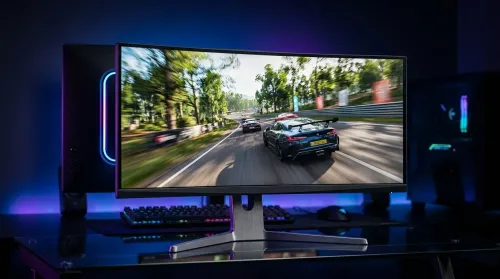
Maximizing FPS on a 3440x1440 Ultrawide at 165Hz
Want higher FPS on a 3440x1440 ultrawide at 165Hz? This guide shows the best in-game and Windows tweaks to boost performance fast—without breaking visuals. 🎮⚙️
Read moreLooking for a 165Hz curved monitor that balances speed and comfort? Get smoother gameplay, lower perceived latency, and sharp productivity. 🎮💻 The 165Hz sweet spot is ideal for both worlds.

If you game after work in South Africa, you know the drill. One minute it’s a quick Apex session. Next thing, it’s 11 pm and you’re still chasing one more win. That’s where a 165Hz curved monitor hits a very sweet spot. It feels fast, looks immersive, and avoids the premium price jump of higher-end panels that many gamers simply don’t need.
For most players, the appeal is easy to understand... smoother motion, less blur, and a more natural viewing curve that keeps the action in front of you. If you’re weighing up a monitor upgrade, this is often the point where performance and value finally meet.
A 165Hz refresh rate means the screen can update up to 165 times per second. In practical terms, fast movement looks cleaner, and aiming can feel more responsive than on a standard 60Hz display. That matters in shooters, racing titles, and even fast MOBAs.
The curved design adds another layer. It helps the panel wrap more naturally into your field of view, which can reduce eye movement across wider screens. That’s especially noticeable on 27-inch and 32-inch displays, where flat panels can feel a little distant at the edges.
For South African gamers, it’s also a value conversation. A 165Hz curved monitor often lands in the part of the market where you’re not overpaying for diminishing returns. You still get a premium-feeling experience without chasing specs you may never fully use.
Not every high-refresh monitor is equal. A smart buy depends on a few practical checks:
If you’re running an entry to mid-range GPU, 1080p or 1440p is usually the sensible sweet spot. Higher refresh rates are easier to benefit from when your graphics card can actually push the frames.
VA panels often pair well with curved designs because they offer strong contrast. IPS panels can offer better colour consistency. The right choice depends on whether you value richer blacks or more consistent colours.
A monitor only feels “immersive” if your desk can support it comfortably. Before you click buy, think about your viewing distance and the rest of your setup.
If you’re refreshing your battlestation, a proper surface matters too. A sturdy gaming desk setup can make a bigger difference than people expect. It keeps your monitor at the right height and gives your mouse room to breathe.
A good monitor is only part of the picture. The rest of your setup shapes how it feels day to day. A comfortable chair helps with posture during long sessions, while cleaner cable routing keeps your space calmer and more usable.
If you want a more complete desk environment, take a look at Arrozi gaming setups for layout inspiration. For those who enjoy a polished RGB look, NZXT case lighting options can tie the whole rig together neatly. And if your current seat is letting your back down, gaming chairs in South Africa are worth a serious look.
A monitor upgrade feels better when your setup supports it. Before spending extra on specs, adjust your chair height, monitor position, and desk depth. That often improves comfort more than you’d expect.
A 165Hz curved monitor suits a lot of gamers, but especially these types of buyers:
You want smoother motion without paying top-tier money for 240Hz or 360Hz.
The curved panel can make open-world games and single-player adventures feel more engaging.
If you’re moving on from 60Hz, 165Hz is a dramatic improvement. You’ll feel the difference quickly.
You want something that works well for gaming, Netflix, and everyday use. No drama. No fluff. Just solid value.
The best upgrade is the one you notice every day. That’s why the 165Hz curved monitor continues to make sense for so many South African gamers. It offers a strong balance of smooth performance, immersive design, and reachable pricing.
If you’ve been holding off because you thought “real” gaming monitors had to be extreme, maybe they don’t. Sometimes the smartest choice is the one that fits your rig, your desk, and your budget best.
Ready to Find Your Perfect Match? The Mac vs Windows debate is complex, but for maximum power, choice, and value in South Africa, Windows is hard to beat. Explore our massive range of laptop specials and find the perfect machine to conquer your world.
Friendly, authoritative, and human-sounding. South African English spelling used throughout. Short, crisp sentences. Light contractions and a natural rhythm. No exaggerated hype. Claims kept general and widely accepted. Links used naturally before the CTA.
Yes for smoothness. A 165Hz curved monitor can feel more fluid than 144Hz, especially in fast-paced games, when your GPU can sustain higher FPS.
165Hz is a popular sweet spot: it delivers noticeably smoother motion for gaming while staying comfortable for productivity compared with higher refresh options.
It can help immersion and peripheral focus. A 165Hz curved monitor may feel more engaging, though raw performance still depends on FPS and input lag.
IPS often offers better color consistency and viewing angles, while VA can provide stronger contrast. Choose based on your gaming and lighting conditions.
Yes. The smoother scrolling and comfortable curved field can make daily tasks feel less fatiguing, especially with good brightness and ergonomics.
Set the refresh rate to 165Hz, enable VRR if supported, and use game presets or custom profiles for stable performance and reduced flicker.
To fully benefit, target higher FPS in your games. If you often fall below 165, VRR and sensible settings still improve perceived smoothness.
Many users choose 1080p for max FPS or 1440p for balance. Your GPU and game type decide what resolution best supports 165Hz smoothness.
Want higher FPS on a 3440x1440 ultrawide at 165Hz? This guide shows the best in-game and Windows tweaks to boost performance fast—without breaking visuals. 🎮⚙️
Read more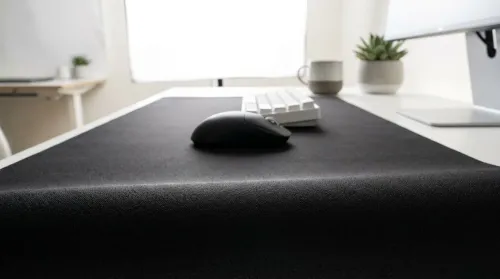
Full-desk microfiber mousepad surfaces are winning for SA gamers and remote workers. Get smoother tracking, fewer cable distractions, and easy cleaning. 🎮🧼 Learn what to choose for your setup.
Read more
Soft fabric gaming chairs vs mesh ergonomic chairs in warm climates: learn which stays cooler, reduces sweat, and supports longer sessions. 😎 Compare airflow, comfort, and maintenance before you buy. 🔥
Read more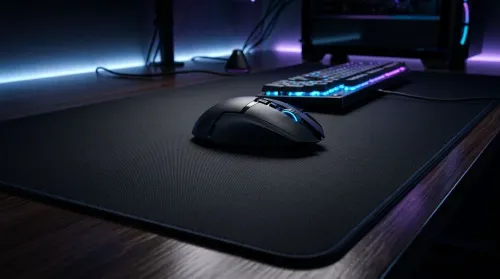
Full-surface microfiber desk covers for accurate mouse tracking help reduce glare, stabilize surface feel, and improve consistency across your whole setup 🎮🖱️. Upgrade your aim with cleaner movement from edge to edge.
Read more
Every spec on PCIe 5.0 explained in plain English. What matters for gaming and creator work in 2026, what's marketing fluff, and how each number translates to real-world performance.

A head-to-head look at WiFi 7: real-world performance, ZAR pricing and which option delivers better value for SA builders. The clear answer — no fluff.

Everything you need to set up and tune PCIe 5.0 properly: the prep work, the settings that actually matter, and the mistakes to skip. Written for SA builders in 2026.

Everything you need to set up and tune X870E Motherboard properly: the prep work, the settings that actually matter, and the mistakes to skip. Written for SA builders in 2026.

Wondering what a 512GB SSD capacity really holds? This guide breaks down how many games, photos, and documents fit on 512GB, with real-world ranges 📦💾

Every spec on vrm explained in plain English. What matters for gaming and creator work in 2026, what's marketing fluff, and how each number translates to real-world performance.

Every spec on motherboard explained in plain English. What matters for gaming and creator work in 2026, what's marketing fluff, and how each number translates to real-world performance.

Premium vs Midrange Motherboards in South Africa: real-world performance, SA pricing, power draw and which one delivers better value for your build for SA buyers. The clear answer — without the fluff.
Wondering what a 512GB SSD capacity really holds? This guide breaks down how many games, photos, and documents fit on 512GB, with real-world ranges 📦💾
Every spec on PCIe 5.0 explained in plain English. What matters for gaming and creator work in 2026, what's marketing fluff, and how each number translates to real-world performance.
A head-to-head look at WiFi 7: real-world performance, ZAR pricing and which option delivers better value for SA builders. The clear answer — no fluff.

Every spec on USB4 explained in plain English. What matters for gaming and creator work in 2026, what's marketing fluff, and how each number translates to real-world performance.