


144Hz monitor vs 27-inch monitor: Which Should SA Gamers Buy in 2026?
Head-to-head comparison of 144Hz monitor vs 27-inch monitor: Which Should for SA gamers. Performance benchmarks, Rand pricing & which delivers better value.
Read moreDo cooling pads prevent throttling? We test whether cooling pads lower CPU/GPU temps, reduce thermal throttling, and sustain performance—benchmarks, tips, and buying advice. ❄️💻
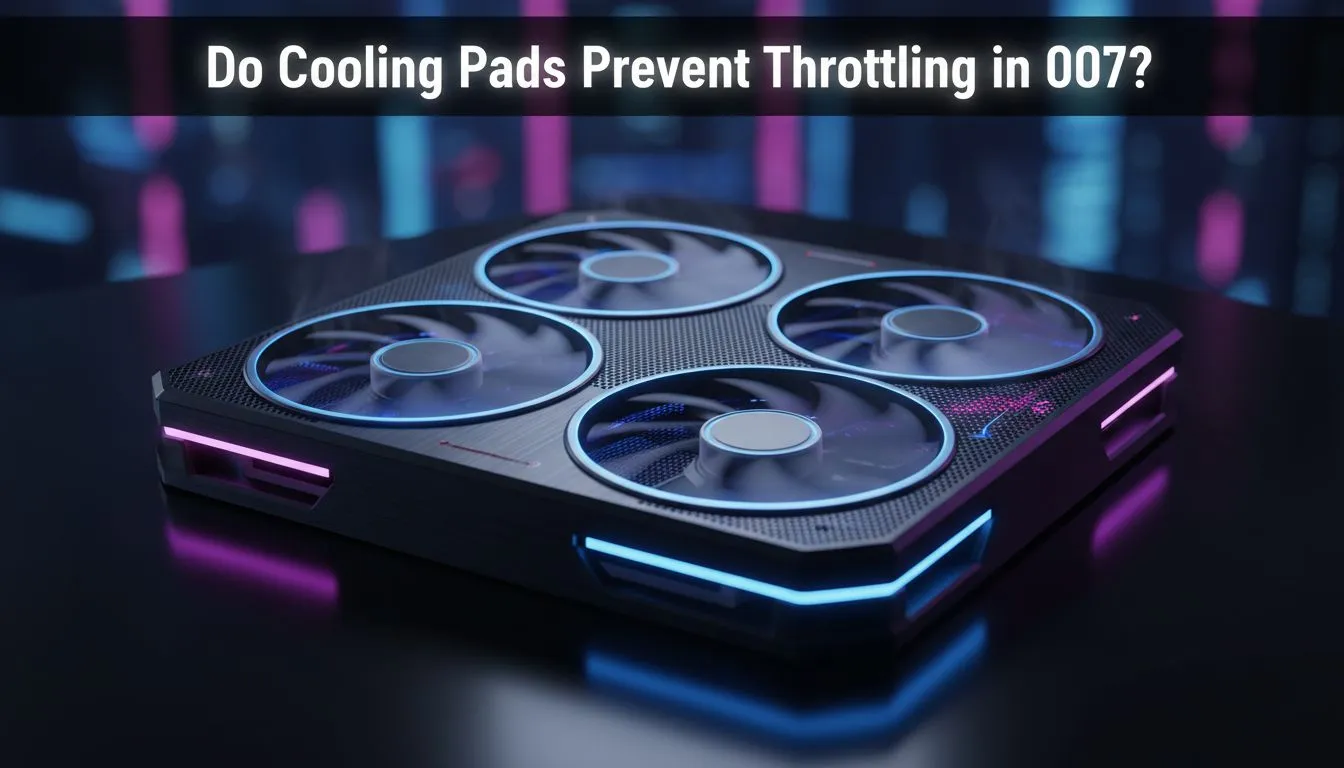
Load up a heavy game during a South African summer, and you will quickly notice your frame rates dipping. That frustrating stutter is thermal throttling... your laptop's way of surviving the heat. Many gamers ask: do cooling pads prevent throttling effectively? If you want to keep your hardware running at peak speeds without the dreaded performance drop, understanding how these accessories work is essential for every local power user. 🔧
Thermal throttling occurs when your CPU or GPU reaches its maximum safe operating temperature. To prevent permanent damage, the silicon automatically reduces its clock speed. This results in lower heat output but significantly worse performance. In our local climate, where ambient temperatures often exceed 30°C, internal fans often struggle to keep up with the demand of modern AAA titles.
The primary goal of any cooling solution is to move heat away from sensitive components as quickly as possible. Most gaming laptops feature intake vents at the bottom. By lifting the chassis, you immediately improve the volume of air available to the internal fans. Adding active fans into the mix further accelerates this process.
When you invest in high-quality laptop cooling pads, you are essentially assisting your laptop's built-in thermal management system. While a pad won't magically fix a poorly designed thermal assembly, it can lower temperatures by 3°C to 8°C. This small margin is often exactly what is needed to stay below the throttling threshold during an intense session. ⚡
Even the best cooling pad cannot overcome a thick layer of dust inside your laptop. Every few months, use a can of compressed air to blow out your exhaust vents. This ensures the cool air provided by your external fans actually reaches the heatsinks where it is needed most.
Not all cooling solutions are created equal. The design of the fans and the materials used in the mesh surface play a massive role in efficiency. Brands like Cooler Master focus on high-static pressure fans that push air through restrictive vents more effectively. This is particularly useful for "thin and light" gaming laptops that have very little internal clearance.
If you are looking for a balance between aesthetics and performance, MARVO offers excellent entry-level options that provide the necessary elevation and airflow without breaking the bank. These units often feature adjustable fan speeds... allowing you to find the perfect balance between noise levels and cooling performance. 🚀
If your laptop stays on a desk and you notice your fans spinning at maximum RPM constantly, a cooling pad is a wise investment. It protects your hardware longevity and ensures your R20,000+ investment delivers the frames you paid for. While it may not turn a budget laptop into a workstation, it provides the thermal headroom required for consistent, smooth gameplay in the South African heat. ✨
Ready to Keep Your Cool? Thermal throttling shouldn't stand between you and your next victory. For the best thermal performance and value in South Africa, upgrading your airflow is the smartest move. Explore our massive range of laptop cooling pads and find the perfect accessory to keep your rig running at peak speeds.
Cooling pads can reduce surface temps and delay thermal throttling, but they rarely eliminate throttling entirely—internal design and cooling limits matter.
Typical drops range 3–8°C depending on pad quality and laptop. That margin often improves sustained boost and reduces FPS dips in extended loads.
A quality pad helps gaming laptop cooling pad benefits by improving airflow and reducing throttling during long sessions, but it won't fix poor internal cooling.
Active pads with fans usually cut temps more than passive stands. Prioritise fan size, RPM, and airflow alignment with your laptop vents.
Lower operating temps reduce thermal stress, so a cooling pad can help longevity, but proper internal cooling and maintenance are more impactful.
Pick a pad that matches vent placement, offers adjustable fan speed and sturdy build, and has real-world cooling benchmarks and reviews.
External cooling versus internal cooling: pads are non-invasive and affordable, but repasting or hardware upgrades deliver deeper, long-term thermal gains.
Head-to-head comparison of 144Hz monitor vs 27-inch monitor: Which Should for SA gamers. Performance benchmarks, Rand pricing & which delivers better value.
Read more
Head-to-head comparison of ultrawide monitor vs gaming monitor: Which Should for SA gamers. Performance benchmarks, Rand pricing & which delivers better value.
Read more
Head-to-head comparison of Rand vs Dollar: How Exchange Rate Affects Monitor for SA gamers. Performance benchmarks, Rand pricing & which delivers better value.
Read more
Is the 27-inch monitor Worth Buying in South Africa Detailed answer with SA data, expert analysis & practical recommendations for local buyers.
Read more
Head-to-head comparison of 1000R vs 1500R vs 1800R Curve Explained: Which for SA gamers. Performance benchmarks, Rand pricing & which delivers better value.
Read more
Head-to-head comparison of Curved Monitor vs Flat Monitor: Which Should for SA gamers. Performance benchmarks, Rand pricing & which delivers better value.
Read more
Every spec on PCIe 5.0 explained in plain English. What matters for gaming and creator work in 2026, what's marketing fluff, and how each number translates to real-world performance.

A head-to-head look at WiFi 7: real-world performance, ZAR pricing and which option delivers better value for SA builders. The clear answer — no fluff.

Everything you need to set up and tune PCIe 5.0 properly: the prep work, the settings that actually matter, and the mistakes to skip. Written for SA builders in 2026.

Everything you need to set up and tune X870E Motherboard properly: the prep work, the settings that actually matter, and the mistakes to skip. Written for SA builders in 2026.

Wondering what a 512GB SSD capacity really holds? This guide breaks down how many games, photos, and documents fit on 512GB, with real-world ranges 📦💾

Every spec on vrm explained in plain English. What matters for gaming and creator work in 2026, what's marketing fluff, and how each number translates to real-world performance.

Every spec on motherboard explained in plain English. What matters for gaming and creator work in 2026, what's marketing fluff, and how each number translates to real-world performance.

Premium vs Midrange Motherboards in South Africa: real-world performance, SA pricing, power draw and which one delivers better value for your build for SA buyers. The clear answer — without the fluff.
Wondering what a 512GB SSD capacity really holds? This guide breaks down how many games, photos, and documents fit on 512GB, with real-world ranges 📦💾
Every spec on PCIe 5.0 explained in plain English. What matters for gaming and creator work in 2026, what's marketing fluff, and how each number translates to real-world performance.
A head-to-head look at WiFi 7: real-world performance, ZAR pricing and which option delivers better value for SA builders. The clear answer — no fluff.

Every spec on USB4 explained in plain English. What matters for gaming and creator work in 2026, what's marketing fluff, and how each number translates to real-world performance.