

Intel Arc B580 Fable FPS: Performance Benchmark & Best Settings
Intel Arc B580 Fable FPS: Performance Benchmark. Real-world benchmark data, FPS numbers & performance analysis. What SA gamers can actually expect.
Read moreMaster gaming mouse sensor specs with our expert guide. From DPI and polling rate to tracking speed, learn exactly what to look for to upgrade your aim and dominate the leaderboard! 🖱️🚀
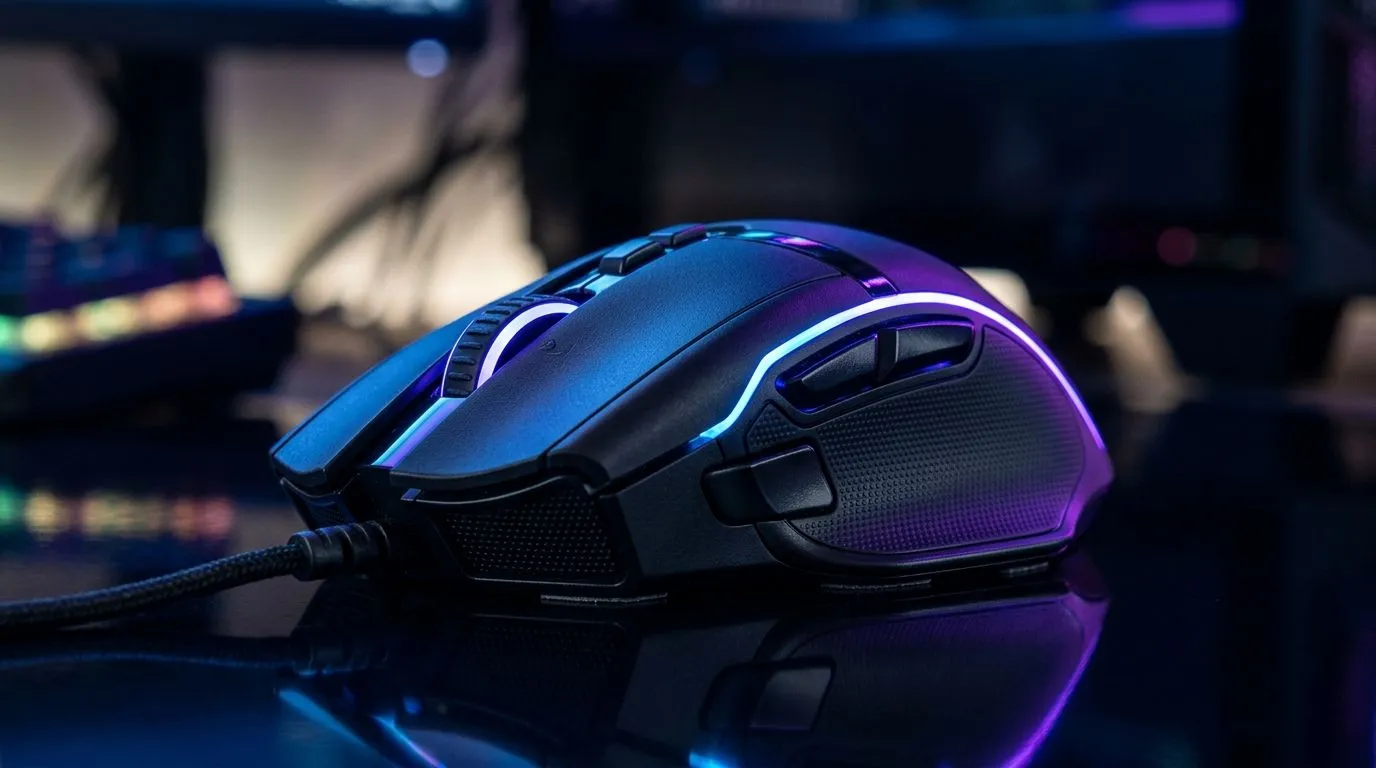
If your mouse feels “floaty” or your aim suddenly stops connecting, it’s rarely just luck. In South Africa, where load-shedding meets long gaming sessions and late-night ranked grind, small tech details matter more than most people think.
This Gaming Mouse Sensor Guide: DPI, Polling Rate, and Tracking Explained breaks down what each spec does, how it affects real gameplay, and how to choose a sensor setup that feels consistent on your desk and your mouse pad.
Let’s start with DPI, because it gets misunderstood constantly.
A higher DPI does not automatically mean “better.” It can help with precision if you use it responsibly, but it can also make micro-adjustments harder if your in-game sensitivity is too high.
Many competitive FPS players land in the 800–1600 DPI range, then adjust in-game sensitivity to taste. The “best” DPI depends on your playstyle and your mouse pad space. If you run low space (small desk or tight mouse pad), you may prefer a lower sensitivity and more controlled movement.
If your sensor tracking is inconsistent, changing DPI won’t fix it. Good sensors maintain stable tracking across surfaces, lift-off, and fast movements. That’s the difference between “it works sometimes” and “it’s always on”.
Polling rate is how often your mouse sends updates to your PC per second, measured in Hz:
But here’s the real-world catch: the benefit depends on your whole setup (PC performance, USB support, and your game settings). You won’t “unlock” magic if your PC is struggling.
Most gaming mice come with software (or onboard profiles). After installing, confirm:
If you want to shop with confidence, Evetech’s gaming mouse range is a solid starting point because you can filter your options based on the traits that matter to you. Browse gaming mouse options here: Gaming mouse models on Evetech.
Tracking is how reliably the sensor measures movement across your surface. It’s not only about DPI number. It’s about staying accurate:
Have you ever switched to a new mouse, changed nothing else, and then noticed your aim starts “walking” during flicks? Often, it’s not sensitivity. It’s tracking behaviour on that specific surface. Cheap surfaces, worn pads, or mismatched tracking can cause cursor jitter.
That’s why you should test on your actual pad, not a quick desk swipe.
When comparing mice, don’t obsess over only DPI. Look for overall design focus:
If you’re buying based on value first, check current options in Evetech’s deals. You can start with best gaming mouse deals here and then narrow down based on the sensor feel you want.
Wireless has improved massively. Still, the “feel” can vary depending on battery mode, connection stability, and latency expectations.
For wireless shoppers, start here: wireless mouse options on Evetech. If you’re chasing consistent input timing for high-speed FPS, wired is still the most straightforward path.
For wired buyers, explore wired mouse options on Evetech. Wired setups remove charging anxiety and simplify the path to consistent performance.
If a wireless mouse offers multiple performance modes, the lowest-latency mode may reduce battery life. It’s a trade-off. For serious sessions, aim for consistent performance, not just “it’s on.”
Here’s the quick setup that saves time and stops guesswork.
On Windows, keep pointer speed at a neutral setting and test changes one variable at a time. If your cursor feels unpredictable, adjust DPI in small steps first, then re-check in-game sensitivity. This stops you from accidentally “fixing” the wrong setting and makes your tuning far faster."
If you want accessories that support stable tracking, shop mouse accessories on Evetech to round out the setup.
Here’s the mindset that prevents “regret buying”:
If you’re building a new setup or upgrading for next season, it’s worth spending a bit more on the mouse itself. In most cases, a stable sensor and consistent tracking beat chasing extreme numbers.
Ready to Find Your Perfect Match? If you want a mouse that feels consistent in every match, start by choosing the right sensor behaviour, DPI range, and polling rate for your setup. Explore our massive range of gaming mice and deals from Evetech and upgrade with confidence: Shop the latest gaming mouse deals on Evetech.
DPI stands for Dots Per Inch, measuring how sensitive your mouse is. Higher DPI means the cursor moves further on screen with less physical movement of the mouse.
Yes, a higher polling rate (e.g., 1000Hz or 4000Hz) reduces input lag by sending data to your PC more frequently, resulting in smoother and more responsive cursor movement.
Tracking speed, measured in Inches Per Second (IPS), represents the maximum velocity a sensor can track before it fails to register movement accurately.
Yes, mouse acceleration can make your aim inconsistent because the cursor distance changes based on how fast you move the mouse rather than just the physical distance traveled.
Lift-off distance is the height at which the mouse sensor stops tracking when you lift the mouse off the pad; a lower distance is preferred by low-sensitivity players.
For most gamers, optical sensors are superior as they offer better tracking accuracy and consistency across various surfaces without the jitter associated with laser sensors.
Intel Arc B580 Fable FPS: Performance Benchmark. Real-world benchmark data, FPS numbers & performance analysis. What SA gamers can actually expect.
Read more
RTX 5080 for Photogrammetry: Professional. Real-world benchmark data, FPS numbers & performance analysis. What SA gamers can actually expect.
Read more
Head-to-head comparison of RTX 5050 vs RTX 3050: Price-to-Performance Gamers for SA gamers. Performance benchmarks, Rand pricing & which delivers better value.
Read more
RTX 3060 AI Features: Benchmark & Real-World Test. Real-world benchmark data, FPS numbers & performance analysis. What SA gamers can actually expect.
Read more
Benchmark Your RTX 5060 to Check Performance. Step-by-step instructions with SA-specific tips, common pitfalls to avoid & expert recommendations.
Read more
RTX 3050 DaVinci Resolve Performance: Benchmark. Real-world benchmark data, FPS numbers & performance analysis. What SA gamers can actually expect.
Read more
When Will the RTX 6090 Launch in South Africa Detailed answer with SA data, expert analysis & practical recommendations for local buyers.

Top Valorant Settings for RTX 5070: FPS Optimisation picks evaluated on performance, value & SA availability with current Rand pricing from Evetech.

RDNA 3.5 Graphics in Ryzen AI 400? Can You Game. Plain-English explanation of what it means, why it matters & how it affects your buying decisions in SA.

GPU Price Index : December Report. Current stock data & price tracking for SA buyers. See what is available and where prices are heading.

Core i5-14600K + B760 + RTX 5060 Build Under. Full parts list, Rand pricing & expected performance. Build confidently with SA-available components.

RX 7600 Apex Legends at 4K: FPS Benchmark. Real-world benchmark data, FPS numbers & performance analysis. What SA gamers can actually expect.

RX 7900 XTX GTA 6 at 4K: FPS Benchmark & Optimal. Real-world benchmark data, FPS numbers & performance analysis. What SA gamers can actually expect.

Head-to-head comparison of RTX 5070 vs RX 9070 XT: Gaming Performance for SA gamers. Performance benchmarks, Rand pricing & which delivers better value.

Top Laptop with Ryzen 5 + RTX 4090 Laptop: Picks picks evaluated on performance, value & SA availability with current Rand pricing from Evetech.

Top Budget GPU for Marvel Rivals picks evaluated on performance, value & SA availability with current Rand pricing from Evetech.

Valorant Settings on RTX 5070: Performance. Real-world benchmark data, FPS numbers & performance analysis. What SA gamers can actually expect.

Top Budget GPU for Assassins Creed Shadows picks evaluated on performance, value & SA availability with current Rand pricing from Evetech.