


144Hz monitor vs 27-inch monitor: Which Should SA Gamers Buy in 2026?
Head-to-head comparison of 144Hz monitor vs 27-inch monitor: Which Should for SA gamers. Performance benchmarks, Rand pricing & which delivers better value.
Read moreLaptop overheating while gaming is common in MH Wilds — learn airflow fixes, power tweaks, and accessory picks to extend long hunts and protect components 🔥❄️
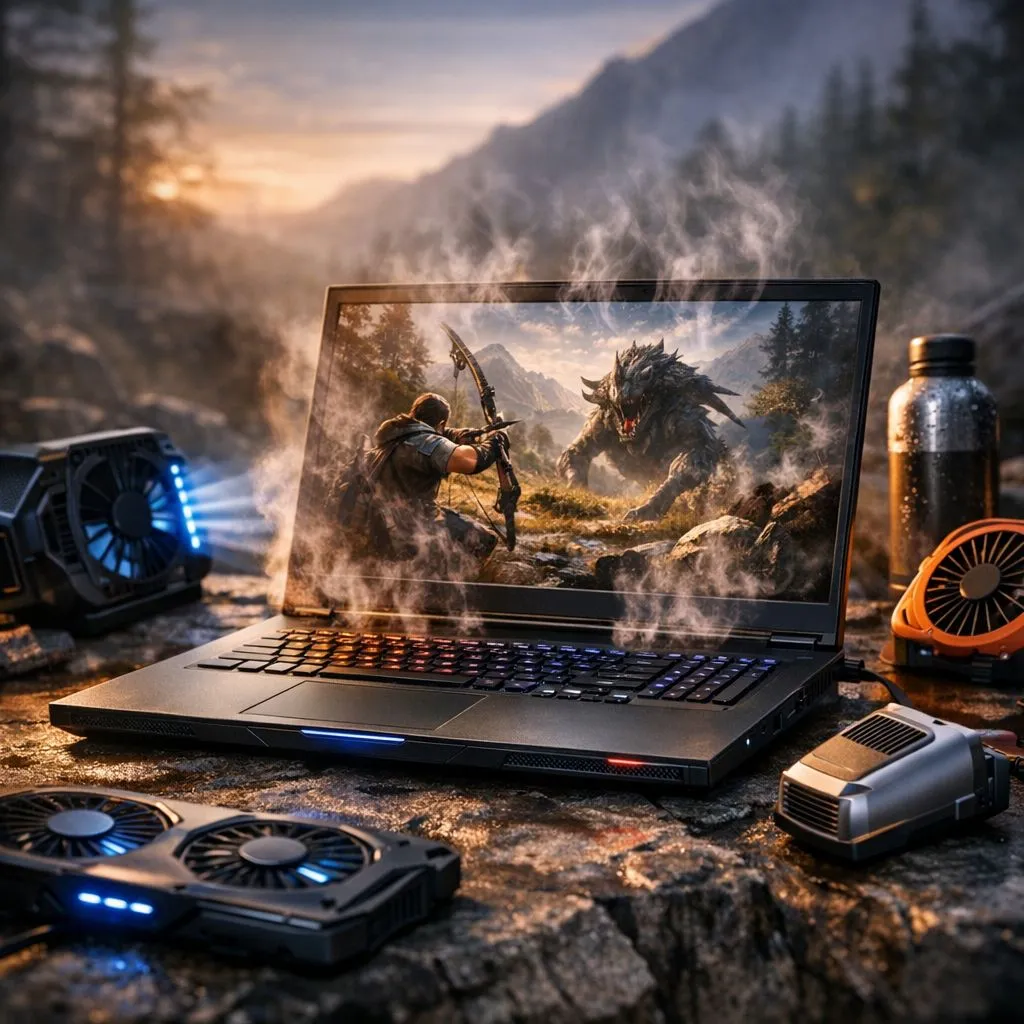
Monster Hunter Wilds demands serious power. High fidelity often leads to high temperatures. If your laptop is overheating while gaming... you need a plan. Our MH Wilds cooling tips ensure your hunt stays cool. South African summers are brutal on hardware. Avoid thermal throttling with these expert strategies. Keep your FPS high and your chassis cool today. 🔧
Airflow is the lifeblood of any gaming rig. Many players forget that laptops breathe from the bottom. Placing your machine on a duvet or carpet chokes the fans. This leads to immediate heat spikes. Always use a hard, flat surface. You might even consider a cooling pad with large fans. Check out our best gaming laptop deals for models with superior thermal designs.
Use a can of compressed air to blow out your vents every month. Dust buildup is the primary cause of thermal throttling in South African homes. This simple maintenance can drop temperatures by several degrees instantly.
Monster Hunter Wilds uses the demanding RE Engine. You can reduce heat by capping your frame rate. Running at 60 FPS instead of "unlimited" saves power. It also reduces the load on your GPU. If you have an NVIDIA card... use DLSS. This technology renders at a lower resolution and upscales. It provides a massive performance boost. Browse our geforce rtx gaming laptops on special to leverage these AI features.
Not all processors handle heat the same way. When looking for efficiency... consider your options carefully. High-performance intel laptops on special offer incredible single-core speeds for gaming. Alternatively... efficiency is a hallmark of modern AMD chips. You can find great ryzen laptop deals that run remarkably cool under pressure. ⚡
Even if you choose to buy gaming laptops under r20k... cooling remains vital. Modern budget machines often feature dual-fan setups. These are designed to handle the intense loads of modern titles. Always check the thermal reviews before your purchase. 🚀
If your laptop is older than two years... the thermal paste might be dry. This substance transfers heat from the chip to the heatsink. Replacing it can be a DIY project for the brave. However... it is often better to seek professional help. Fresh paste can lower temperatures by up to 10 degrees. This ensures your hardware lasts much longer. It also prevents those annoying mid-game crashes during a hunt. ✨
Ready to Find Your Perfect Match? The Mac vs Windows debate is complex, but for maximum power, choice, and value in South Africa, Windows is hard to beat. Explore our massive range of laptop specials and find the perfect machine to conquer your world.
High CPU/GPU load, blocked vents, and aggressive settings cause heat. Check fans, background apps, and thermal management to cool down.
Use a cooling pad, raise vents, close background apps, lower graphics and cap FPS to prevent laptop overheating during gaming.
Yes. Safe undervolting can lower CPU/GPU temps and stabilize performance—try small steps and test for stability while hunting.
Yes. An external cooling pad for gaming laptop improves airflow and can drop temps several degrees during long MH Wilds runs.
Lower shadows, reduce render scale, cap frame rate, and enable VSync or adaptive sync to optimize power settings for gaming laptop.
Clean vents and fans every 3–6 months or sooner in dusty environments to clean laptop vents to fix overheating and maintain airflow.
Yes. Limiting FPS reduces GPU load and heat, helping prevent laptop overheating while gaming during extended sessions.
Head-to-head comparison of 144Hz monitor vs 27-inch monitor: Which Should for SA gamers. Performance benchmarks, Rand pricing & which delivers better value.
Read more
Head-to-head comparison of ultrawide monitor vs gaming monitor: Which Should for SA gamers. Performance benchmarks, Rand pricing & which delivers better value.
Read more
Head-to-head comparison of Rand vs Dollar: How Exchange Rate Affects Monitor for SA gamers. Performance benchmarks, Rand pricing & which delivers better value.
Read more
Is the 27-inch monitor Worth Buying in South Africa Detailed answer with SA data, expert analysis & practical recommendations for local buyers.
Read more
Head-to-head comparison of 1000R vs 1500R vs 1800R Curve Explained: Which for SA gamers. Performance benchmarks, Rand pricing & which delivers better value.
Read more
Head-to-head comparison of Curved Monitor vs Flat Monitor: Which Should for SA gamers. Performance benchmarks, Rand pricing & which delivers better value.
Read more
Every spec on PCIe 5.0 explained in plain English. What matters for gaming and creator work in 2026, what's marketing fluff, and how each number translates to real-world performance.

A head-to-head look at WiFi 7: real-world performance, ZAR pricing and which option delivers better value for SA builders. The clear answer — no fluff.

Everything you need to set up and tune PCIe 5.0 properly: the prep work, the settings that actually matter, and the mistakes to skip. Written for SA builders in 2026.

Everything you need to set up and tune X870E Motherboard properly: the prep work, the settings that actually matter, and the mistakes to skip. Written for SA builders in 2026.

Wondering what a 512GB SSD capacity really holds? This guide breaks down how many games, photos, and documents fit on 512GB, with real-world ranges 📦💾

Every spec on vrm explained in plain English. What matters for gaming and creator work in 2026, what's marketing fluff, and how each number translates to real-world performance.

Every spec on motherboard explained in plain English. What matters for gaming and creator work in 2026, what's marketing fluff, and how each number translates to real-world performance.

Premium vs Midrange Motherboards in South Africa: real-world performance, SA pricing, power draw and which one delivers better value for your build for SA buyers. The clear answer — without the fluff.
Wondering what a 512GB SSD capacity really holds? This guide breaks down how many games, photos, and documents fit on 512GB, with real-world ranges 📦💾
Every spec on PCIe 5.0 explained in plain English. What matters for gaming and creator work in 2026, what's marketing fluff, and how each number translates to real-world performance.
A head-to-head look at WiFi 7: real-world performance, ZAR pricing and which option delivers better value for SA builders. The clear answer — no fluff.

Every spec on USB4 explained in plain English. What matters for gaming and creator work in 2026, what's marketing fluff, and how each number translates to real-world performance.