


144Hz monitor vs 27-inch monitor: Which Should SA Gamers Buy in 2026?
Head-to-head comparison of 144Hz monitor vs 27-inch monitor: Which Should for SA gamers. Performance benchmarks, Rand pricing & which delivers better value.
Read moreCurious about MSI gaming laptop thermals in South Africa? We push the latest models to the limit under heavy load to see if they can handle the heat. Discover which MSI laptops stay cool and which ones throttle. 🌡️ Get the real performance data before you buy! 💻
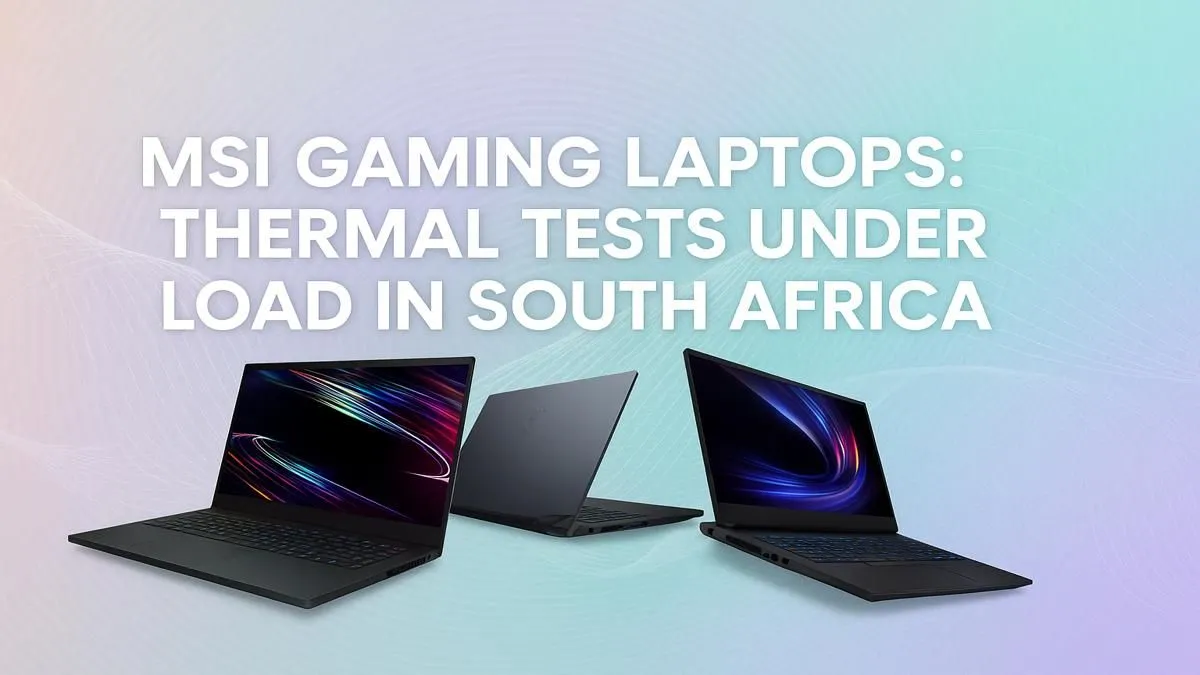
Is your gaming laptop running hotter than a braai in December? We get it. Here in South Africa, keeping high-performance hardware cool is a real concern. When you've invested in a powerful machine, the last thing you want is thermal throttling killing your FPS during a critical moment. So, let's dive into the world of MSI gaming laptop thermals in South Africa and see how these rigs handle the heat when the pressure is on.
Before we look at the numbers, it's crucial to understand what's happening under the hood. MSI doesn't just slap a fan in and call it a day. They employ sophisticated cooling solutions, often branded as "Cooler Boost," which typically involve multiple fans and a network of dedicated heat pipes for both the CPU and GPU. This design ensures that heat is drawn away from critical components efficiently, which is essential for maintaining peak performance during long gaming sessions.
This focus on robust cooling is why many gamers trust the thermal performance of MSI laptops. The engineering is specifically designed to handle the high temperatures generated by top-tier components, giving you more headroom before performance starts to dip.
So, what temperatures should you expect when your laptop is under load? During an intense session of Helldivers 2 or Apex Legends, it's not uncommon for the CPU and GPU in a modern gaming laptop to reach temperatures between 85°C and 95°C. While this might seem alarmingly high, it's generally within the safe operating limits set by component manufacturers like Intel and NVIDIA.
The key isn't just the peak temperature but how the laptop sustains its performance. High-end models, like the powerful MSI Raider gaming laptops, are equipped with superior thermal solutions that allow them to maintain higher clock speeds for longer, even at these temperatures. The real test of good MSI gaming laptop thermals is preventing drastic performance drops, not just staying icy cold. ❄️
Use MSI Center to your advantage! Most MSI laptops come with this pre-installed software. You can switch to 'Extreme Performance' mode, which not only boosts power but also optimises the fan curve for better cooling. For a quick blast of cold air during an intense fight, the 'Cooler Boost' function will crank the fans to 100%.
Your environment plays a massive role in your laptop's ability to stay cool. The ambient temperature of your room during a hot Mzansi summer can easily add a few extra degrees to your core temps.
Here are a few things to keep in mind:
Considering these factors is key to getting the best performance, whether you're using a top-tier machine or a more balanced option like the popular MSI Vector series.
Worried your laptop is still running a bit too warm? You can take control. Beyond cleaning and proper placement, investing in a quality laptop cooling pad can significantly improve airflow and help dissipate heat more effectively. These are relatively inexpensive and can make a noticeable difference to your gaming laptop temperatures in South Africa.
Ultimately, MSI has a strong reputation for a reason. Their laptops are engineered to push pixels and perform under pressure. By understanding how the cooling system works and taking a few simple steps to optimise your environment, you can ensure your machine runs at its best. Exploring the full range of MSI gaming laptops on Evetech will show you the variety of cooling solutions available across different models and price points.
Ready to Game Without the Meltdown? MSI's advanced thermal engineering means you can focus on the win, not the heat. Explore our curated range of MSI gaming laptops and find the perfect rig to keep you cool under pressure in South Africa.
MSI equips its gaming laptops with advanced cooling like Cooler Boost. However, performance can vary by model and usage. Our tests show which models handle heat best.
While gaming, CPU temperatures between 80-95°C are common and generally safe. Sustained temps above 95°C can lead to thermal throttling to protect the hardware.
Higher ambient temperatures in South Africa can make it harder for laptops to dissipate heat, potentially leading to higher internal temps and thermal throttling sooner.
Yes, MSI Cooler Boost 5 is a powerful cooling solution with dedicated heat pipes and fans, significantly improving thermal performance under heavy gaming loads.
Generally, high-end series like the Titan and Raider have the most robust cooling systems. Our tests compare various models to find the best MSI gaming laptop for cooling.
Yes. You can use a quality cooling pad, ensure good airflow around the laptop, keep the fans clean, and consider undervolting for advanced performance tuning.
Head-to-head comparison of 144Hz monitor vs 27-inch monitor: Which Should for SA gamers. Performance benchmarks, Rand pricing & which delivers better value.
Read more
Head-to-head comparison of ultrawide monitor vs gaming monitor: Which Should for SA gamers. Performance benchmarks, Rand pricing & which delivers better value.
Read more
Head-to-head comparison of Rand vs Dollar: How Exchange Rate Affects Monitor for SA gamers. Performance benchmarks, Rand pricing & which delivers better value.
Read more
Is the 27-inch monitor Worth Buying in South Africa Detailed answer with SA data, expert analysis & practical recommendations for local buyers.
Read more
Head-to-head comparison of 1000R vs 1500R vs 1800R Curve Explained: Which for SA gamers. Performance benchmarks, Rand pricing & which delivers better value.
Read more
Head-to-head comparison of Curved Monitor vs Flat Monitor: Which Should for SA gamers. Performance benchmarks, Rand pricing & which delivers better value.
Read more
Every spec on PCIe 5.0 explained in plain English. What matters for gaming and creator work in 2026, what's marketing fluff, and how each number translates to real-world performance.

A head-to-head look at WiFi 7: real-world performance, ZAR pricing and which option delivers better value for SA builders. The clear answer — no fluff.

Everything you need to set up and tune PCIe 5.0 properly: the prep work, the settings that actually matter, and the mistakes to skip. Written for SA builders in 2026.

Everything you need to set up and tune X870E Motherboard properly: the prep work, the settings that actually matter, and the mistakes to skip. Written for SA builders in 2026.

Wondering what a 512GB SSD capacity really holds? This guide breaks down how many games, photos, and documents fit on 512GB, with real-world ranges 📦💾

Every spec on vrm explained in plain English. What matters for gaming and creator work in 2026, what's marketing fluff, and how each number translates to real-world performance.

Every spec on motherboard explained in plain English. What matters for gaming and creator work in 2026, what's marketing fluff, and how each number translates to real-world performance.

Premium vs Midrange Motherboards in South Africa: real-world performance, SA pricing, power draw and which one delivers better value for your build for SA buyers. The clear answer — without the fluff.
Wondering what a 512GB SSD capacity really holds? This guide breaks down how many games, photos, and documents fit on 512GB, with real-world ranges 📦💾
Every spec on PCIe 5.0 explained in plain English. What matters for gaming and creator work in 2026, what's marketing fluff, and how each number translates to real-world performance.
A head-to-head look at WiFi 7: real-world performance, ZAR pricing and which option delivers better value for SA builders. The clear answer — no fluff.

Every spec on USB4 explained in plain English. What matters for gaming and creator work in 2026, what's marketing fluff, and how each number translates to real-world performance.