

144Hz monitor vs 27-inch monitor: Which Should SA Gamers Buy in 2026?
Head-to-head comparison of 144Hz monitor vs 27-inch monitor: Which Should for SA gamers. Performance benchmarks, Rand pricing & which delivers better value.
Read moreUpdate graphics drivers to unlock peak performance from your NVIDIA or AMD GPU. Our guide shows you the best methods for a clean install, why it's crucial for gaming, and how to avoid common issues. Get ready for smoother gameplay and enhanced stability! 🚀💻
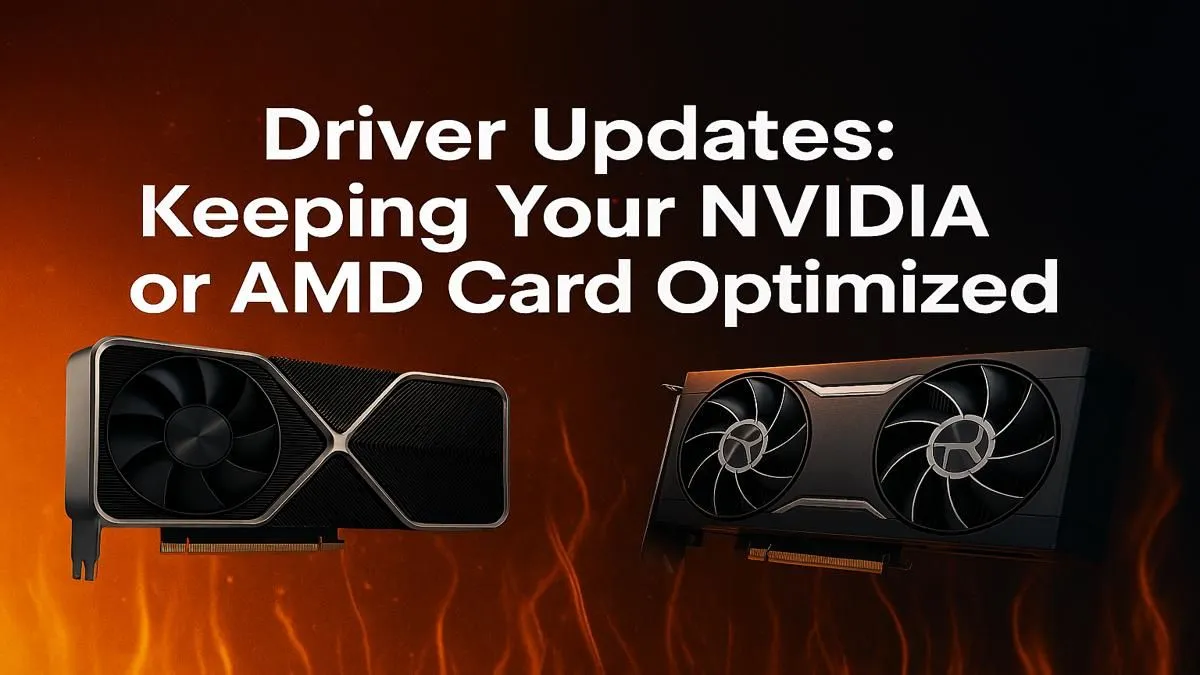
Is your rig feeling sluggish? Are you seeing weird visual glitches or frame drops in the latest titles, even with a powerful PC? Before you start pricing new hardware, the fix might be simpler... and completely free. Knowing how to update graphics drivers is one of the most important skills for any South African gamer. This guide will show you exactly how to keep your GPU running at peak performance, whether you're Team Green or Team Red.
Think of your graphics card driver as the instruction manual that tells your GPU how to talk to your games and applications. When a new game launches, developers work with NVIDIA and AMD to release optimised drivers. A timely graphics driver update means you're not missing out on crucial performance boosts, bug fixes, and even new features.
Regularly updating your GPU drivers ensures:
For most NVIDIA users, the GeForce Experience application is the easiest way to update graphics drivers. It’s a one-stop shop for updates, game optimisation, and other cool features like ShadowPlay.
Here's the simple process:
Following these steps ensures your hardware, from an entry-level card to the latest NVIDIA GeForce cards, is always ready for action.
Team Red gamers have a similarly straightforward tool: AMD Software: Adrenalin Edition. This powerful suite handles all your AMD driver updates and gives you access to a massive range of performance-tuning settings.
Here’s how to get the latest AMD driver update:
Keeping your drivers fresh is vital for getting the most out of powerful AMD Radeon GPUs, unlocking their full potential in demanding games.
If you're swapping graphics cards or experiencing persistent issues that a normal driver update won't fix, use a tool called Display Driver Uninstaller (DDU). It completely wipes all traces of old drivers from your system, allowing for a truly clean installation. It’s an essential tool for any serious PC builder or troubleshooter!
Sometimes, a standard update isn't enough. If you’re still facing issues, performing a "clean install" is your next best step. Both NVIDIA and AMD offer this option during the installation process. It removes your old driver profiles and settings before installing the new version, which can resolve conflicts and lingering bugs.
But if even a clean graphics driver update doesn't solve your performance woes, it might be a sign that your hardware is struggling to keep up. An older GPU will eventually hit a wall that no software tweak can overcome. When that time comes, it's worth seeing what a modern upgrade can do for your gaming experience. Why not check out the latest graphics card deals and see what's possible? ✨
Ready for a Real Performance Boost? Keeping your drivers updated is key, but nothing beats the raw power of new hardware. If you're ready to stop tweaking settings and start enjoying silky-smooth frame rates, we've got you covered. Explore our massive range of graphics cards and find the perfect GPU to dominate your favourite games.
For best performance, update GPU drivers when new stable versions release, especially for major game launches. Otherwise, checking every couple of months is a good practice.
Yes, it's safe and recommended. Always download drivers from the official NVIDIA or AMD websites to avoid malware. Creating a system restore point before you begin is a wise precaution.
Not updating your graphics driver can lead to poor performance in new games, visual glitches, system instability, and potential security vulnerabilities. Updates often include crucial bug fixes.
A clean install of graphics drivers is recommended when upgrading your GPU or troubleshooting issues. It removes old files that could cause conflicts, ensuring a fresh and stable setup.
Both NVIDIA's GeForce Experience and AMD's Adrenalin software can auto-detect your GPU and recommend the correct driver. You can also manually select your model on their websites.
Yes, updating drivers can increase FPS. Manufacturers often release 'Game Ready' drivers optimized for new titles, which can provide significant performance boosts and smoother gameplay.
Head-to-head comparison of 144Hz monitor vs 27-inch monitor: Which Should for SA gamers. Performance benchmarks, Rand pricing & which delivers better value.
Read more
Head-to-head comparison of ultrawide monitor vs gaming monitor: Which Should for SA gamers. Performance benchmarks, Rand pricing & which delivers better value.
Read more
Head-to-head comparison of Rand vs Dollar: How Exchange Rate Affects Monitor for SA gamers. Performance benchmarks, Rand pricing & which delivers better value.
Read more
Is the 27-inch monitor Worth Buying in South Africa Detailed answer with SA data, expert analysis & practical recommendations for local buyers.
Read more
Head-to-head comparison of 1000R vs 1500R vs 1800R Curve Explained: Which for SA gamers. Performance benchmarks, Rand pricing & which delivers better value.
Read more
Head-to-head comparison of Curved Monitor vs Flat Monitor: Which Should for SA gamers. Performance benchmarks, Rand pricing & which delivers better value.
Read more
Every spec on PCIe 5.0 explained in plain English. What matters for gaming and creator work in 2026, what's marketing fluff, and how each number translates to real-world performance.

A head-to-head look at WiFi 7: real-world performance, ZAR pricing and which option delivers better value for SA builders. The clear answer — no fluff.

Everything you need to set up and tune PCIe 5.0 properly: the prep work, the settings that actually matter, and the mistakes to skip. Written for SA builders in 2026.

Everything you need to set up and tune X870E Motherboard properly: the prep work, the settings that actually matter, and the mistakes to skip. Written for SA builders in 2026.

Wondering what a 512GB SSD capacity really holds? This guide breaks down how many games, photos, and documents fit on 512GB, with real-world ranges 📦💾

Every spec on vrm explained in plain English. What matters for gaming and creator work in 2026, what's marketing fluff, and how each number translates to real-world performance.

Every spec on motherboard explained in plain English. What matters for gaming and creator work in 2026, what's marketing fluff, and how each number translates to real-world performance.

Premium vs Midrange Motherboards in South Africa: real-world performance, SA pricing, power draw and which one delivers better value for your build for SA buyers. The clear answer — without the fluff.
Wondering what a 512GB SSD capacity really holds? This guide breaks down how many games, photos, and documents fit on 512GB, with real-world ranges 📦💾
Every spec on PCIe 5.0 explained in plain English. What matters for gaming and creator work in 2026, what's marketing fluff, and how each number translates to real-world performance.
A head-to-head look at WiFi 7: real-world performance, ZAR pricing and which option delivers better value for SA builders. The clear answer — no fluff.

Every spec on USB4 explained in plain English. What matters for gaming and creator work in 2026, what's marketing fluff, and how each number translates to real-world performance.