A defined colour space is useful evidence; an unspecified comparison is not. The 100% sRGB vs standard colour coverage decision should compare the defined gamut, intended output and real application use without turning coverage into a claim of perfect calibration.
Quick Answer
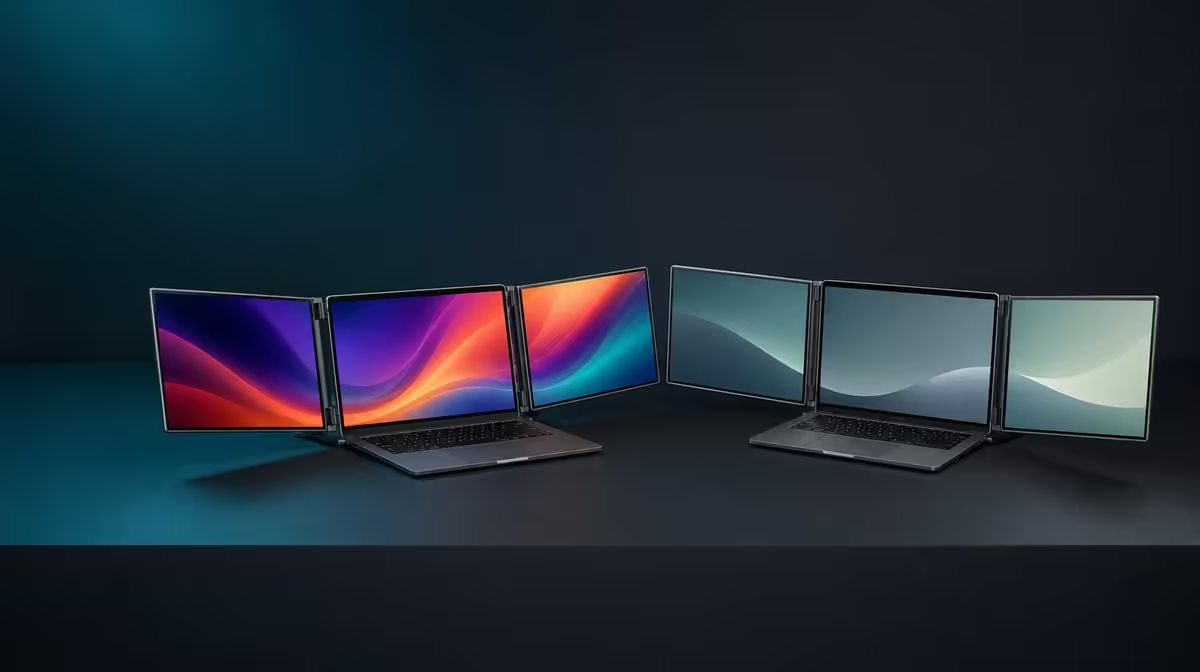
100% sRGB means the display covers the full sRGB colour space, while a panel with no stated figure cannot be assumed to match it. The R11,999 Delta Pro Touch combines full sRGB coverage with two 16-inch QHD IPS screens, making it relevant to laptop-based photo, video and design work aimed at sRGB delivery.
🎨 Understand what the percentage establishes
The figure describes gamut coverage. It does not by itself prove factory calibration, colour accuracy under every setting or a correct export workflow. Keep those questions separate.
Evetech's portable-monitor category lets creators compare mobile displays using only stated colour information.
🖼️ Test familiar sRGB material
Open the same reference image on both Delta panels and the laptop. Match brightness reasonably and inspect familiar colours, gradients and neutrals. Use the application and export target that matter to the project.
🔍 Add QHD detail to the workflow
At 2560 x 1600, the panels can show detailed images and leave room for editing tools. Choose readable scaling rather than shrinking every control. The resolution and gamut answer different questions but can support the same creative task.
Evetech's PC-monitor selection adds fixed-display context where portability beside a laptop is not essential.
💰 Pay for a target you use
Full sRGB coverage earns value when projects are prepared for sRGB output and both screens support a recurring edit or review process. An office user with no colour target may place more value on another feature.
Review the monitor best sellers before deciding whether the Delta's R11,999 package fits. Confirm current availability at purchase time.
Use a final project test: edit on one panel, place tools or preview on the second, and compare the export through the intended workflow. That proves usefulness without overstating what gamut coverage guarantees.
Keep gamut and accuracy in separate columns
Write 100% sRGB under stated coverage. Put calibration, white balance and measured accuracy under separate questions that need their own evidence. This stops one valid colour figure from being stretched into every colour claim.
Use the same distinction when comparing another panel whose coverage is unspecified. Absence of a number is not proof of either poor or matching performance.
Match the colour space to delivery
Ask where the photograph, video or design will be viewed and what colour target the project uses. Full sRGB has a direct role when the output is prepared for that space.
If the work targets another requirement, do not assume sRGB coverage answers it. Keep the comparison inside the stated facts.
Review dual-panel consistency in practice
Place the same reference on both Delta screens, use comparable settings and switch their roles. A creator may keep the canvas on one and preview on the other.
Record visible differences as this setup's observation, not as a universal calibration verdict. The laptop display can remain a third reference only if its own role is understood.
Decide whether colour earns budget
Count the projects where a defined sRGB gamut changes editing or review. If most work is office text, the feature may be secondary even though the panels cover the space.
At R11,999, colour should combine with QHD, touch and the two-screen workflow to solve a recurring creative need.
Carry the reference through export
Finish one small project on the Delta rather than stopping at an attractive preview. Review the source image, make a controlled adjustment, export for the intended sRGB destination and inspect the result through the normal delivery path.
Keep the laptop application and output settings recorded. This end-to-end check shows whether full gamut coverage supports the actual production chain and prevents a display-only comparison from standing in for a complete colour workflow.
Repeat the reference review after the monitor has been reconnected in another room. Match sensible brightness first and note environmental differences separately, so a changed light source is not mistaken for a change in gamut capability.
Frequently Asked Questions
What does full sRGB coverage mean?
It means the panels cover the complete sRGB colour space.
Does it prove perfect accuracy?
No. Coverage and calibration or measured accuracy are different.
Can an unspecified panel be assumed equal?
No equivalent claim should be made without a stated figure.
Who gains most from the gamut?
Creators producing photo, video or design work for sRGB delivery.
Ready to compare colour coverage through a defined creative target?
Explore Evetech's portable monitors with your laptop applications, sRGB output and dual-screen editing layout already planned.