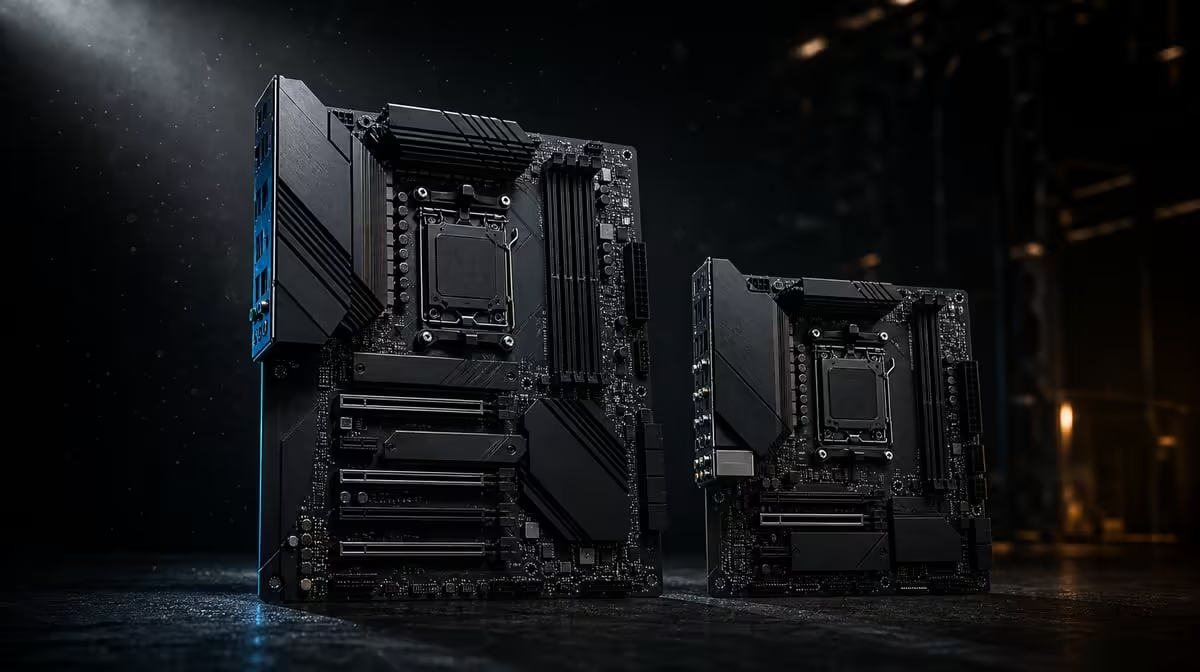
Motherboard size changes the chassis, slot layout and cable-planning conversation before it changes performance. Comparing ATX, Micro-ATX and E-ATX motherboards is therefore a physical design exercise first. The ROG Crosshair X870E Extreme is E-ATX, placing it beyond the title's two familiar formats.
Quick Answer
Micro-ATX favours compact builds with fewer expansion positions, ATX provides a common middle ground, and E-ATX accommodates larger board designs in compatible cases. The R24,899 X870E Extreme uses E-ATX, so buyers must confirm explicit chassis support and internal clearance before valuing its features.
?? Begin with the case specification
Do not assume a case labelled for ATX will accept E-ATX. Check the stated board formats, mounting locations, cable passages and clearance around the right edge. The actual graphics card, cooling and power leads must fit too.
The X870 motherboard category can show different board designs once case constraints are known.
?? Understand the format trade
Micro-ATX can make a focused PC easier to fit into a smaller chassis. ATX often balances case choice and expansion. E-ATX can provide room for a more expansive design, but the larger footprint is not a performance guarantee.
The Crosshair's five M.2 positions, PCIe 5.0, Wi-Fi 7 and multi-gig networking are model features, not automatic properties of every large board.
?? Plan devices before paying for space
List the graphics card, storage, other expansion devices and external connections. If that list is short, a smaller format may meet it cleanly. If several devices and high-end networking are genuinely required, a larger design may be easier to justify.
Platform compatibility still matters more than dimensions. Use Evetech's AMD CPU options to define the processor, then verify its exact board support.
?? Keep format in the value test
R24,899 places the Extreme in flagship territory. Compare it with Evetech's full AMD motherboard range, including the case and device costs created by each format.
A compact board is not automatically inferior, and a larger one is not automatically faster. The winning layout fits the machine that will actually be assembled.
Sketch the occupied slots
Draw the graphics card at its real thickness and mark every other device that needs access. A nominal expansion position can become impractical once a large cooler occupies neighbouring space. The same drawing should show front-panel cables, storage access and the case's cable openings.
For an E-ATX build, inspect the right side of the board carefully. Its footprint may cover grommets or alter how thick power leads approach their sockets in a particular chassis. Use the case and board information together rather than extrapolating from another build.
Think about future maintenance
A smaller system can be easy to move but dense to service. A larger board can provide a more spread-out design while demanding a heavier, roomier chassis. Neither trade is universally better.
Photograph cable routes and record installed drive positions before closing the panels. The most useful form factor is one the owner can assemble, cool and maintain without turning every minor upgrade into a complete rebuild.
Case airflow should be evaluated with the final component density in mind. A compact layout can work well with a deliberate intake and exhaust path; extra enclosure volume does not guarantee lower temperatures. Compare fan positions, cooler clearance and where the graphics card releases heat instead of using motherboard format as a cooling shortcut.
Measure the complete enclosure
Do not stop at the motherboard tray label. Check where the power-supply cables emerge, how the front-panel leads reach the board and whether storage covers remain accessible after the graphics card is installed. E-ATX can extend across openings that were convenient with a narrower board.
For Micro-ATX, inspect the reduced spacing around add-in hardware and cooling. For ATX, confirm that the supposedly familiar middle format still matches the exact case. A scale drawing or careful set of measurements can reveal conflicts before any packaging is opened.
The best format leaves room for the intended parts and for the owner's hands during maintenance. Ease of service is a practical feature, not a cosmetic preference.
Frequently Asked Questions
Is the X870E Extreme an ATX motherboard'
No. It is an E-ATX design, so its chassis requirement must be checked separately.
Does E-ATX fit every full-size case'
Do not infer support from the case's appearance. Use the chassis's stated motherboard compatibility and clearance information.
Can Micro-ATX power a strong gaming PC'
Yes, provided the exact board supports the chosen processor, memory and required devices. Physical size alone does not set gaming capability.
Why might ATX be the practical middle choice'
It can balance broad case availability with enough expansion for many builds, although each board still needs an exact feature comparison.
Does a bigger motherboard improve frame rates'
No. Board format concerns physical design. Frame rates depend on the complete system and workload.
Ready to match motherboard and chassis'
Explore Evetech's AMD board selection with your case specification beside you, then choose a format that fits every planned device and cable route.