

Why Is My RX 9070 XT Running Hot in SA Summer?
Why Is My RX 9070 XT Running Hot in SA Summer Detailed answer with SA data, expert analysis & practical recommendations for local buyers.
Read moreHow to clean white gaming headset: Follow simple, safe steps, gentle cleaners, and storage hacks to remove stains and prevent yellowing so your headset stays like new 🎧✨
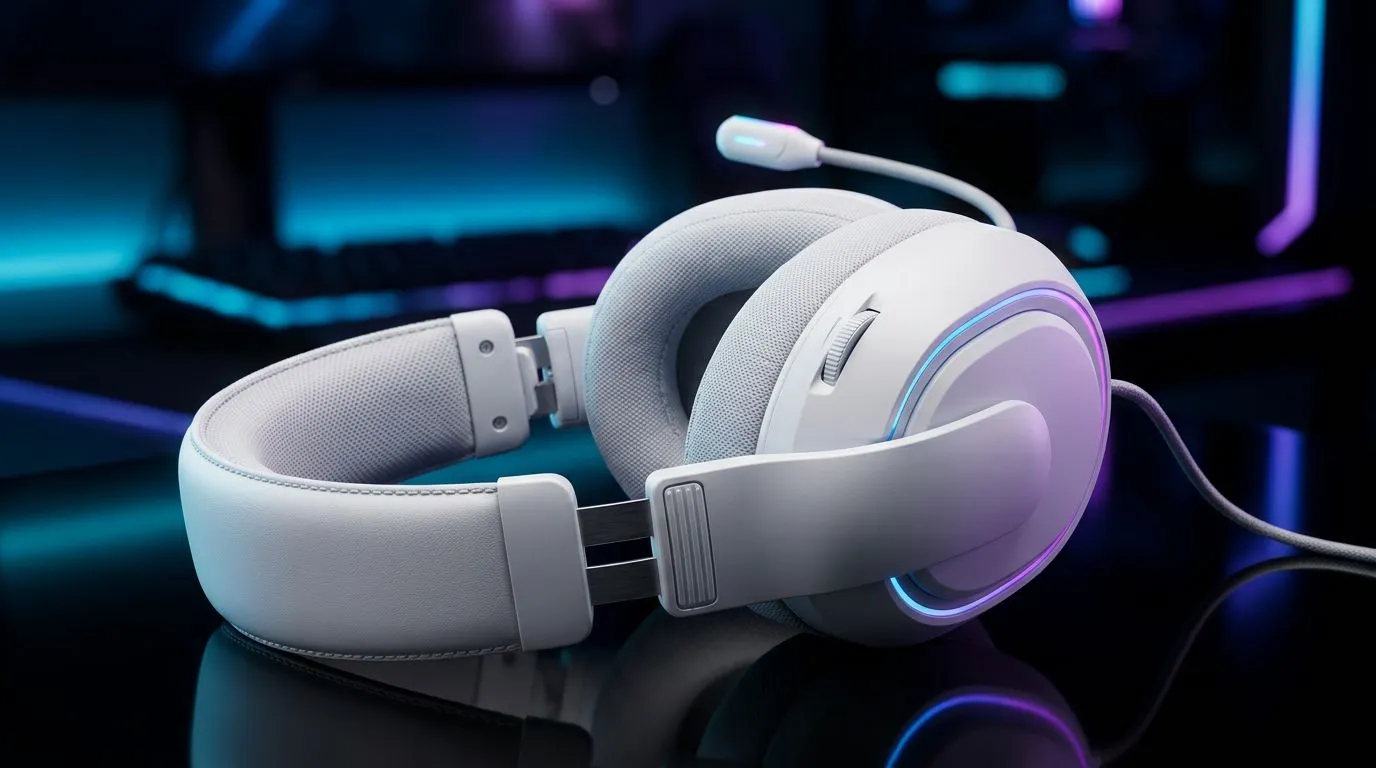
If your pristine white headset looks more like a veteran of Clan Wars, breathe easy. "How to Clean White Gaming Headset and Keep It Brand New" is easier than you think — a few tools, careful technique, and a weekly ritual will keep your gear gleaming. Start with a dust-off, then move to gentle spot cleaning; avoid soaking any electronics. 🎧
Before you begin, gather: a soft microfiber cloth, cotton swabs, mild dish soap, isopropyl alcohol 70% (for non‑porous plastic only), a soft toothbrush, and a small bowl. Power off and unplug the headset; if pads or cables are removable, take them off. For model-specific guidance, check the Razer Barracuda X Chroma in Phantom White listing for removable parts and official specs. https://www.evetech.co.za/razer-barracuda-x-chroma-wireless-headset-phantom-white/best-deal/24367
Remove ear pads if the model allows. For fabric or velvet pads, a gentle hand wash and air dry works best. For leatherette, wipe with a damp cloth and a very mild soap mix. Let everything dry fully before reassembly. If you want more headsets to compare when shopping, browse the full Razer headsets range on Evetech. https://www.evetech.co.za/PC-Components/razer-headphones-headsets-105
Use a lint‑roller on fabric pads for quick dust removal. For white plastics, regular gentle cleaning prevents oils from oxidising into permanent yellowing. If unsure about a material, test on a hidden spot first.
For a wider selection or replacement pads and spares, see our all headset listings to find compatible parts and upgrades. https://www.evetech.co.za/components/headphone-headsets-100
Avoid bleach, acetone, or abrasive scrubs. If electronics feel damp after cleaning, don't power on — let them dry 48 hours or seek professional service. When in doubt, consult the manufacturer's care instructions.
Ready to Find Your Perfect Match? The Mac vs Windows debate is complex, but for maximum power, choice, and value in South Africa, Windows is hard to beat. Explore our massive range of laptop specials and find the perfect machine to conquer your world.
Wipe external surfaces weekly and deep-clean ear pads and headband every 1–2 months depending on use and sweat for best white headset cleaning tips.
Use mild dish soap with water for plastics and a 70% isopropyl wipe for non-porous parts. Avoid harsh solvents and bleach to protect finishes.
Try a gentle baking soda paste or hydrogen peroxide wipe on plastic spots, test first in a hidden area to remove yellowing safely.
No — remove pads and hand-wash foam or cloth gently in mild soap, then air-dry completely to preserve shape and foam integrity.
Lightly dampen a microfiber cloth with 70% isopropyl alcohol and wipe surfaces; avoid soaking fabric and electronics to disinfect white gaming headset safely.
Store in a dustproof case, keep out of direct sunlight, and use covers to prevent stains — key ways to store white headset to avoid stains.
Mild soap and water are safe. Avoid bleach, acetone, and abrasive pastes; use DIY cleaning solutions headset-style with caution and spot-test first.
Why Is My RX 9070 XT Running Hot in SA Summer Detailed answer with SA data, expert analysis & practical recommendations for local buyers.
Read more
RTX 4070 Ti Super Black Screen Issue: Fix. Diagnosis steps, proven fixes & when to seek professional help. SA-specific support info included.
Read more
Can a 700W PSU Handle the RTX 4060? Power. Wattage requirements, recommended PSU models & efficiency ratings for SA buyers at Evetech.
Read more
Optimize RTX 4060 Ti for Minecraft. Step-by-step instructions with SA-specific tips, common pitfalls to avoid & expert recommendations.
Read more
Can the RTX 4090 Run Cyberpunk 2077 at 60fps. Real-world benchmark data, FPS numbers & performance analysis. What SA gamers can actually expect.
Read more
Can the RTX 5090 Handle 1440p 144Hz Gaming. Performance testing verdict with real data & practical recommendations for SA buyers.
Read more
Top Valorant Settings for RTX 5070: FPS Optimisation picks evaluated on performance, value & SA availability with current Rand pricing from Evetech.

RDNA 3.5 Graphics in Ryzen AI 400? Can You Game. Plain-English explanation of what it means, why it matters & how it affects your buying decisions in SA.

GPU Price Index : December Report. Current stock data & price tracking for SA buyers. See what is available and where prices are heading.

RX 9070 XT Elden Ring Nightreign at 4K: FPS. Real-world benchmark data, FPS numbers & performance analysis. What SA gamers can actually expect.

Core i5-14600K + B760 + RTX 5060 Build Under. Full parts list, Rand pricing & expected performance. Build confidently with SA-available components.

RX 7600 Apex Legends at 4K: FPS Benchmark. Real-world benchmark data, FPS numbers & performance analysis. What SA gamers can actually expect.

RX 7900 XTX GTA 6 at 4K: FPS Benchmark & Optimal. Real-world benchmark data, FPS numbers & performance analysis. What SA gamers can actually expect.

Head-to-head comparison of RTX 5070 vs RX 9070 XT: Gaming Performance for SA gamers. Performance benchmarks, Rand pricing & which delivers better value.

Top Laptop with Ryzen 5 + RTX 4090 Laptop: Picks picks evaluated on performance, value & SA availability with current Rand pricing from Evetech.

Top Budget GPU for Marvel Rivals picks evaluated on performance, value & SA availability with current Rand pricing from Evetech.

Valorant Settings on RTX 5070: Performance. Real-world benchmark data, FPS numbers & performance analysis. What SA gamers can actually expect.

Top Budget GPU for Assassins Creed Shadows picks evaluated on performance, value & SA availability with current Rand pricing from Evetech.