


Quick Answer
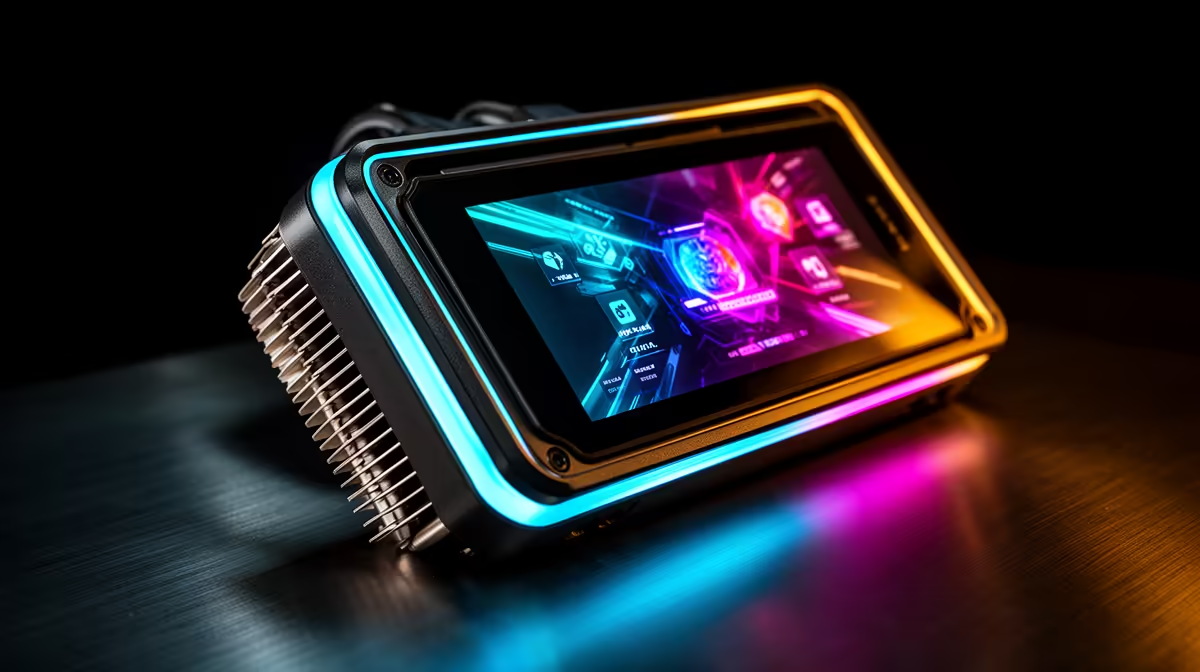
AIO cooler displays range from small 2.4-inch IPS LCD panels showing temperature data to larger 3.5-inch curved AMOLED screens with custom animations and full RGB pump head lighting rings. All connect via USB 2.0 header and are configured through companion software. The display does not affect CPU cooling performance; it is a monitoring and aesthetic feature.
IPS LCD: The Mainstream Standard 🖥️
IPS (In-Plane Switching) LCD displays appear on most mid-range AIO coolers in the R2,500 to R4,500 category. They offer 178-degree viewing angles, accurate colour reproduction, and immunity to AMOLED-style burn-in. A 2.4-inch IPS display at 320x320 pixels shows temperature and RPM data clearly from normal case-viewing distances of 30 to 60cm.
In terms of brightness, IPS LCD AIO displays peak at 300 to 400 nits, readable in a room with indirect natural light coming through windows common in South African home offices and gaming rooms.
AMOLED: Premium Contrast and Animation Quality ✨
AMOLED displays on premium AIOs at R4,500 to R6,500 deliver true black backgrounds, colour saturation 30 to 50 percent more vivid than IPS, and pixel response times below 1ms. For an animated GIF displayed on the pump head, AMOLED produces smooth, vibrant motion compared to the slightly washed appearance of the same animation on an IPS panel.
The trade-off is burn-in risk over years of static image display. A fixed CPU temperature readout displayed for eight hours per day continuously can create subtle permanent retention on an AMOLED panel within 18 to 30 months. Enabling the screensaver or auto-dim feature in the companion software immediately at first setup prevents this, but it requires awareness from the builder.
RGB Pump Head Rings and Lighting Integration 🎮
Beyond the screen, many AIO pump heads include an ARGB LED ring around the display bezel. On ASUS RYUO IV SLC models, this ring has individually addressable LEDs that sync with the motherboard's Aura Sync ecosystem.
For South African builders with ARGB-synchronised builds in windowed cases, the pump head ring adds a visual element that complements ARGB fans and RAM lighting strips.
Set Temperature-Reactive Ring Colour in Software ⚡
your AIO's RGB ring to change colour based on CPU temperature thresholds: cool blue below 60 degrees, amber at 70 to 85 degrees, and red above 85 degrees. This passive thermal alert is visible at a glance through the case glass during gaming or encoding sessions and lets you know when the cooler is working hard without opening a monitoring application.
FAQ
How does the display connect and what header does it use?
All AIO cooler displays connect via USB 2.0 internal header (9-pin) on the motherboard. No separate PCIe or SATA power is needed. The USB header provides both the data channel for sensor feeds and the power for the display and lighting elements.
Does the companion software need to run at startup for the display to work?
The display shows its last saved profile stored in the AIO's onboard memory even without software running. Live sensor data such as CPU temperature and fan RPM requires the companion software to be active, as it retrieves data from Windows hardware APIs and feeds it to the display. Adding the software to Windows startup ensures live data from the moment the desktop loads.
What is the lifespan of an IPS LCD AIO display?
IPS LCD displays in electronics are typically rated for 30,000 to 50,000 hours of operation before the backlight reaches 50 percent original brightness. At 10 hours per day of use, this is 8 to 13 years, likely outlasting the AIO pump itself. IPS panels do not suffer from burn-in at normal use intensity, making them the lower-maintenance display option for AIO coolers.
Looking for an AIO with a display that suits your build aesthetic? Explore AIO coolers at Evetech, from 2.4-inch IPS LCD to AMOLED pump head displays, with ARGB ring lighting and software integration for matched SA builds.










