Quick Answer
The BAD_POOL_HEADER blue screen on Windows 11 is caused by memory management errors, typically from a faulty driver, corrupted RAM, or software conflict. Fix it by running Windows Memory Diagnostic, updating or rolling back recent drivers, and scanning for corrupted system files using SFC and DISM commands.
What Causes BAD_POOL_HEADER on Windows 11
The BAD_POOL_HEADER stop code means Windows found something wrong with the memory pool header, a region of RAM the operating system uses to manage running processes. When a driver or application writes invalid data to this area, Windows crashes to prevent further damage.
The most common culprits are third-party antivirus tools, recently installed drivers (especially GPU or chipset drivers), defective RAM sticks, and corrupted Windows system files. In South Africa, users who run loadshedding protection hardware like UPS devices should also check whether their USB power management software is injecting a driver conflict, as this is a surprisingly common trigger after Stage 4 or Stage 6 cuts force sudden system restarts.
Step-by-Step Fixes
Step 1: Run Windows Memory Diagnostic. Press Windows + R, type mdsched.exe, and select Restart now and check for problems. If errors appear, one or more RAM sticks may need replacing.
Step 2: Boot into Safe Mode and uninstall recent drivers. Restart and hold F8 (or use Settings > Recovery > Advanced Startup). In Safe Mode, open Device Manager and roll back any drivers installed in the past week. GPU drivers from major updates are a frequent cause.
Step 3: Run SFC and DISM. Open Command Prompt as Administrator and run:
sfc /scannowDISM /Online /Cleanup-Image /RestoreHealth
These commands repair corrupted Windows system files that can destabilise the memory pool.
Step 4: Check for Windows Updates. Go to Settings > Windows Update and install any pending patches. Microsoft regularly pushes fixes for known driver compatibility issues that trigger this exact BSOD.
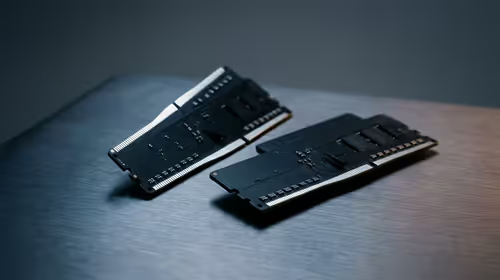
Step 5: Test RAM with MemTest86. If the built-in diagnostic passes but crashes continue, boot from a USB drive running MemTest86 for a thorough overnight test. A single memory error means you need replacement RAM.
When Hardware Is the Root Cause
If all software fixes fail, the problem is almost certainly hardware. Reseat your RAM sticks by removing them and reinserting them firmly. If you have two sticks, try running with one at a time to isolate a faulty module. Also check that your PC is not overheating, as thermal throttling during loadshedding recovery periods (when a PC restarts cold and then heats up rapidly) can cause memory instability.
A dying or underpowered PSU can also cause random BSODs including BAD_POOL_HEADER, especially if the system reboots frequently during power cuts. Consider whether your setup has a stable power supply.
FAQs
Is BAD_POOL_HEADER always caused by RAM?
No. While faulty RAM is a common cause, drivers, antivirus software, and corrupted Windows files are equally frequent triggers. Always run driver and file checks before assuming you need new RAM.
Will reinstalling Windows fix BAD_POOL_HEADER?
A clean Windows install will fix it if software or OS corruption is the root cause. However, if faulty hardware is responsible, the BSOD will return after reinstallation.
How do I find which driver caused the crash?
Use the free tool WhoCrashed or open the Windows Event Viewer and look under Windows Logs > System for critical errors timestamped at the moment of the crash. The driver file name is usually listed.
Ready to Find Your Perfect Match?
If repeated BSODs point to a hardware fault and you need to upgrade or replace components, browse the full range of monitors and display hardware available for delivery across South Africa. Shop PC Monitors