


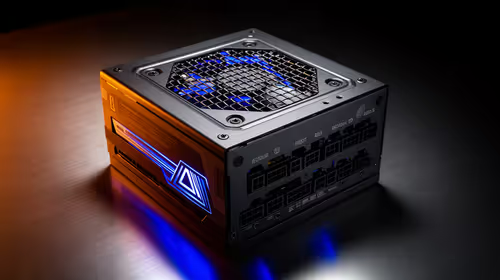
1200W PSU Planning for RTX 5090 Builds in SA
1200W for RTX 5090 needs a full-build check, not a simple yes. Review GPU guidance, CPU draw, transient load, connectors, PSU quality, and upgrade plans before deciding.
Read moreHow to fix low FPS on an RTX 5070 build in South Africa starts with driver, display, cooling, and CPU checks. Use local gaming setup context to test RAM profile, PCIe speed, airflow, and game settings.

Chasing low FPS on a RTX 5070 build feels random until you measure average frame rate against one repeatable scene.
Yes, most low FPS on a RTX 5070 build clears once you align display mode, power profile, and a clean driver install. An RTX 5070 card sits near R13,500, so a full build commonly lands around R32,000. Treat the named hardware as context until your numbers prove otherwise.
Pick a single in-game area you can reload on demand and run it the same way each time. Note whether low FPS arrives during loading, busy fights, online play, or only after the RTX 5070 build warms up. A capable setup can still feel rough when 12 GB VRAM settings or background tasks are unsettled, so a fixed scene gives you comparable average frame rate readings instead of vague impressions.
Install the latest stable GPU and chipset drivers, reboot once, and avoid stacking other changes in the same pass. A clean driver state removes a frequent trigger for low FPS on a RTX 5070 build. If a recent update introduced the problem, roll back to the previous known-good version and retest the same scene.
a short log: setting changed, before value, after value. A 30-second repeatable run is worth more than testing three different games.
Swap to a known-good certified cable and a different port, since a marginal link can cause low FPS that looks like a deeper fault. On a RTX 5070 build this is a two-minute check that rules out a whole class of problems. Reseat the connection, retest the same scene, and record the result before moving on.
Often yes, because a clean, current driver fixes scheduling and compatibility quirks behind low FPS. Install the latest stable release, reboot once, and retest the same scene. If a new driver caused it, roll back to the prior version.
That pattern points to thermals or power limits. Log temperatures through your scene, improve airflow, and confirm no part is throttling. average frame rate that recovers when cool confirms heat as the cause.
Use an on-screen overlay and the same in-game scene each test. Capture a 60-second run, note the average and the lows, then compare after every change. Consistent scenes make small differences visible.
Fix the cause, then shop smart. When your before-and-after numbers point to a clear limit on your RTX 5070 build, the right Evetech graphics card pick becomes obvious.
1200W for RTX 5090 needs a full-build check, not a simple yes. Review GPU guidance, CPU draw, transient load, connectors, PSU quality, and upgrade plans before deciding.
Read more
ultrawide monitor low FPS may point beyond the device named in the title. Review drivers, settings, thermals, power, background apps, display limits, cables, and game options before changing hardware.
Read more
Windows 11 gaming PC low FPS often comes from drivers, power plans, background apps, display settings, or thermals. This SA gaming checklist helps isolate Windows issues before replacing healthy hardware.
Read more
How to fix low FPS Windows 11 Steam Deck issues starts with drivers, power limits, storage, and handheld settings. Use this SA-focused checklist to tune display, background tasks, and game profiles without unsupported performance claims on the go.
Read more
4K monitors stay expensive for East London gamers because panels, refresh rates, ports, and GPU demands raise total cost. SA buyers should compare screen size, warranty, graphics card needs, and whether 1440p gives better value.
Read more
4K monitors stay expensive for Pietermaritzburg gamers because panels and high refresh specs raise costs. SA buyers should compare 1440p value, GPU demand, warranty cover, desk space, and upgrade timing before choosing.
Read more
Black Friday Gaming PC Wait can help if your PC need is flexible. On a R5,000 SA budget, compare deal risk, component balance, warranty, and timing before waiting.

Wi-Fi 7 and Wi-Fi 6E differ most in capacity, latency handling, and future router support for SA gamers. The choice depends on your fibre speed, home layout, device support, and whether cable-free gaming must stay consistent.

Choosing the right USB-C hub is essential for a clean, efficient desk setup. 🖥️ Discover exactly how many ports you need to replace your bulky desktop docking station without sacrificing performance or connectivity. ⚡

ATX 3.1 vs ATX 3.0 for SA Buyers comes down to GPU power connectors, PSU quality, cable routing, headroom, and upgrade plans. SA buyers should match the choice to their setup instead of assuming one option always wins.

A recovery drive and system restore points turn a failed driver or BIOS update on a gaming pc from a full reinstall into a five-minute fix. Setting both up takes about 15 minutes, and Evetech recommends doing it the week you unbox a new build, before tweaking drivers.

RTX 5090 with a 1000W PSU is a strong compatibility target for high-end builds. SA buyers should still match the exact PSU quality, connector support, CPU choice, case airflow, and upgrade needs to the final system.

RTX 5090 on a 1000W PSU offers the best headroom in this PSU tier set. SA builders can plan more confidently for top-tier CPUs, cooling, and cautious OC, while still checking cable support and total system load.

A 550W PSU is a risky fit for an RTX 5080 Super system in SA unless guidance and demand support it. Check CPU draw, cabling, PSU age, cooling, and upgrade margin before deciding whether the setup is safe enough.

A 1500W PSU gives an RTX 5090 strong safety margin in SA when the unit is quality and modern. Confirm GPU cabling, CPU draw, case airflow, and warranty support before finalising the build, especially for tuned rigs.
Wi-Fi 7 and Wi-Fi 6E differ most in capacity, latency handling, and future router support for SA gamers. The choice depends on your fibre speed, home layout, device support, and whether cable-free gaming must stay consistent.

Wi-Fi 7 router FPS drops in South Africa usually mean latency, signal, adapter driver, or download issues. Use this guide to test network causes before changing PC hardware or game settings, then decide when Ethernet or adapter tweaks matter most.

ATX 3.1 and ATX 3.0 differ most in PSU connectors, compatibility, and upgrade value for video editing in 4k. SA buyers should match the choice to their actual hardware and games.