Diagnosing RAM One Slot Fails: A Gamer’s Quick Guide 🔧
If your PC suddenly won’t boot or shows less memory than expected, one RAM slot might have failed. South African gamers depend on smooth gameplay and fast processing—failed RAM slots kill both. Before you panic, this guide covers how to fix RAM one slot fails, helping you troubleshoot without needing an expensive service call. Let’s dive deep so your rig gets back to peak performance fast.
What Causes RAM Slots to Fail?
RAM slot failure isn’t rare; it can be due to dust, improper seating, motherboard fault, or even aged components. Dust accumulation disrupts connections, especially in dusty South African homes. Sometimes the issue is software-related: a BIOS glitch can disable a slot. A quick BIOS update or reset might revive your slot without hardware replacement.
Step-by-Step Fixes for RAM One Slot Fails ⚡
1. Power Down and Inspect the RAM
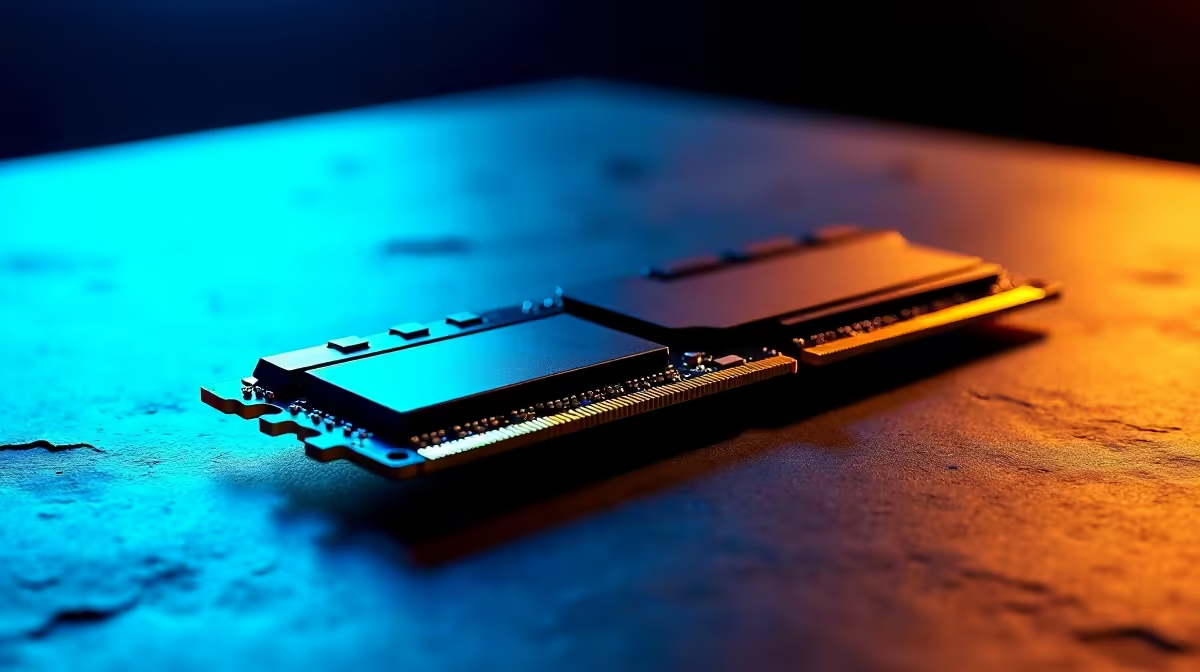
Remove your RAM modules carefully. Use a soft brush or compressed air to clear dust inside the slot and on the module’s connectors. Even small debris can cause failure.
2. Test RAM Modules One by One
Try each RAM stick in every slot. If a stick works in one slot but not another, you’ve pinpointed your faulty slot or RAM. This process rules out module failure and narrows down the fault.
3. Reset or Update BIOS
Access your BIOS setup by pressing the key shown at boot (usually Delete or F2). Look for memory-related settings or updates from your motherboard manufacturer’s site. Resetting BIOS to defaults can sometimes reactivate disabled slots.
4. Check for Physical Damage
Look for bent pins or corrosion inside the slot. If the slot looks damaged, consider professional repair or motherboard replacement.
5. Consider Software Tools
Running memory diagnostics like Windows Memory Diagnostic or MemTest86 helps confirm RAM health. Faulty RAM, even if recognized, can cause crashes, so testing is vital.
Pro Tip: Avoid Static Damage
Always ground yourself before handling RAM. A quick touch on your PC case discharges static, protecting your sensitive components.
When to Upgrade RAM or Motherboard
If one RAM slot fails and other slots aren’t enough for your needs, upgrade your memory. Evetech offers a wide range of high-quality memory modules in ZAR. Choose DDR4 or DDR5 sticks that match your motherboard specs for reliable performance.
Upgrading your whole system could be smarter if your PC is aging. Check out the current best gaming PC deals at Evetech for affordable, powerful machines ready for South African gamers.
Extra Tips for South African Gamers and Tech Buyers 🚀
Laptops and Pre-Built Systems
If you’re running a gaming laptop or a pre-built tower, RAM repairs can be trickier. Evetech stocks notebooks for sale in South Africa with upgrade options. For pre-built gamers, visit Evetech's pre-built PC deals page where memory issues can be avoided by starting fresh with a system designed for optimal airflow and component compatibility.
Keep an Eye on Special Offers 💥
RAM and hardware prices can fluctuate. Evetech’s specials page regularly features discounted components—perfect for budget-conscious buyers eager to fix or upgrade without overspending.
Tackling RAM issues quickly keeps your gaming smooth and your rig reliable in South Africa’s competitive scene. Use the steps above to test, clean, and revive RAM slots before considering costly replacements.
Ready to Boost Your Rig’s Memory?
Upgrade or repair smartly with Evetech’s selection of memory modules tailored for South African gamers. Shop now at Evetech for performance that leaves lag in the dust.