A lumbar chair improves a desk only when the rest of the workstation gives it a coherent position. To improve a desk setup with auto-wrap lumbar, place the screen and inputs first, establish the seat, then assess lower-back contact before moving upper supports. The R7,399 E3 Air provides three zones with an 80-degree wrap.
Quick Answer
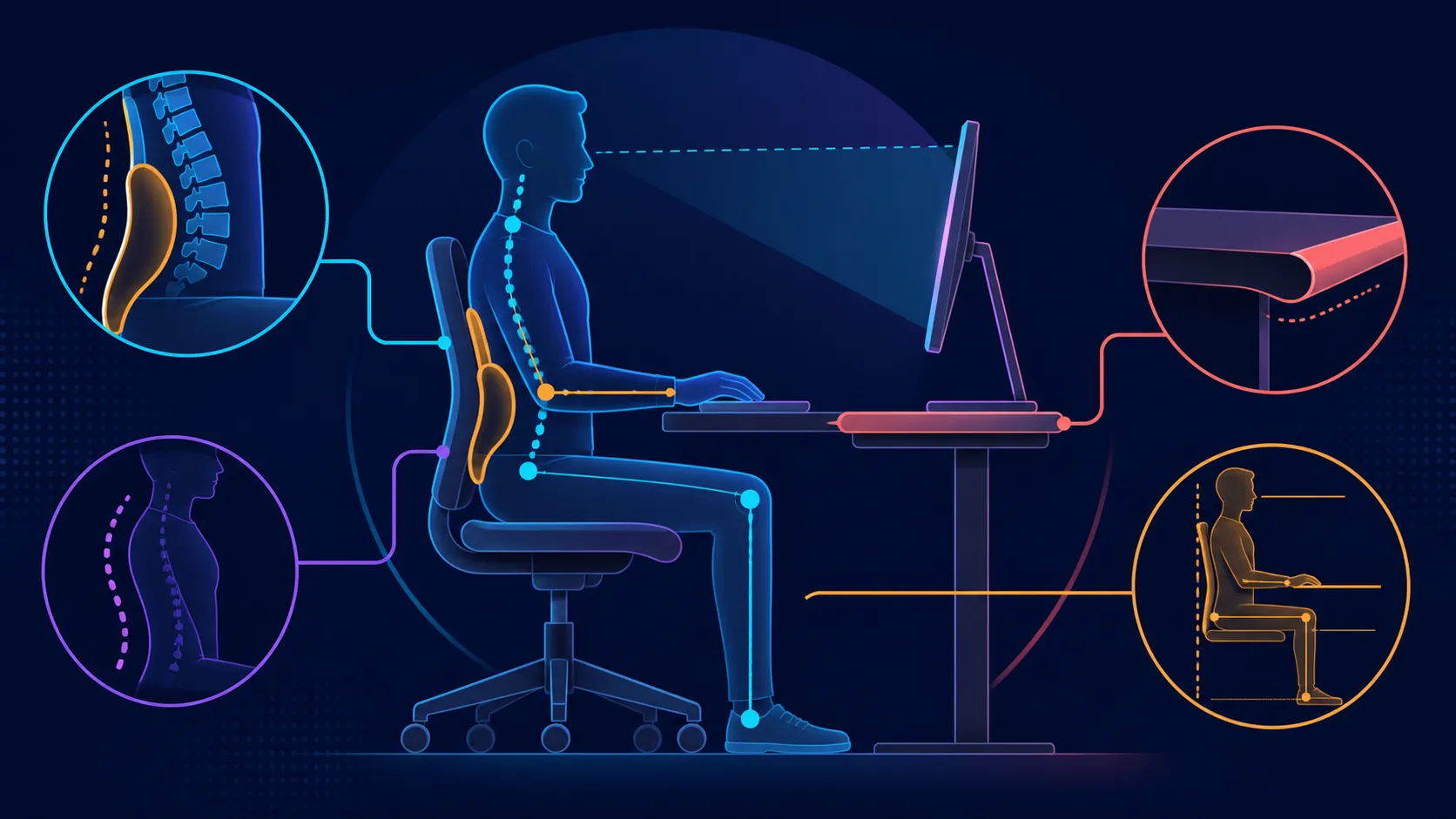
Improve the desk around the E3 Air by setting six-level lumbar height, one of four depth locks, XYZ arm placement and the measured headrest ranges in that order.
Build the workstation from fixed items toward adjustable ones: place the screen, keyboard and mouse, align the chair, then evaluate the E3 Air's three-zone auto-wrap lumbar. At R7,399, it also offers separate headrest and armrest positioning. Auto-wrap can broaden contact, but it cannot guarantee better posture or a medical result.
🖥️ Anchor the tools and viewing line
Decide where the main screen needs to be for ordinary work and where the inputs should sit in relation to the user. Bring the chair into that established zone rather than shifting everything to meet the backrest. A chair feature cannot compensate reliably for a monitor or keyboard that remains out of reach.
Settle onto mesh of high-density construction, which carries a cloud-like description, and note its relationship with the desk. The material wording is not a comfort promise, so evaluate the surface through a real work period.
Use the HBADA office-chair category at Evetech after recording the fixed workstation layout.
🫂 Add the lumbar relationship
The three lumbar zones cover an 80-degree auto-wrap area. Sit naturally against them and return attention to typing or mouse work. Notice centre and side contact without forcing the body into a posed position.
Keep the headrest and arm supports still during this stage. If the contact becomes intrusive or the user must hold an unusual posture, revisit chair placement and fit. Wider coverage alone does not make the setup successful.
🎯 Finish with task-specific supports
Align the 4D dual-axis headrest with the established viewing position, then bring each 360-degree omni-motion mech-armrest toward its input task. Typing and mousing may need different arm arrangements. Save visible references if the chair is shared.
The backrest can reach 140 degrees, which creates another mode rather than extending the upright setup automatically. Learn the controls and reassess support at the changed angle. The 150kg maximum user weight and steel five-star base remain separate eligibility and structure facts.
Compare the wider Evetech office-chair range with the same fixed-to-adjustable sequence. A better workstation is repeatable, task-focused and comfortable for the individual without relying on unsupported health claims.
Mark the working chair position on a simple room sketch so later movement is not confused with a lumbar change. Revisit the same task late in the session and see whether centre and side contact remain acceptable after setup attention has faded. End with a complete transition: sit down, begin the main task, move to a secondary activity and restore the first arrangement. That sequence tests the workstation as a usable system rather than a collection of isolated settings.
If another person shares the desk, repeat the sequence from that person's own seated baseline.
The 80-degree floating wings and 12-degree dynamic track can then follow posture changes. This sequence connects Auto-Wrap to the actual screen and input layout instead of using lumbar movement to compensate for poor desk reach.
Frequently Asked Questions
Which desk elements belong in the first step?
Place the screen, keyboard and mouse around the intended task, then decide the chair's working distance. These fixed references make later support choices meaningful.
What lumbar feature shapes this example?
The E3 Air uses three zones with an 80-degree auto-wrap design. Assess the real contact without inferring extra mechanisms or guaranteed results.
How should upper supports enter the setup?
After lumbar contact is stable, set the headrest around the view and each armrest around its device. Test those changes independently.
Does wrap-around contact ensure better posture?
No. It is one support approach, while body fit, desk geometry, movement and task all contribute to the seated relationship.
Which changed-angle option is available?
The chair reaches a maximum recline of 140 degrees. Control behaviour, locks and suitable activities must be evaluated separately.
What is the seating surface?
The seating surface combines high-density mesh with a cloud-like description. Judge its feel over the intended duration rather than treating those words as a guarantee.
How much does the complete chair cost?
The Cloud White 2026 Edition is R7,399. Weigh that amount against the full workstation fit instead of one feature in isolation.
Ready to build the setup from fixed tools toward adjustable support?
Explore Evetech office seating after mapping the screen, inputs and chair position that the work actually needs.