



550W PSU Planning for RTX 5080 Super Builds in SA
550W for RTX 5080 Super needs a full-build check, not a simple yes. Review GPU guidance, CPU draw, transient load, connectors, PSU quality, and upgrade plans before deciding.
Read moreInteger scaling on a modern monitor multiplies each original pixel by a whole number instead of blending it, keeping retro and pixel-art games sharp instead of a blurry stretch. Evetech notes newer Nvidia and AMD drivers both expose this option directly.
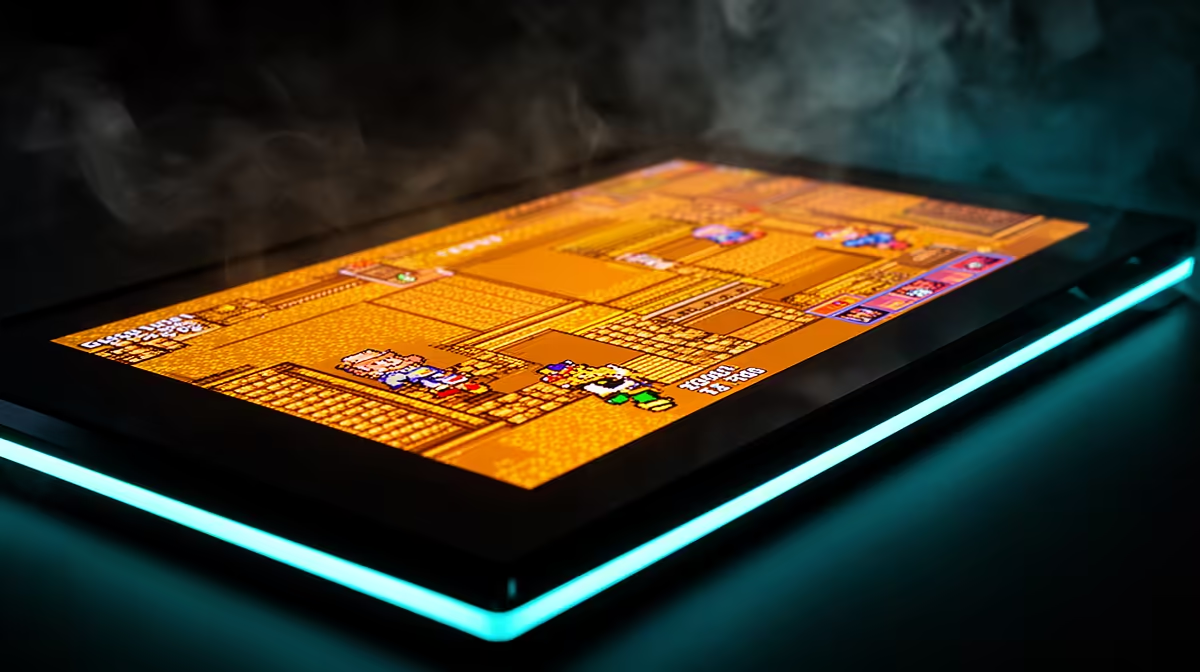
Pixel art loses its crisp geometry when a modern display blends uneven scaling ratios. Integer scaling repeats each source pixel as a clean block, making retro and indie graphics sharper when the resolution divides correctly.
Integer scaling keeps pixel art sharp by turning each source pixel into an equal square block made from a whole number of display pixels. It works best when the output resolution can fit a clean multiple of the game's resolution. Unused space appears as black borders when the aspect or scale does not fill the panel. Use it for retro titles and deliberate pixel art, then return to normal scaling for modern 3D games that need smooth resampling.
A 320 by 240 image scales cleanly by four to 1,280 by 960. Every source pixel becomes a four-by-four block. Stretching it to 1,920 by 1,080 requires uneven sampling or a changed aspect ratio, which can blur edges.
The largest whole multiple that fits the screen may leave borders. That is expected. If you prefer a filled screen, choose a normal aspect-preserving scaler and accept some interpolation.
Some emulators and pixel-art games provide integer or nearest-neighbour scaling inside the application. That can control artwork, user interface and aspect ratio with more context than the driver.
Set the game to its native or intended internal resolution, enable the integer option and check circles plus text for correct proportions. Avoid stacking the game's scaler with a second driver scaler.
Current AMD, NVIDIA and Intel drivers may expose integer scaling on supported hardware and display paths. Menu names, laptop support and requirements can change. Check the installed driver's official documentation for the exact GPU.
GPU scaling must often be enabled, and the display should run at its native resolution. Update the driver only through a supported route and save the previous version when troubleshooting.
Open a scene with single-pixel lines and a round object. Look for even blocks, no shimmer during scrolling and correct shape. Check whether the game remains centred after Alt-Tab.
Scaling overhead is small in many setups, but competitive retro play still deserves an input and frame-pacing test. Capture software may record the pre-scaled game or the final output depending on its source, so preview the stream.
Check native resolution and input support across the monitor range. For another pixel-grid option, open the monitor best-seller page and calculate which source resolutions divide cleanly.
Save a per-game screenshot showing the border size and aspect. It makes later driver changes much easier to diagnose.
It can choose the largest whole multiple that fits, which may create borders. Hardware and driver support also vary.
Most modern 3D images look better with temporal or spatial upscaling designed for continuous detail.
Use a per-game profile when possible so desktop and modern titles keep their normal scaling.
Test the game's own integer scaler at native panel output, then use the driver only when it preserves the pixel grid and aspect.
It can choose the largest whole multiple that fits, which may create borders. Hardware and driver support also vary.
Most modern 3D images look better with temporal or spatial upscaling designed for continuous detail.
Use a per-game profile when possible so desktop and modern titles keep their normal scaling.
550W for RTX 5080 Super needs a full-build check, not a simple yes. Review GPU guidance, CPU draw, transient load, connectors, PSU quality, and upgrade plans before deciding.
Read more
8000Hz polling is overrated for most SA gamers because gains can be tiny next to battery drain and monitor limits. Mbombela players should weigh mouse feel, game support, and system stability before chasing the number.
Read more
Magnetic switches are taking over SA gaming keyboards because actuation can be tuned. For Sandton gamers, rapid trigger, reset control, and profile depth can help, but layout, key feel, and software quality still matter.
Read more
Polokwane oled monitor value questions need cautious SA context because pricing can move with availability, exchange rates, specs, and warranty support. Treat the trend as a planning signal, not a fixed price promise.
Read more
Arc B580 budget builds for Midrand gamers can shift with exchange rates, supply, specs, and model tier. Treat the title as a buying prompt, then compare SA warranty, timing, and build priorities.
Read more
ROG Ally X may beat the LCD Steam Deck for SA gamers who value stronger handheld performance, more memory, and Windows flexibility. Compare battery life, controls, game libraries, and Polokwane support needs before deciding.
Read more
Minisforum's M2 Pro pairs Core Ultra X7, Arc B390 graphics and 32GB onboard memory in 1.8 litres. SA buyers should weigh its fixed memory and $1,439 launch offer against local mini PCs.

Lenovo says Legion Go failures linked to BIOS N3CN42WW are not user error. Affected SA owners should stop retrying the update, preserve proof and open a support case.

Smart monitors can add apps and convenience, but they also add privacy settings and unwanted-software risk. SA buyers should audit the operating system before paying for extras.

A fake 113GB GTA VI ISO reportedly used empty padding around a small malware payload. SA gamers should delete unofficial builds, keep Windows security active and wait for official channels.

ASUS calls the ROG GT-BN98 the first Wi-Fi 8 gaming router. SA buyers should fix coverage and client limits before paying for a future wireless standard.

Apple's M6 Mac mini adds faster AI, graphics and networking in the same compact format. SA buyers should wait for a rand listing before comparing value.

The Vulcan II XP adds hot-swappable switches, sound damping and gaming controls to a full-size wired board. SA buyers should compare feel before features.

Microsoft says Windows on Arm now has over 7,000 verified apps and games. SA buyers should still check each driver, game and work tool before switching.
550W for RTX 5080 Super needs a full-build check, not a simple yes. Review GPU guidance, CPU draw, transient load, connectors, PSU quality, and upgrade plans before deciding.

Skyrim HD texture packs that actually run on RX 9070 helps SA readers plan hardware, settings, compatibility, and upgrade trade-offs. Check GPU, CPU, RAM, storage, monitor, and stability needs without risky performance claims.
8000Hz polling is overrated for most SA gamers because gains can be tiny next to battery drain and monitor limits. Mbombela players should weigh mouse feel, game support, and system stability before chasing the number.

Wi-Fi 7 or Wi-Fi 6e for streaming on twitch and youtube should be judged by fit, not a single winner. Compare compatibility, latency, capacity, upgrade path, cost planning, and South African setup needs.