



550W PSU Planning for RTX 5080 Super Builds in SA
550W for RTX 5080 Super needs a full-build check, not a simple yes. Review GPU guidance, CPU draw, transient load, connectors, PSU quality, and upgrade plans before deciding.
Read moreThe RTX 5070 8GB in the GR70 handles most modern AAA titles at high settings without major compromise. Only the most VRAM-hungry games at 4K push against that 8GB ceiling, and DLSS helps close the gap.
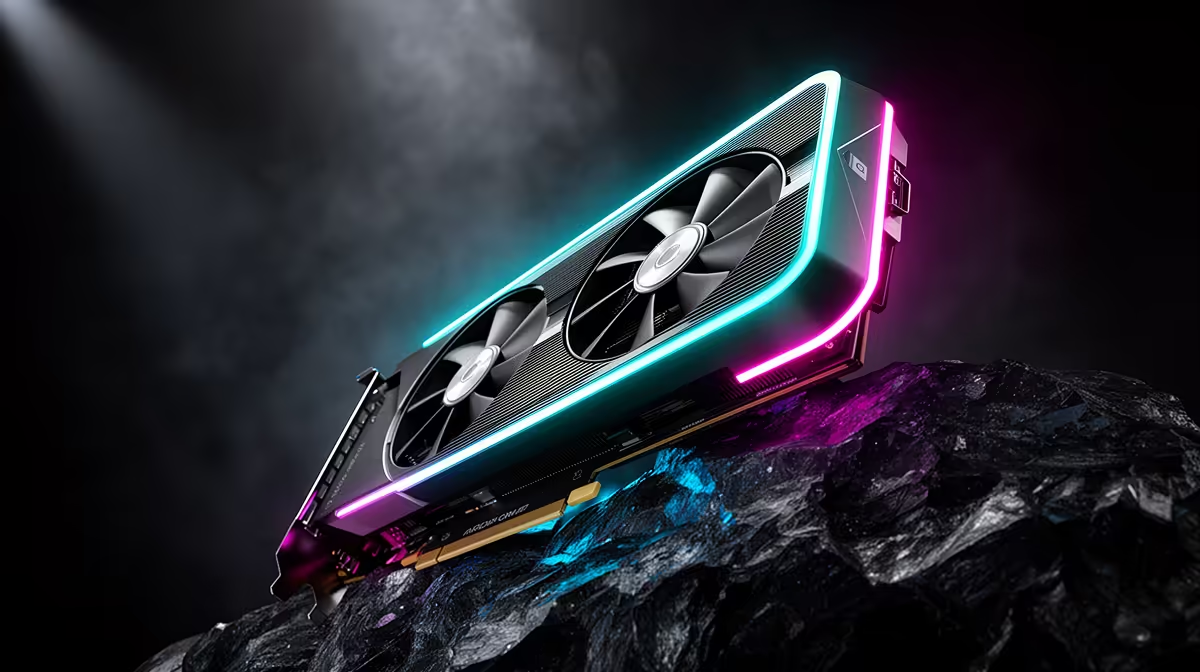
VRAM numbers get thrown around online as if 8GB is either fine or a dealbreaker, with very little middle ground offered. The honest answer sits somewhere in between, and it depends heavily on resolution and settings rather than the game's release year alone. Inside a gaming mini pc built around the RTX 5070, that 8GB figure is worth understanding properly before assuming it is a limitation.
The RTX 5070 8GB in the R66,399 GR70 handles most modern AAA titles comfortably at 1080p and 1440p on high settings. The main pressure point is 4K gaming with texture settings maxed out in the most VRAM-hungry titles, and even there, DLSS helps close much of that gap.
At 1080p and 1440p, the resolutions most gamers are actually playing at, 8GB of VRAM is enough for the overwhelming majority of current releases at high settings without stutter from memory limits. VRAM usage scales primarily with resolution and texture quality, not simply with how recent a game is, so a well-optimised AAA title from this year can use less memory than a poorly optimised one from several years ago.
The RTX 5070 pairs that 8GB allocation with strong rendering performance elsewhere, so in practice the card is rarely memory-starved at the resolutions most people game at on a compact setup like the GR70.
Ultra texture packs, ray tracing at higher settings, and running games at 4K all increase VRAM demand simultaneously. It is usually a combination of these settings pushed to their maximum, rather than any single one alone, that starts testing an 8GB ceiling.
4K gaming with texture quality set to maximum in the most demanding recent titles is where 8GB can become a genuine constraint, sometimes forcing a step down from ultra to high textures to avoid stutter. This is a smaller slice of the gaming population than online debates suggest, since most players are not running native 4K with every setting maxed, but it is a real limitation worth knowing about if that describes your setup.
DLSS reduces the internal rendering resolution before upscaling the final image, which lowers VRAM pressure alongside improving frame rates. For anyone pushing towards 4K on the RTX 5070, enabling DLSS is often the difference between a smooth experience and one that starts stuttering from memory limits.
If your monitor tops out at 1440p, or you are comfortable using DLSS at 4K, the 8GB figure on the RTX 5070 is unlikely to hold you back in the GR70. The full configuration and current price for that build are listed on the ASUS GR70 Mini PC page. If you want to compare VRAM and pricing across other cards first, our graphics card deals page is a good starting point, and Evetech's mini PC lineup shows how this configuration compares to other compact builds.
For 1080p and 1440p at high settings, yes, in the large majority of current titles. The pressure point is specifically 4K gaming with maximum texture settings in the most demanding releases.
Yes, since it renders internally at a lower resolution before upscaling, which reduces memory pressure alongside boosting frame rates.
It is difficult to say with certainty, but well-optimised titles tend to scale VRAM use with resolution and settings rather than release date alone, so the same guidance is likely to hold for some time.
Not necessarily. Many 4K titles remain playable with DLSS enabled and textures set to high rather than ultra, which keeps VRAM usage within the 8GB ceiling.
Ready to test the RTX 5070 against today's biggest titles? See ASUS's GR70 mini rig among Evetech's compact PC selection, priced at R66,399 and works to handle modern AAA titles at solid frame rates.
For 1080p and 1440p at high settings, yes, in the large majority of current titles. The pressure point is specifically 4K gaming with maximum texture settings in the most demanding releases.
Yes, since it renders internally at a lower resolution before upscaling, which reduces memory pressure alongside boosting frame rates.
It is difficult to say with certainty, but well-optimised titles tend to scale VRAM use with resolution and settings rather than release date alone, so the same guidance is likely to hold for some time.
Not necessarily. Many 4K titles remain playable with DLSS enabled and textures set to high rather than ultra, which keeps VRAM usage within the 8GB ceiling.
550W for RTX 5080 Super needs a full-build check, not a simple yes. Review GPU guidance, CPU draw, transient load, connectors, PSU quality, and upgrade plans before deciding.
Read more
8000Hz polling is overrated for most SA gamers because gains can be tiny next to battery drain and monitor limits. Mbombela players should weigh mouse feel, game support, and system stability before chasing the number.
Read more
Magnetic switches are taking over SA gaming keyboards because actuation can be tuned. For Sandton gamers, rapid trigger, reset control, and profile depth can help, but layout, key feel, and software quality still matter.
Read more
Polokwane oled monitor value questions need cautious SA context because pricing can move with availability, exchange rates, specs, and warranty support. Treat the trend as a planning signal, not a fixed price promise.
Read more
Arc B580 budget builds for Midrand gamers can shift with exchange rates, supply, specs, and model tier. Treat the title as a buying prompt, then compare SA warranty, timing, and build priorities.
Read more
ROG Ally X may beat the LCD Steam Deck for SA gamers who value stronger handheld performance, more memory, and Windows flexibility. Compare battery life, controls, game libraries, and Polokwane support needs before deciding.
Read more
Minisforum's M2 Pro pairs Core Ultra X7, Arc B390 graphics and 32GB onboard memory in 1.8 litres. SA buyers should weigh its fixed memory and $1,439 launch offer against local mini PCs.

Lenovo says Legion Go failures linked to BIOS N3CN42WW are not user error. Affected SA owners should stop retrying the update, preserve proof and open a support case.

Smart monitors can add apps and convenience, but they also add privacy settings and unwanted-software risk. SA buyers should audit the operating system before paying for extras.

A fake 113GB GTA VI ISO reportedly used empty padding around a small malware payload. SA gamers should delete unofficial builds, keep Windows security active and wait for official channels.

ASUS calls the ROG GT-BN98 the first Wi-Fi 8 gaming router. SA buyers should fix coverage and client limits before paying for a future wireless standard.

Apple's M6 Mac mini adds faster AI, graphics and networking in the same compact format. SA buyers should wait for a rand listing before comparing value.

The Vulcan II XP adds hot-swappable switches, sound damping and gaming controls to a full-size wired board. SA buyers should compare feel before features.

Microsoft says Windows on Arm now has over 7,000 verified apps and games. SA buyers should still check each driver, game and work tool before switching.
550W for RTX 5080 Super needs a full-build check, not a simple yes. Review GPU guidance, CPU draw, transient load, connectors, PSU quality, and upgrade plans before deciding.

Skyrim HD texture packs that actually run on RX 9070 helps SA readers plan hardware, settings, compatibility, and upgrade trade-offs. Check GPU, CPU, RAM, storage, monitor, and stability needs without risky performance claims.
8000Hz polling is overrated for most SA gamers because gains can be tiny next to battery drain and monitor limits. Mbombela players should weigh mouse feel, game support, and system stability before chasing the number.

Wi-Fi 7 or Wi-Fi 6e for streaming on twitch and youtube should be judged by fit, not a single winner. Compare compatibility, latency, capacity, upgrade path, cost planning, and South African setup needs.