

How to Optimize RTX 5080 for Fortnite
Optimize RTX 5080 for Fortnite. Step-by-step instructions with SA-specific tips, common pitfalls to avoid & expert recommendations.
Read more• Pick the right power source • Use passthrough or powerbank • Tweak settings. Keep phone charged while casting: quick charger, adapter and powerbank tips to avoid mid-stream drains ⚡📺
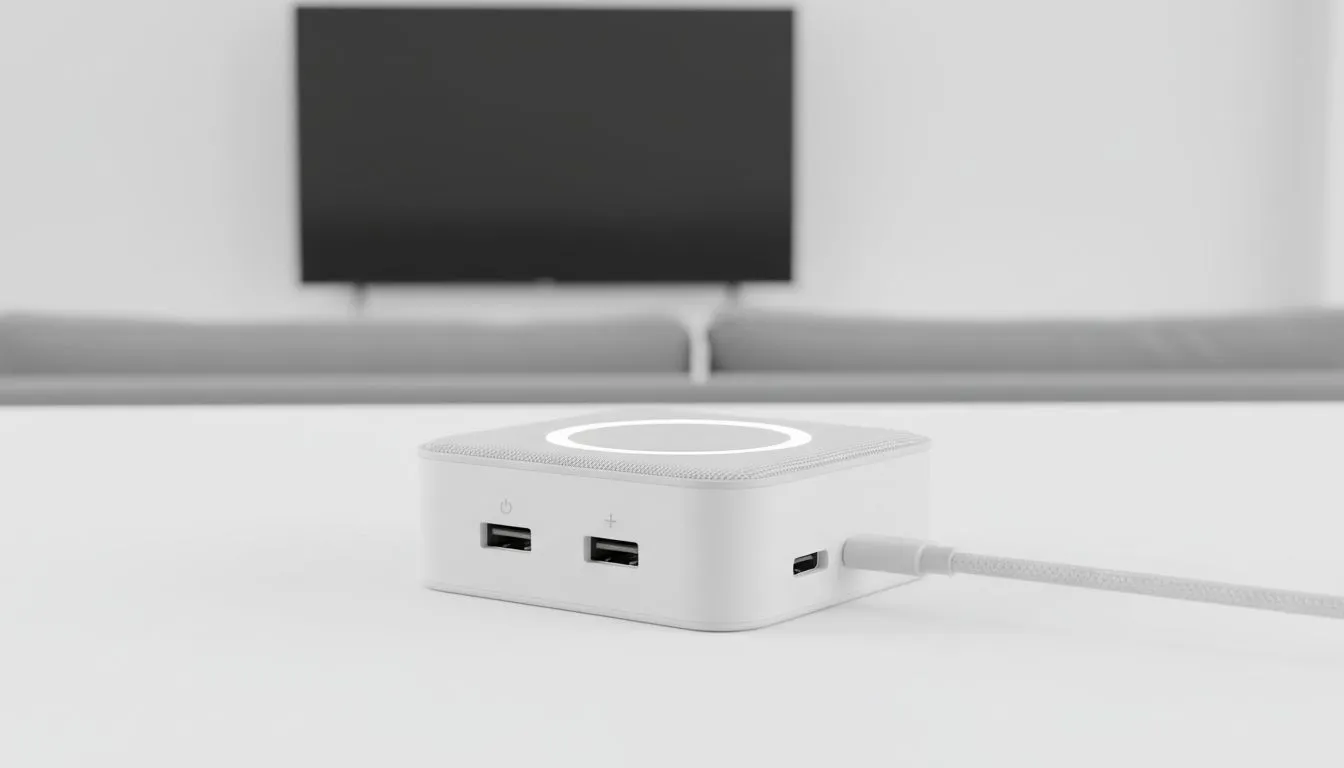
Plugged into a living-room screen but watching your phone battery dip faster than your ping? South African gamers and streamers, listen up. In the next few minutes you’ll learn handheld fixes and low-cost gear to keep your phone charged while casting to big screens — so your binge, FIFA session or watch party doesn’t end mid-match. ⚡✨
Casting uses more power than idle use because your phone runs the encoder, Wi‑Fi and the display pipeline. Start with basics: use a high‑amp wall adapter (18W+), prefer USB‑C PD over micro‑USB, and avoid cheap cables that throttle current. If you want fast, reliable accessories, browse Evetech’s selection of gaming accessories for solid, tested options. https://www.evetech.co.za/PC-Components/buy-gaming-accessories-160.aspx
For compact gear and deals, check current promotions—grab the latest gaming accessories deals and compare prices before you buy. https://www.evetech.co.za/gaming-accessories-deals/x/229.aspx
A quality power bank with Pass‑Through or simultaneous charge-and-output keeps the phone topped while casting. Look for PD (Power Delivery) banks rated at 18W or higher. If you need peripherals too, a powered USB hub is your friend. Explore the gaming accessories category for multi‑port cables and hubs that pair well with phones and TVs. https://www.evetech.co.za/PC-Components/buy-gaming-accessories-160.aspx?category=Gaming+Accessories
Want longer sessions? Use a powered dongle (Chromecast Fire TV) and a USB‑C cable rated for PD. Put your phone in low‑power mode and turn off background apps before casting.
🚀 Ready to try? Small upgrades often cost under R300 and make a night-and-day difference. Make the switch and never miss a clutch moment again.
Ready to Find Your Perfect Match? The Mac vs Windows debate is complex, but for maximum power, choice, and value in South Africa, Windows is hard to beat. Explore our massive range of laptop specials and find the perfect machine to conquer your world.
Casting uses screen encoding, Wi-Fi or hotspot and higher brightness, which increases power draw. Try lowering brightness and using a powered connection.
Yes. Use a high-output powerbank or one with passthrough charging to keep your phone powered while casting without interruptions.
Passthrough lets a charger power your phone and the phone output video simultaneously, solving battery drains during screen casting.
A powered HDMI or USB-C adapter with PD passthrough is ideal. Look for adapters rated 18W or higher for reliable charging.
Chromecast uses device-to-device streaming differently; both can drain battery. Use a powered source to avoid chromecast battery drain issues.
Yes, using a quality charger with correct voltage/current is safe. Prefer USB-C PD chargers or certified fast chargers to maintain charge during casting.
Lower screen brightness, close background apps, reduce casting resolution and disable GPS or Bluetooth to extend runtime when you can’t charge.
Optimize RTX 5080 for Fortnite. Step-by-step instructions with SA-specific tips, common pitfalls to avoid & expert recommendations.
Read more
RX 7800 XT Not Detected: Fix & Troubleshoot. Step-by-step instructions with SA-specific tips, common pitfalls to avoid & expert recommendations.
Read more
How Long Will RTX 4060 Stay Relevant for Gaming in SA Detailed answer with SA data, expert analysis & practical recommendations for local buyers.
Read more
RTX 5060 Not Detected: Fix & Troubleshoot. Step-by-step instructions with SA-specific tips, common pitfalls to avoid & expert recommendations.
Read more
Can the RTX 4070 Handle 1080p at 60fps?. Performance testing verdict with real data & practical recommendations for SA buyers.
Read more
Can the RTX 5080 Run Elden Ring at 60fps. Real-world benchmark data, FPS numbers & performance analysis. What SA gamers can actually expect.
Read more
When Will the RTX 6090 Launch in South Africa Detailed answer with SA data, expert analysis & practical recommendations for local buyers.

Top Valorant Settings for RTX 5070: FPS Optimisation picks evaluated on performance, value & SA availability with current Rand pricing from Evetech.

RDNA 3.5 Graphics in Ryzen AI 400? Can You Game. Plain-English explanation of what it means, why it matters & how it affects your buying decisions in SA.

GPU Price Index : December Report. Current stock data & price tracking for SA buyers. See what is available and where prices are heading.

Core i5-14600K + B760 + RTX 5060 Build Under. Full parts list, Rand pricing & expected performance. Build confidently with SA-available components.

RX 7600 Apex Legends at 4K: FPS Benchmark. Real-world benchmark data, FPS numbers & performance analysis. What SA gamers can actually expect.

RX 7900 XTX GTA 6 at 4K: FPS Benchmark & Optimal. Real-world benchmark data, FPS numbers & performance analysis. What SA gamers can actually expect.

Head-to-head comparison of RTX 5070 vs RX 9070 XT: Gaming Performance for SA gamers. Performance benchmarks, Rand pricing & which delivers better value.

Top Laptop with Ryzen 5 + RTX 4090 Laptop: Picks picks evaluated on performance, value & SA availability with current Rand pricing from Evetech.

Top Budget GPU for Marvel Rivals picks evaluated on performance, value & SA availability with current Rand pricing from Evetech.

Valorant Settings on RTX 5070: Performance. Real-world benchmark data, FPS numbers & performance analysis. What SA gamers can actually expect.

Top Budget GPU for Assassins Creed Shadows picks evaluated on performance, value & SA availability with current Rand pricing from Evetech.