



550W PSU Planning for RTX 5080 Super Builds in SA
550W for RTX 5080 Super needs a full-build check, not a simple yes. Review GPU guidance, CPU draw, transient load, connectors, PSU quality, and upgrade plans before deciding.
Read moreSilent mode trades higher temperatures for near-silent operation, Balanced adjusts fan speed automatically to temperature, and Turbo maximises airflow at the cost of noticeable noise. Evetech's gaming laptops ship with all three presets ready to switch between.
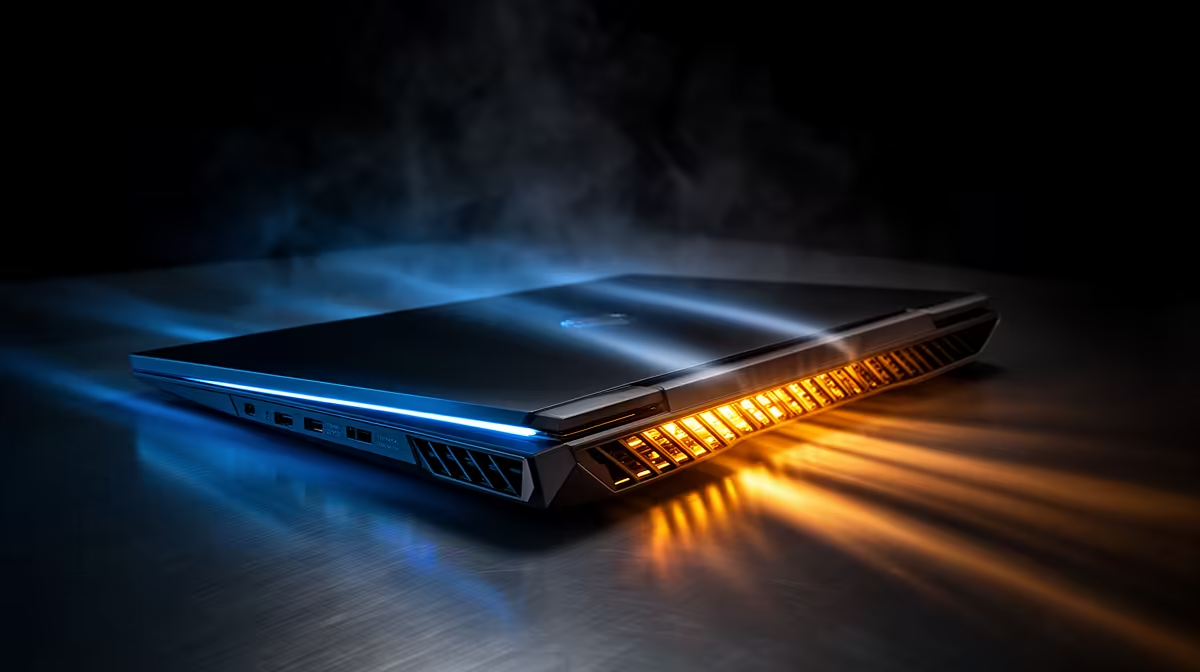
Silent, Balanced and Turbo are names for a bundle of power and fan decisions, not fan speed alone. Silent usually limits processor power to avoid noise. Balanced allows more performance and responds across temperature. Turbo raises power and cooling on supported models, which can make the laptop louder without helping a game limited elsewhere.
Use Silent for documents, video and light games that hold their frame cap at low power. Start gaming in Balanced and measure a busy scene. Try Turbo on mains when the game misses its target and the extra fan and power headroom improve frame time. Keep the lowest mode that meets the session.
Evetech's laptop best sellers give you a broad view of cooling designs and performance classes. The gaming laptop specials help compare exact models whose vendor control apps may use different preset names.
Silent mode often reduces CPU and GPU limits before it slows the fans. Temperatures do not have to rise when the laptop produces less heat. In a light workload, it can stay cool and quiet at the same time.
A demanding game may lose frame rate or develop spikes under that reduced budget. Cap the game at a realistic target and test. Silent is useful when it still holds the cap, not when it forces the hardware to sit hot at its limit.
Balanced gives the controller room to raise fans and power with load. It is the sensible first test because it shows what the laptop can sustain without the highest noise policy.
Automatic response does not mean instant silence after closing a game. Heatsinks retain heat, and fans may stay active while temperatures fall. Wait several minutes before judging idle behaviour.
Balanced values differ by charger, BIOS and control-software version. Read live power and fan behaviour instead of assigning a universal wattage to the name.
Turbo or maximum-performance modes often expect the original high-power adapter. They can lift processor limits and run a more aggressive fan curve. Use them on a hard surface with clear vents.
Compare the same warm scene. If Turbo adds no stable frames, the game may be capped, GPU-limited beyond the useful power range or waiting on another component. Return to Balanced and enjoy less noise.
Do not quote a fixed decibel difference. Fan size, chassis, load and microphone distance change the result. Your desk and room determine whether the pitch is acceptable.
Pair the mode with a frame cap. An esports title seeking high refresh may earn Turbo. A role-playing game locked to 60 FPS may run cleanly in Balanced, and an older title may be comfortable in Silent.
Record mode, charger state, frame target and graphics preset. Vendor updates can reset profiles, and a short note makes the good setup easy to rebuild.
Use it for light work and games that still hold their chosen frame cap under the reduced power budget.
No. Use it when a measured mains-powered test shows a useful improvement over Balanced.
The cooling system is clearing stored heat. Give it time, then inspect background load if the noise does not settle.
Start in Balanced, compare one warm game scene across the available presets and keep the quietest mode that holds your frame target.
Use it for light work and games that still hold their chosen frame cap under the reduced power budget.
No. Use it when a measured mains-powered test shows a useful improvement over Balanced.
The cooling system is clearing stored heat. Give it time, then inspect background load if the noise does not settle. {{PRODUCTS: { facets: { query: "laptop" }, limit: 12, title: "Laptop Cooling", style: "4" } }}
550W for RTX 5080 Super needs a full-build check, not a simple yes. Review GPU guidance, CPU draw, transient load, connectors, PSU quality, and upgrade plans before deciding.
Read more
8000Hz polling is overrated for most SA gamers because gains can be tiny next to battery drain and monitor limits. Mbombela players should weigh mouse feel, game support, and system stability before chasing the number.
Read more
Magnetic switches are taking over SA gaming keyboards because actuation can be tuned. For Sandton gamers, rapid trigger, reset control, and profile depth can help, but layout, key feel, and software quality still matter.
Read more
Polokwane oled monitor value questions need cautious SA context because pricing can move with availability, exchange rates, specs, and warranty support. Treat the trend as a planning signal, not a fixed price promise.
Read more
Arc B580 budget builds for Midrand gamers can shift with exchange rates, supply, specs, and model tier. Treat the title as a buying prompt, then compare SA warranty, timing, and build priorities.
Read more
ROG Ally X may beat the LCD Steam Deck for SA gamers who value stronger handheld performance, more memory, and Windows flexibility. Compare battery life, controls, game libraries, and Polokwane support needs before deciding.
Read more
Minisforum's M2 Pro pairs Core Ultra X7, Arc B390 graphics and 32GB onboard memory in 1.8 litres. SA buyers should weigh its fixed memory and $1,439 launch offer against local mini PCs.

Lenovo says Legion Go failures linked to BIOS N3CN42WW are not user error. Affected SA owners should stop retrying the update, preserve proof and open a support case.

Smart monitors can add apps and convenience, but they also add privacy settings and unwanted-software risk. SA buyers should audit the operating system before paying for extras.

A fake 113GB GTA VI ISO reportedly used empty padding around a small malware payload. SA gamers should delete unofficial builds, keep Windows security active and wait for official channels.

ASUS calls the ROG GT-BN98 the first Wi-Fi 8 gaming router. SA buyers should fix coverage and client limits before paying for a future wireless standard.

Apple's M6 Mac mini adds faster AI, graphics and networking in the same compact format. SA buyers should wait for a rand listing before comparing value.

The Vulcan II XP adds hot-swappable switches, sound damping and gaming controls to a full-size wired board. SA buyers should compare feel before features.

Microsoft says Windows on Arm now has over 7,000 verified apps and games. SA buyers should still check each driver, game and work tool before switching.
550W for RTX 5080 Super needs a full-build check, not a simple yes. Review GPU guidance, CPU draw, transient load, connectors, PSU quality, and upgrade plans before deciding.

Skyrim HD texture packs that actually run on RX 9070 helps SA readers plan hardware, settings, compatibility, and upgrade trade-offs. Check GPU, CPU, RAM, storage, monitor, and stability needs without risky performance claims.
8000Hz polling is overrated for most SA gamers because gains can be tiny next to battery drain and monitor limits. Mbombela players should weigh mouse feel, game support, and system stability before chasing the number.

Wi-Fi 7 or Wi-Fi 6e for streaming on twitch and youtube should be judged by fit, not a single winner. Compare compatibility, latency, capacity, upgrade path, cost planning, and South African setup needs.