

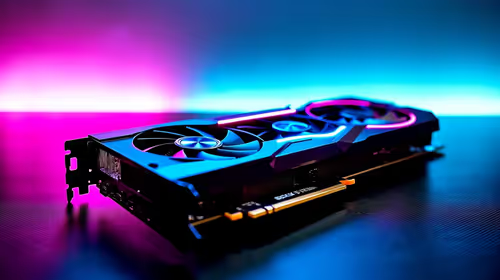
How to Optimize RTX 5080 for Fortnite
Optimize RTX 5080 for Fortnite. Step-by-step instructions with SA-specific tips, common pitfalls to avoid & expert recommendations.
Read moreWant the Logitech H390 USB headset to work instantly on Windows, macOS, and Chrome OS without drivers? Here’s what to expect, how to confirm audio settings fast, and when you may need a manual tweak 🎧💡.
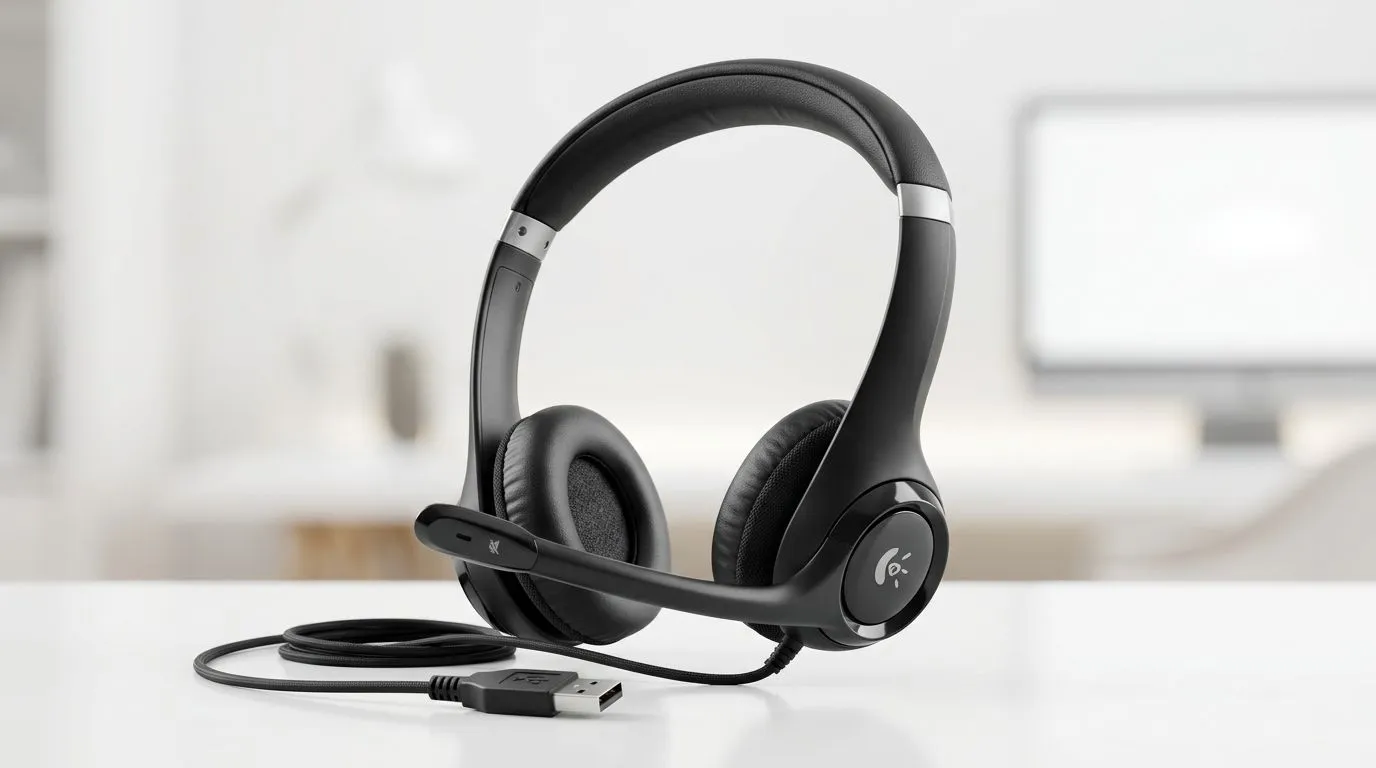
Plug in a headset and expect it to just work… that’s the dream, right? For South African gamers, students, and remote workers, the Logitech H390 USB Headset is appealing because it skips Bluetooth pairing and messy drivers. In many cases, a USB headset is exactly what you want for quick meetings, Discord calls, and casual gaming ⚡
The short answer is yes, a USB headset like the Logitech H390 is designed to be broadly compatible across common desktop operating systems. USB audio devices typically use standard system drivers, which means Windows, macOS, and Chrome OS can usually recognise them without extra software. For exact device support and feature behaviour, always check Logitech’s official product documentation before buying or setting expectations.
That matters if you switch between a work laptop and a home setup. One day it’s a Windows PC. The next day it’s a MacBook. Then a school Chromebook. A headset that behaves predictably saves time and frustration.
“Instantly” usually means three things:
That said, some features may still depend on the platform or app. Volume controls, mic monitoring, or advanced settings can vary by operating system and software. If your goal is simple plug-and-play audio, a USB headset is generally the least complicated route.
On Windows, USB headsets are usually straightforward. On macOS, they often work straight away in Sound settings. On Chrome OS, USB audio support is generally strong for browser-based calls and cloud apps.
If you want a wireless upgrade later, it’s worth browsing options like the Razer Barracuda X Chroma wireless headset in Phantom White for more flexibility. And if you’re comparing brands or hunting for a different fit, Evetech’s Razer headphones and headsets range is a handy place to start.
If your headset is detected but the mic is quiet, open your sound settings and confirm the correct input device is selected. It’s a simple check, but it solves a lot of “my headset works… sort of” problems on Windows and Chrome OS.
Before you add any headset to cart, think beyond compatibility:
If you’re still comparing styles, Evetech’s broader headphones and headsets category can help you narrow things down by use case and budget.
For most users, the Logitech H390 USB Headset should be a simple plug-in solution on Windows, macOS, and Chrome OS. That makes it a sensible pick for people who want less faff and more listening. Just remember that “works instantly” can still mean a quick sound-setting check the first time you use it.
If you value easy setup more than fancy extras, USB audio is still one of the safest choices. It’s tidy. It’s practical. And for everyday use, that counts.
Ready to Find Your Perfect Match? The Mac vs Windows debate is complex, but for maximum power, choice, and value in South Africa, Windows is hard to beat. Explore our massive range of laptop specials and find the perfect machine to conquer your world.
Usually yes—Windows typically detects the Logitech H390 as a USB audio device. If mic or output is missing, switch the default sound device in Settings.
Most macOS versions treat the H390 as a standard USB headset. Connect it, then select H390 under Sound input/output if needed.
Chrome OS generally supports USB audio headsets out of the box. After plugging in, confirm the output and microphone are selected in audio settings.
Open Sound settings and look for the H390 under output and input. If it shows as a device but isn’t selected, set it as default.
Common causes include the wrong input selected or app-level permissions. Choose H390 as the input device and allow microphone access in your app.
Yes in most cases—Chrome OS supports the H390’s USB audio. For best results, verify both microphone and output are set to H390 before starting a call.
Typically no, because USB audio is handled by built-in drivers. You might need a manual selection in system settings, not a separate driver install.
Use the system audio test (Sound settings or system input test) and a quick voice recording. Confirm output and input are both set to Logitech H390.
Optimize RTX 5080 for Fortnite. Step-by-step instructions with SA-specific tips, common pitfalls to avoid & expert recommendations.
Read more
RX 7800 XT Not Detected: Fix & Troubleshoot. Step-by-step instructions with SA-specific tips, common pitfalls to avoid & expert recommendations.
Read more
How Long Will RTX 4060 Stay Relevant for Gaming in SA Detailed answer with SA data, expert analysis & practical recommendations for local buyers.
Read more
RTX 5060 Not Detected: Fix & Troubleshoot. Step-by-step instructions with SA-specific tips, common pitfalls to avoid & expert recommendations.
Read more
Can the RTX 4070 Handle 1080p at 60fps?. Performance testing verdict with real data & practical recommendations for SA buyers.
Read more
Can the RTX 5080 Run Elden Ring at 60fps. Real-world benchmark data, FPS numbers & performance analysis. What SA gamers can actually expect.
Read more
When Will the RTX 6090 Launch in South Africa Detailed answer with SA data, expert analysis & practical recommendations for local buyers.

Top Valorant Settings for RTX 5070: FPS Optimisation picks evaluated on performance, value & SA availability with current Rand pricing from Evetech.

RDNA 3.5 Graphics in Ryzen AI 400? Can You Game. Plain-English explanation of what it means, why it matters & how it affects your buying decisions in SA.

GPU Price Index : December Report. Current stock data & price tracking for SA buyers. See what is available and where prices are heading.

Core i5-14600K + B760 + RTX 5060 Build Under. Full parts list, Rand pricing & expected performance. Build confidently with SA-available components.

RX 7600 Apex Legends at 4K: FPS Benchmark. Real-world benchmark data, FPS numbers & performance analysis. What SA gamers can actually expect.

RX 7900 XTX GTA 6 at 4K: FPS Benchmark & Optimal. Real-world benchmark data, FPS numbers & performance analysis. What SA gamers can actually expect.

Head-to-head comparison of RTX 5070 vs RX 9070 XT: Gaming Performance for SA gamers. Performance benchmarks, Rand pricing & which delivers better value.

GPU Setup Guide Gamers. Clear setup instructions with SA-specific considerations, troubleshooting tips & recommended components.

Top RTX 5090 Under R12000 picks evaluated on performance, value & SA availability with current Rand pricing from Evetech.

Call of Duty Warzone 2 Settings on RX 7600. Real-world benchmark data, FPS numbers & performance analysis. What SA gamers can actually expect.

GTA 6 Settings on RTX 5070 Ti: Performance. Real-world benchmark data, FPS numbers & performance analysis. What SA gamers can actually expect.