


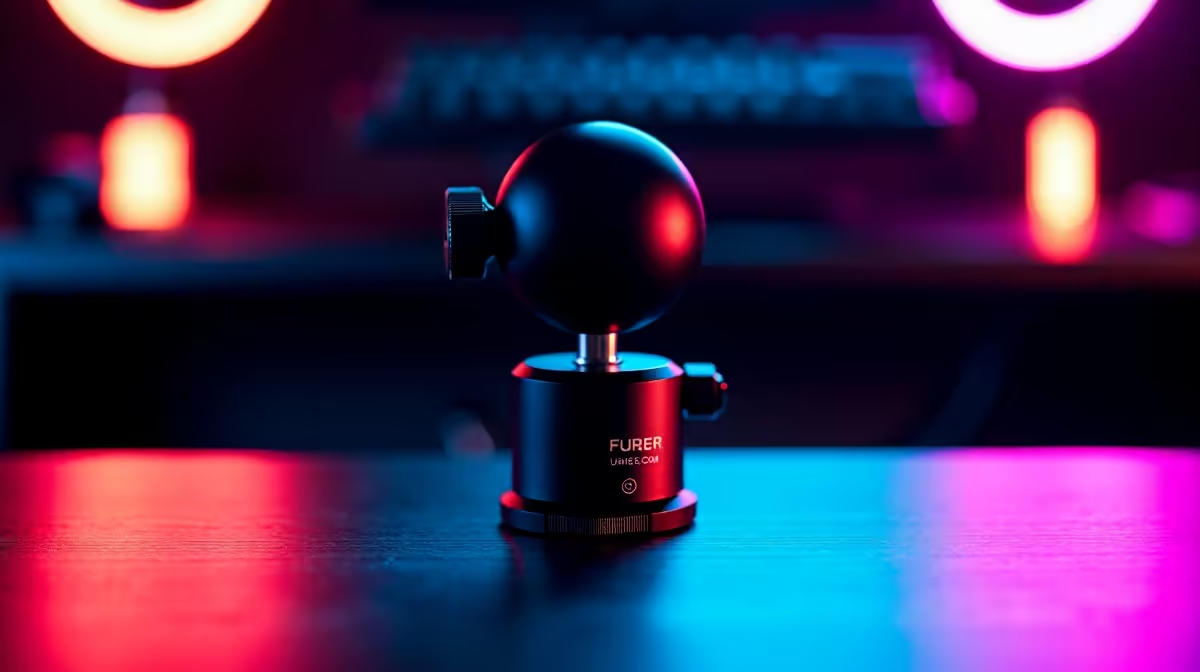
Getting a 360 degree ball head to cooperate is almost entirely a friction question. Too loose and the camera drifts mid-broadcast; too tight and you are wrenching the collar every time you need to nudge the framing. That middle ground, where the head glides on command but stays exactly where you leave it, is what separates a crisp locked shot from one that wanders.
Quick Answer
Set the friction collar to about 70 percent of its maximum. The camera should move with deliberate pressure but hold steady when you release. For a 200g webcam, that tension is enough to lock framing through a multi-hour broadcast without creep.
🔧 Understanding Friction and Lock on a Ball Head
The friction collar is the ridged ring around the ball socket. Turning it clockwise increases resistance; anticlockwise relaxes it. The goal is finding a resistance level where you can reposition the camera intentionally but the weight of the lens alone cannot push it anywhere.
For a standard 150 to 300g webcam, you do not need the collar cranked fully tight. A setting around 70 percent gives you the sweet spot: deliberate reframing is easy, but the moment you release, the head holds the angle. After reframing, snug the collar fully to engage the lock and the camera stays dead still regardless of desk vibration or cable pull.
A separate pan ring, usually at the base of the head, rotates the whole assembly horizontally through a full circle independently of the ball. This means you can swing the camera left or right to track a new background or adjust your seated position without disturbing the tilt angle already dialled in.
🎯 Framing Your Shot Precisely
Ball heads earn their place in streaming setups because they move in every direction at once, so dialling in a face-cam is faster than fiddling with separate pan and tilt screws. Start broadly, bring the ball close to the target angle, snug the collar gently, then make small corrections.
For a standard talking-head frame, the lens sits at seated eye level with the face filling the upper third of the shot. A 5 to 10 degree forward tilt removes the wide-angle distortion a level-pointing lens can create. Lock the collar once the angle is set, then use the independent pan ring for any horizontal adjustment without disturbing the tilt.
A quick-release plate between camera and ball head lets you lift the camera off and click it back to the exact framing next session without re-aiming.
⚡ Keeping the Head Stable Through a Long Session
A ball head that holds at the start of a stream can drift by hour two if the friction is borderline. Common causes are a dusty ball surface or a collar that was never fully locked after the last adjustment.
Wiping the ball with a clean dry cloth every few months removes the fine dust that reduces grip. If the head still drifts, snug the collar slightly past its normal position. Compact heads rated 1 to 2kg are built for camera bodies heavier than a webcam, so there is margin to tighten without stressing the thread. Persistent drift on a full lock usually means the socket is worn; at that point, sourcing a replacement head priced between R200 and R400 solves the problem cleanly.
Frequently Asked Questions
How do I find the right friction level for my webcam?
Start with the collar relaxed, then tighten incrementally until the camera holds when you let go. For a 150 to 300g webcam that point arrives well before full lock. If the ball does not move when released, the friction is set correctly.
Why does my ball head slip even when locked?
The most common reason is dust or debris on the ball surface reducing grip between the ball and socket. Remove the head from the stand, wipe the ball clean with a dry cloth, and re-tighten the collar. If slippage continues, the socket itself may be worn and a replacement head is the straightforward fix.
What does the pan ring do separately from the ball?
The pan ring at the base of the head rotates the camera horizontally through a full 360 degrees without disturbing the vertical tilt or roll already locked into the ball. This lets you swing the shot sideways to accommodate a new background or adjust for a shifted seating position without re-doing the tilt angle.
Should I use a quick-release plate with a ball head?
Yes, if you move the camera between sessions. The plate attaches to the camera base and clicks into the head receiver, returning to locked framing instantly without re-aiming. It also protects the ball head thread from repeated screwing and unscrewing.
Can a compact ball head hold a webcam steady on a noisy desk?
A head rated 1kg handles a 200 to 300g webcam easily. Typing and mouse clicks rarely move a properly locked head. The bigger risk is a USB cable with too much tension levering the camera forward, so leave a small slack loop at the stand head.
Ready to lock down your stream framing for good? Browse the webcam stand and mount range to find a ball head setup that holds your angle steady from the first minute of a broadcast to the last.










