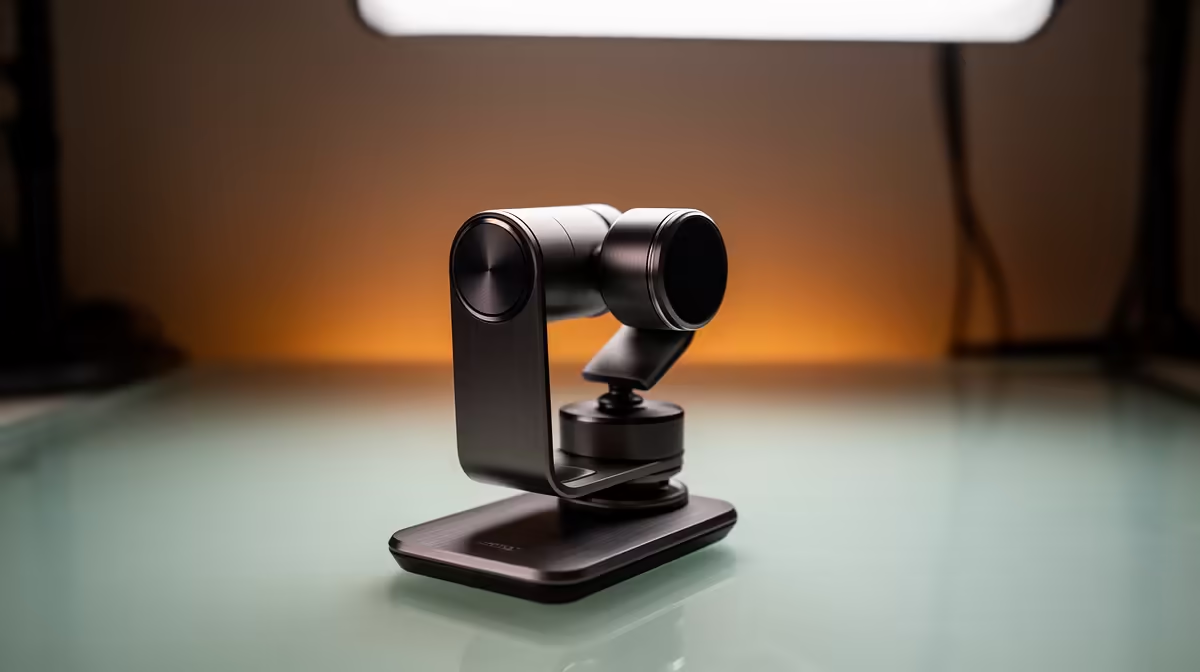
Desk space is finite, and every centimetre given to a tripod base or a wide stand foot is a centimetre taken from your keyboard, notepad, or mouse mat. Compact footprint camera and microphone stands solve this by either moving the hardware off the surface entirely or shrinking the base to a fraction of what a standard tripod needs. The right choice depends on your desk, your gear weight, and how often you want to reposition.
Quick Answer
Clamp-style stands grip the desk edge and use zero surface area, while weighted compact bases run under 12cm wide. Either approach cuts visible desk hardware significantly. Pair a dual-mount clamp arm with cable management clips for the cleanest result.
🔧 Clamp Arms: Taking the Stand Off the Desk Entirely
A clamp arm attaches to the desk edge itself, leaving the full work surface free. The arm swings out over the desk to position your mic or camera, then pulls back when you are not recording. Nothing sits on the desktop at all.
The key spec to check is the clamp's jaw opening and the weight rating on the arm. Most desk edges run between 30mm and 60mm thick, and most standard clamp arms cover that range comfortably. Where setups differ is in the payload: a small USB mic at 250g on a lightweight arm is easy, while a heavier condenser body at 600g needs an arm rated for that load, otherwise the joint creeps over time and the mic drifts out of position mid-session.
Articulated arms with multiple joints give the most flexibility, letting you push the mic out of the way during a game and pull it back for a stream without removing anything. Fixed single-arm versions are simpler and more rigid, which suits a camera position you rarely change.
⚡ Compact Weighted Bases: Small Footprint, No Drilling
If clamping is not an option, a round weighted base keeps the stand freestanding while using far less desk space than a tripod. Quality compact bases for light mics measure under 12cm in diameter. Compare that to a standard desk tripod, which spreads three legs across 20cm or more, and the difference in usable desk space is noticeable.
These bases work best with mics under 400g. A heavier mic body raises the centre of gravity, and a base that is too light for the load will tip if the desk is nudged. Check the base weight alongside its diameter: a dense, low-profile base in cast metal is more stable than a wide plastic base of the same height.
For cameras, compact ball-head bases are available that thread onto small 1/4-inch tripod legs no wider than a coffee mug. These suit a webcam positioned just above monitor height on a small riser, though they offer less adjustability than a full clamp arm.
🎯 Dual Mounts: One Clamp for Both Camera and Mic
A dual-mount clamp arm carries a webcam on one extension and a microphone on another, both fed from a single desk-edge clamp. This halves the number of clamps on your desk edge and can reduce cable routing complexity if you plan the arm positions carefully.
The trade-off is weight. A 400g mic and a 300g webcam together approach 700g on the arm, so the arm's rated capacity and joint stiffness matter more than in a single-device setup. Look for arms with a locking knuckle at each joint rather than friction-only joints; friction joints hold lighter loads but loosen with heavier combined weights over weeks of use.
Frequently Asked Questions
How wide is a compact weighted mic base compared to a standard tripod?
A compact round base typically measures under 12cm across. A standard small desktop tripod spreads three feet to roughly 20cm or wider. That gap in footprint is real and visible on a cluttered desk.
Will a clamp arm scratch or damage my desk surface?
Most clamp arms include rubber or silicone jaw pads that sit between the clamp and the desk. These distribute the pressure and prevent marking. For a glass desk, use a clamp explicitly rated for glass with wide-face rubber jaws rather than narrow metal jaws.
What weight can a standard desktop clamp arm hold?
Entry-level arms handle around 400g to 500g, which covers most USB microphones. Arms rated for 800g to 1kg are available for heavier condenser mics or camera plus mic dual setups. Check the product rating, not just the arm size.
How do I keep cables tidy with a clamp arm?
Thread the USB or XLR cable through the clip brackets along the arm's shaft, then run the tail down the inside edge of the desk leg using adhesive cable clips. This routes roughly a metre of cable out of sight and stops it pulling the arm out of position.
Can one arm hold both a webcam and a mic at the same time?
Dual-mount arms do this, fitting the camera on one extension and the mic on another. The arm must be rated for the combined weight of both devices. A camera at 300g and a mic at 400g together need an arm rated for at least 750g to hold position reliably.
Ready to clear your desktop and tidy your setup?
Browse the microphone stands, camera mounts, and desk clamp arms built for South African streamers who want a clean, compact workspace.