


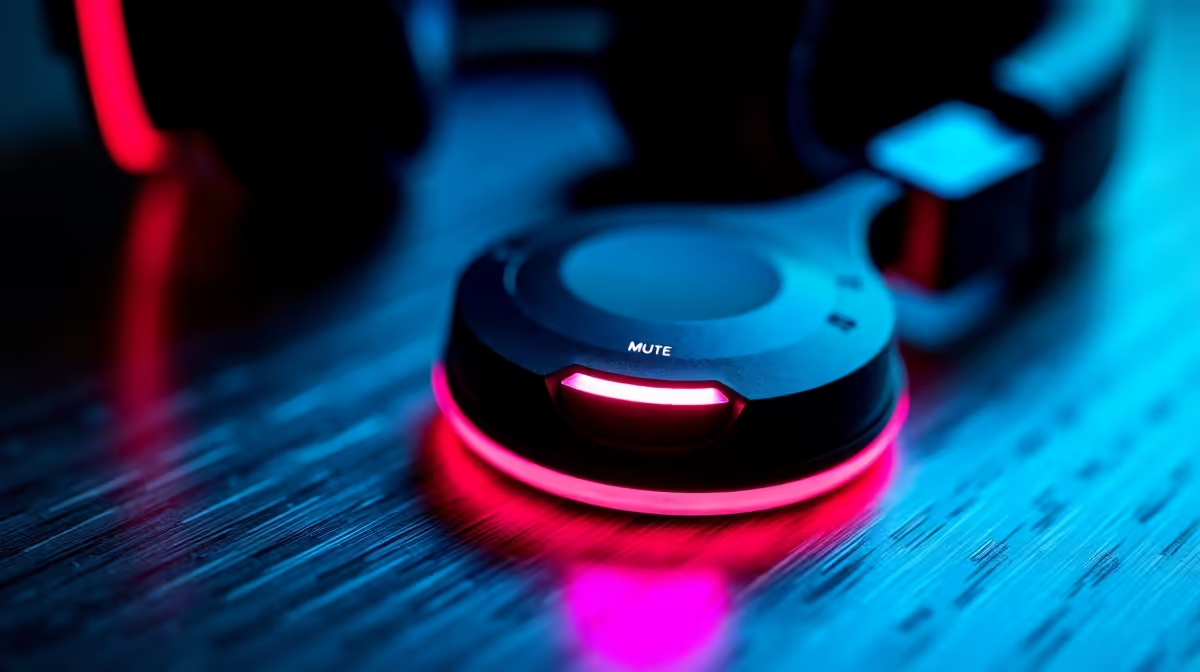
The moment you forget your mic is live is the moment something embarrassing gets broadcast to your entire channel. A frustrated remark about a teammate, a cough, a private phone call you thought you were taking off-camera. A one-touch mute button with an LED indicator eliminates open mic accidents not by making you more careful, but by making the status impossible to miss.
Quick Answer
A one-touch mute button cuts your audio at the hardware level in under a frame, with an LED ring that changes colour to confirm the switch. You see your live status at a glance, mute with one tap without looking down, and your software receives silence with no plugin or hotkey required.
🔆 Hardware Mute Versus a Software Hotkey
Most streaming setups use a software hotkey to mute, typically a key combination in OBS or Discord assigned to a button on the keyboard or a macro pad. It works until it does not. If OBS crashes mid-stream, that hotkey dies with it. If another application window captures focus, the key press goes to the wrong program entirely. If your hands are occupied with a controller or a mouse during a tense moment, reaching for a keyboard shortcut adds one more thing to track.
A hardware mute button on the microphone itself bypasses all of that. It operates at the signal level, before the audio reaches the USB output. Your software never sees the raw voice. OBS, Discord, and every other app on the chain receive silence the moment you tap it, regardless of what is running, crashing, or capturing focus.
✨ What the LED Ring Actually Tells You
The colour change is the part that changes behaviour. A mute function without a clear visual status is only useful if you remember what you just pressed. With an LED ring, you never have to guess or reach for a test clip.
Most implementations use a simple two-state display. A green or white ring means you are live. A solid red ring means you are muted. Some mics dim the ring rather than changing colour, others flash briefly on the transition. The specific scheme matters less than the fact that the feedback is immediate and visible from normal desk position without leaning toward the mic.
For streamers who face a camera, the LED is also useful for viewers. A red ring in frame gives your audience a visible indication that you are taking a moment off-mic, which is clearer than sudden silence.
🔧 Tap, Do Not Search
The physical design of the button matters for actual use. A mute button that requires you to locate it visually before pressing it defeats part of its purpose. Good implementations sit the button on top of the mic body with a slightly raised or textured edge so you can find it by touch alone.
A single tap cuts audio. A second single tap restores it. There is no hold-to-mute, no double-tap sequence, no confirmation prompt. That simplicity is the feature. In the middle of a game where your hands are on a controller and a teammate starts talking over you, the last thing you need is a multi-step interaction with your microphone.
The button should also not register accidental presses from a mic knock or bump. A well-designed switch has a short travel with enough resistance to ignore a graze while responding cleanly to a deliberate press.
Frequently Asked Questions
How fast does a one-touch mute button cut audio?
The cut happens at the hardware level and drops the signal in under one audio frame, faster than any software hotkey can process the input. There is no gap where sound leaks through while the software catches up. For open mic situations where speed matters, the hardware switch is the more reliable option.
What do the LED colours on a mute button mean?
The most common scheme uses green or white to indicate you are live and red to confirm you are muted. Some mics use brightness rather than colour, dimming to indicate mute. The specific colours vary by manufacturer, but the principle is consistent: a clear visual state you can read with a glance from normal seating position.
Can I mute by touch without looking down?
Yes, provided the button is raised or textured and sits on top of the mic body. Most purpose-built streaming mics with mute buttons position them for exactly this reason, so your eyes stay on the game or the camera while your hand reaches up and taps once. The response is immediate and requires no visual confirmation beyond the LED state.
Does muting on the mic also mute in my software?
Yes. A hardware mute cuts the signal before it leaves the USB output, so your streaming software, your voice chat client, and your recording all receive silence simultaneously. No plugin is involved, no settings need to be matched, and the behaviour is consistent regardless of which applications are running.
Should I rely on the mic button or a software hotkey?
Use the hardware button as your primary mute. Software hotkeys are useful for remote layouts and scenes, but they depend on the application being active and responsive. A crashed or unfocused app leaves the hotkey broken at the worst possible moment. The hardware button works independently of every application on your system.
Ready to stream with a mute button you can actually trust? Browse the streaming microphone range with one-touch hardware mute and LED status rings, built for South African streamers who cannot afford to leave the mic open at the wrong moment.










