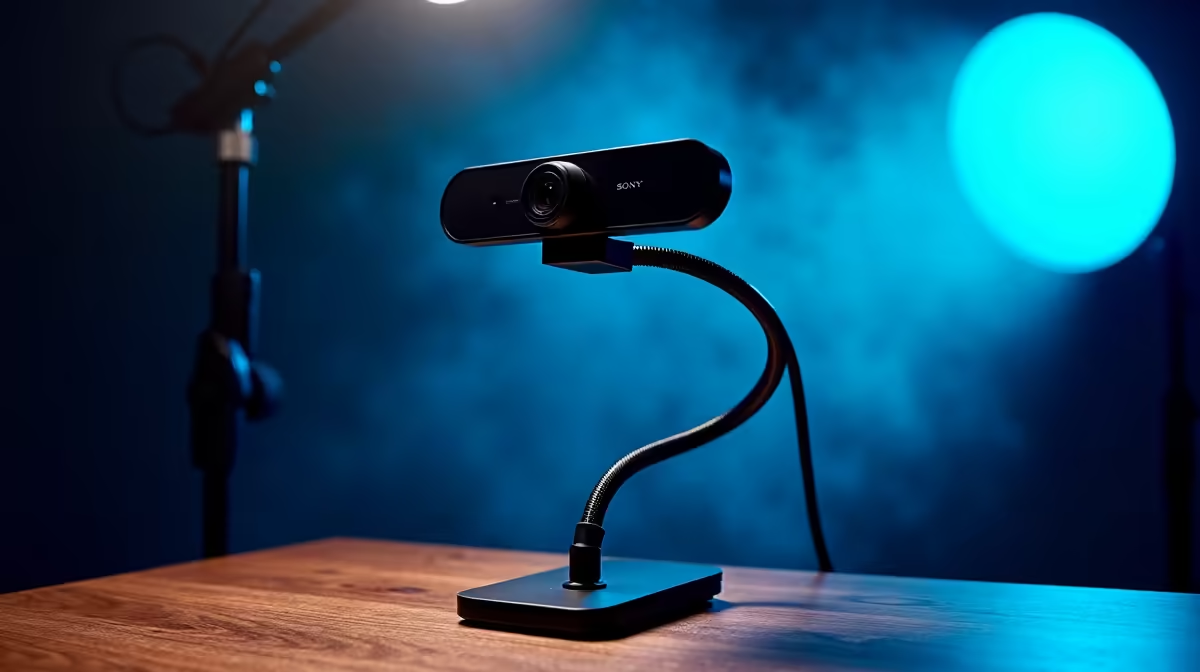
Podcast video setups have a specific challenge that general streaming advice misses: the microphone is already occupying the space directly in front of your face. Place a desktop webcam stand for podcasting without accounting for the mic and you either end up with the boom in the frame or the camera so far to one side that you are never actually looking at the lens. The fix is positioning, not new gear.
Quick Answer
Place the webcam stand just behind and slightly above the microphone, at seated eye level. Keep the lens 50 to 70cm from your face and angle it 5 to 10 degrees downward. At that position the mic stays below the frame and the camera looks straight at your face.
🎙️ Working Around the Microphone
The mic is the anchor point for the layout; everything else positions relative to it. Most podcast mics on a desk stand sit at chin to nose height, 15 to 25cm from the mouth. The webcam needs to clear that obstacle while still pointing at your face.
Place the camera stand directly behind the mic at a greater distance from you, raised so the lens clears the mic housing. At 50 to 70cm from your seated position, a compact mic on a straight stand is under 20cm tall; a webcam stand at 30 to 40cm of extension above the desk clears it easily.
If the mic is on a boom, route the arm from camera-left or camera-right rather than from above the lens. A boom crossing horizontally in front of the lens is the most common cause of a mic appearing in the shot.
📺 Height and Distance for a Face-Cam
The lens should sit at seated eye level, around 1.1m off the floor for a standard desk chair. If the stand blocks your monitor view, offset it slightly to one side and angle the camera inward; a 10 to 15 degree horizontal angle off-centre is barely visible on camera.
Distance shapes how the wide-angle lens behaves. At 30cm the nose dominates; at 70cm the face looks proportional and shoulders enter the frame, which reads well for podcasting. The 50 to 70cm range is the practical sweet spot, and at that distance the mic sits below the bottom of the frame without careful planning.
A 5 to 10 degree downward tilt stops the camera from angling up the nostrils. More than 10 degrees compresses the face vertically.
⚡ Keeping the Stand Stable Near the Microphone
Vibration is a detail most podcast setups overlook. A webcam stand sharing the same desk surface as a mic stand can transfer the small shocks of typing or cable movement into the camera. A slightly shaky shot is less serious than audio artefacts, but it is still distracting.
Place the webcam stand base on the opposite side of the desk from the mic, or use a thin rubber mat under the feet. Keep the USB cable with a small slack loop at the stand head so cable weight does not pull the camera forward.
Frequently Asked Questions
Where exactly should the webcam sit relative to the microphone?
Place it directly behind the mic at a greater distance from your face, raised so the lens clears the top of the mic housing. For a typical tabletop mic, the webcam stand only needs to be about 30 to 40mm taller than the mic at that distance to clear it cleanly in the frame.
How far from my face should the webcam sit for podcast framing?
The 50 to 70cm range gives a head-and-shoulders framing that reads well for podcasting, and at that distance the wide-angle lens of a typical webcam is far enough back to show proportional faces rather than exaggerated near features. Closer than 40cm and the nose dominates; further than 80cm and the subject looks small in the frame.
What camera tilt works best for a seated podcaster?
A downward tilt of 5 to 10 degrees from horizontal. This positions the camera to look gently down at your seated face, which is more natural and flattering than a perfectly level shot from slightly below. Avoid tilting more than 10 degrees; steep angles compress the face and make the top of the head prominent.
Can a boom arm substitute for a dedicated webcam stand in a podcast layout?
Yes, and on tight desks it often works better. The arm swings the camera in over the mic from the desk edge without occupying surface space. The trade-off is that a long arm can introduce minor vibration if the desk is bumped, and the arm may appear in wide-angle shots if it enters the frame from the side.
How do I stop the webcam stand from picking up desk vibrations?
Use a thin rubber mat under the stand feet and keep the base as far from the mic stand as the desk allows. Route the USB with a slack loop so cable tension is not pulling the camera forward. A mic on its own isolated stand separate from the desk removes the vibration path entirely.
Ready to sort out the video side of your podcast setup?
Browse the webcam stand range for adjustable height options that position cleanly around a microphone without taking over your recording desk.