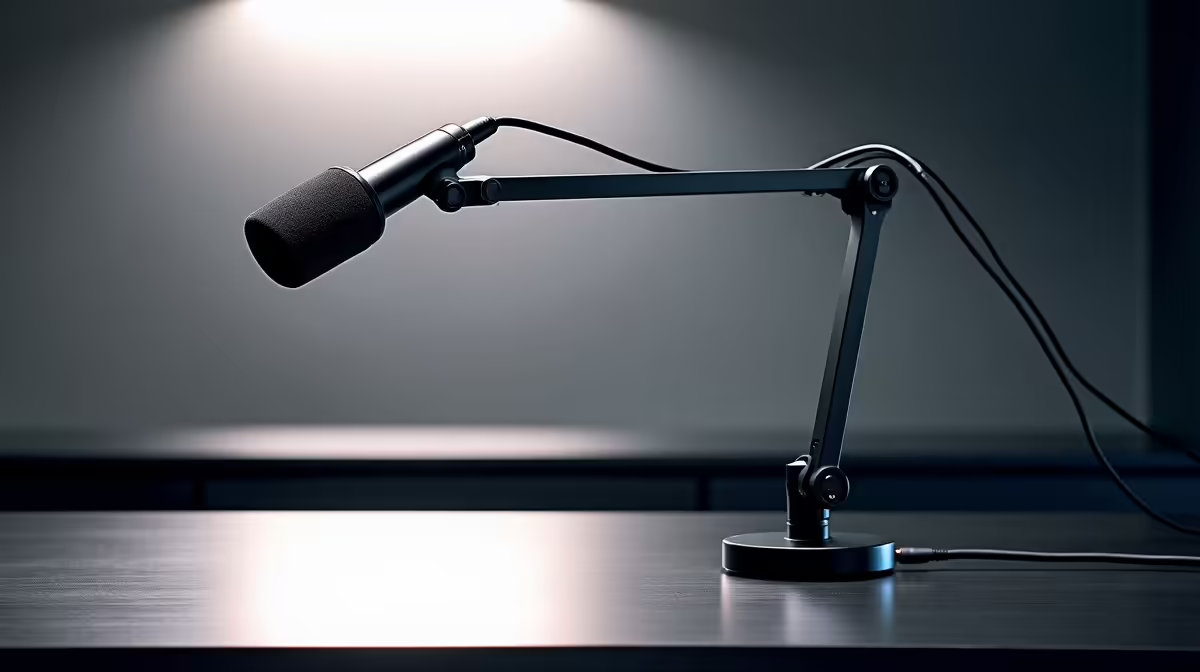
A 360-degree microphone boom arm gives you almost unlimited positioning freedom, and that freedom is exactly what trips people up. Most creators set the mic somewhere roughly in front of them, call it done, and wonder why the recording still sounds uneven. Professional voice capture from a boom arm is mostly a matter of angles and cable discipline, and both take about five minutes to get right.
Quick Answer
Set the boom arm so the mic capsule sits around 12cm from your mouth, tilted 45 degrees downward and angled slightly off-axis from your breath path. Route the cable through the arm's internal channels. Lock the tension screws once positioned.
🔧 Getting the Angle and Distance Right
Distance shapes the character of your voice more than any EQ or processing plugin will. At 12cm the proximity effect of a cardioid condenser adds subtle natural warmth to the low end. Back off to 25cm and that warmth disappears along with a useful slice of volume, and the room starts contributing more to the recording.
The 45-degree downward tilt is not arbitrary. Most of the air from a spoken plosive travels straight forward from your mouth at roughly eye level. Tilting the capsule downward means the mic listens across that breath path rather than into the centre of it. The pop filter intercepts what remains. The combination is more effective than either the tilt or the filter alone.
Speak slightly across the mic rather than directly into it. A 15 to 20 degree off-axis angle lets remaining plosive air slip past the edge of the capsule without thinning the cardioid's top-end frequency response.
⚡ Arm Height and Desk Clearance
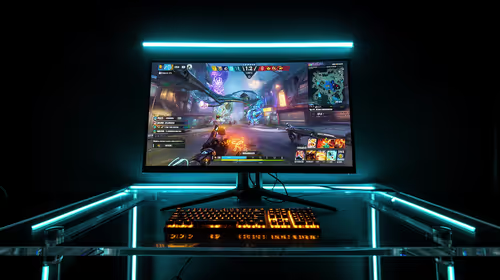
Position the arm so the capsule sits just above your monitor's top edge, clearing your sightline. This keeps the mic roughly at mouth level when seated upright, without appearing in the camera frame.
Extend the arm so it curves from the desk-edge clamp to a point directly in front of your mouth. Running the arm straight out from the side places the mic at an awkward lateral angle and encourages you to turn your head mid-session. You want the mic coming from the front, not the side.
Check your desk thickness before clamping. Gaming and studio desks can run from 18mm to 45mm. A clamp that does not fully close on a thick desk will work loose over time.
✨ Cable Routing: The Detail That Stops Thud Noise
A cable that hangs freely from the mic head swings when the arm shifts or when you bump the desk, and that swing registers on a sensitive condenser as a low thump. Internal routing channels on most quality boom arms prevent this.
Feed the cable from the mic head into the arm's channel guides before locking the position. Route it along the arm through each channel clip, then exit at the clamp end toward the PC. A cable lying flat inside a channel cannot pendulum.
For arms with spring-loaded channels, make sure the cable has no tension pulling opposite to the arm's articulation direction. A strained cable will gradually pull the arm out of position even with tension screws set correctly.
🎯 Locking the Position and Checking Drift
Set the arm position at the start of a session, then tighten the tension adjustment screws before recording. Most quality metal boom arms have two or three tension points at each articulation joint. A condenser over 400g will cause the arm to sag during a long session if those screws are left loose.
Test for drift by recording a five-minute placeholder track, then check whether the mic has moved by listening back and watching the gain meter. If the level has dropped, the arm crept down. Tighten the joint that moved and retest.
Face the mic toward the quietest wall in the room. The cardioid pattern's rear null aims at whatever is behind your setup. Point that null at a fan or aircon unit and you capture roughly 15dB less of that noise source without touching a software setting.
Frequently Asked Questions
What tilt angle gives the most natural-sounding voice capture?
A 45-degree downward tilt points the capsule below the main breath path from your mouth, reducing plosive impact without requiring you to back away. Backing away loses the proximity warmth that makes a cardioid condenser sound full. The tilt lets you stay close while keeping hard plosives from slamming the diaphragm.
How close should a professional boom setup place the mic?
Around 12cm works well for most voices. That distance puts you in the proximity effect zone, adding natural warmth, while remaining far enough for the pop filter and tilt to manage plosives. Closer than 8cm and even a well-positioned mic struggles with breath noise. Further than 20cm and the room starts to dominate.
Why route the cable through the arm's internal channels?
A hanging cable swings when the arm moves, and that swing transmits as low-frequency thud noise directly into the mic. Internal channels hold the cable flat so it cannot swing. It is one of the most audible improvements you can make without buying anything.
Can I lock a boom arm to stop it drifting under a heavy condenser?
Yes. Tighten the tension screws at each joint after positioning. A correctly tensioned arm holds a 500g condenser through hours of use. If a joint still creeps after tightening, check whether the thread is worn and replace the arm rather than recording around the problem.
Ready to get the most from your condenser microphone's positioning?
Browse the boom arm and microphone stand range for South African creators and find the arm that fits your desk, your mic weight and your recording style.