


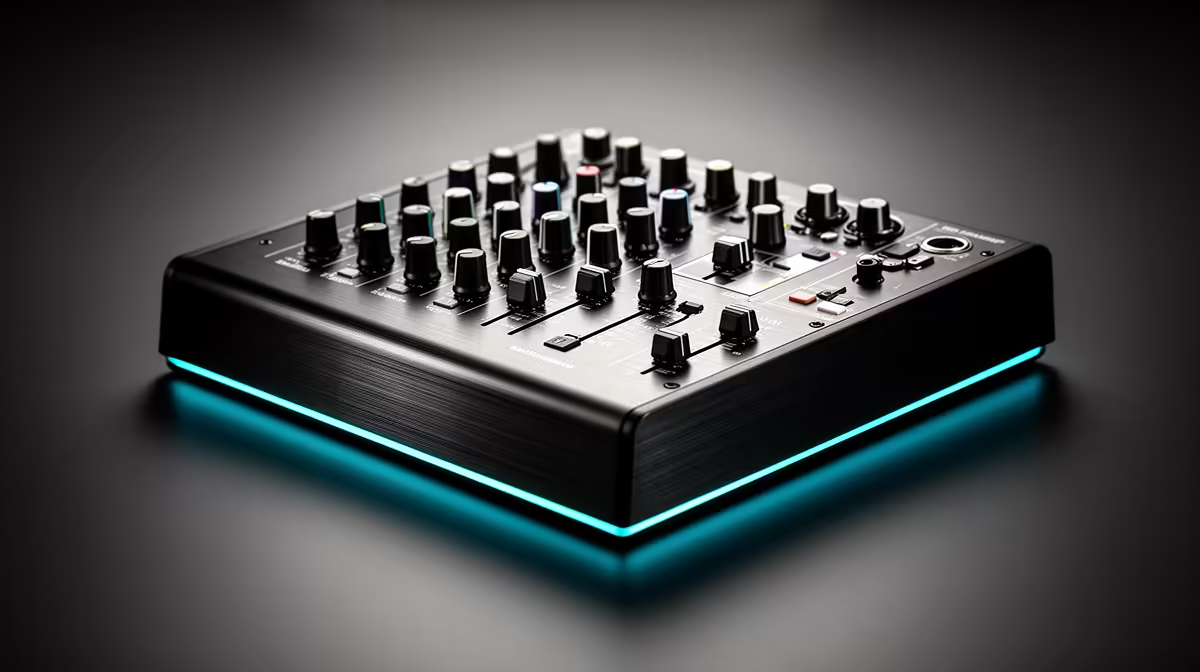
Wireless audio routing used to mean a dedicated receiver, a patch cable, and at least one connection you would knock loose mid-stream. Many current desktop mixers skip all of that by building a Bluetooth channel directly into the unit, letting you pair a phone and run backing tracks onto a fader without any extra hardware. The answer to whether it works is yes. The question worth asking is how well, and when a wired connection still makes more sense.
Quick Answer
Yes. Desktop mixers with a built-in Bluetooth channel accept a phone as a paired audio source. The incoming audio appears on its own fader, mixes with your microphone channels, and routes into the USB output so OBS captures everything together. No separate receiver hardware is needed.
🔌 How the Built-In Bluetooth Channel Works
A mixer's Bluetooth channel functions as a dedicated receive port. The mixer broadcasts its own pairing signal, you select it from your phone's Bluetooth settings the same way you would select a speaker or headset, and the phone's audio streams to that channel at whatever level the phone is sending.
The channel behaves like any wired input once pairing is established. It has its own fader for riding level independently of the microphone channels, and it feeds the main mix bus, so the USB output carries it combined with everything else on the board. Streaming software on the connected PC captures the full mix including the Bluetooth source as a single audio device.
Pairing typically persists between sessions. Once the phone and mixer have paired, powering on reconnects automatically within seconds. No re-pairing at the start of every stream.
⚡ Balancing Backing Tracks Against Microphone Audio
The fader relationship between a phone source and the live microphones determines whether the result sounds like a polished production or a noise collision. A music bed that sits too high competes with speech and fatigues listeners quickly.
Set the Bluetooth fader so the backing track lands approximately 8 to 10dB below the nominal microphone level. At that gap the music is present without crowding the voice. Pushing the fader higher during a deliberate instrumental moment is a choice; having it there unintentionally during commentary is a problem.
The 120 to 150ms latency of Bluetooth matters less for continuous ambient loops than for beat-locked stingers. A looping bed has no specific start point for the audience to reference, so the delay is imperceptible. For stingers that need to land on a visual cue, a wired 3.5mm aux input at under 5ms is the more reliable route.
🎯 Mixers Without Bluetooth and Keeping the Source Clean
If the mixer has no built-in Bluetooth channel, a compact Bluetooth receiver into a 3.5mm auxiliary input gives the same result. These devices pair a phone and output a 3.5mm signal, usually available for well under R300. Set the phone volume to around 80 percent before adjusting the mixer fader; running it at full volume can overload the aux input before the fader has a chance to manage it.
Whether using built-in Bluetooth or a receiver, set the phone to aeroplane mode with Bluetooth manually re-enabled before going live. That cuts off calls, notifications, and social media audio that would otherwise fire unexpectedly into the mix. Most mixers accept one Bluetooth source at a time. A second presenter wanting their own audio source needs a wired channel on the board.
Frequently Asked Questions
Does a Bluetooth backing track appear in a local recording, not just a stream?
Yes. The Bluetooth channel folds into the USB mix bus, so any app recording from that mixer captures the backing track in the combined output. Mixers with multitrack USB output may offer the Bluetooth channel as a separate track for independent control in post.
Can the Bluetooth connection drop unexpectedly during a long session?
Within 5 to 8 metres the link is stable for extended periods. The most common cause of unexpected drops is the phone receiving a call or notification that diverts audio output. Aeroplane mode with Bluetooth enabled removes that risk for the stream's duration.
Is there a noticeable delay between phone audio and microphone output?
For ambient music beds, the 120 to 150ms Bluetooth lag is imperceptible because there is no reference point for the audience. For stingers that need tight synchronisation with on-screen action, a wired 3.5mm connection delivers latency under 5ms and gives precise placement.
Will Bluetooth audio streaming drain the phone battery quickly?
The drain from audio streaming over Bluetooth is modest. Keeping the screen off during the stream reduces battery use significantly. Plugging the phone in to charge while streaming removes battery as a concern entirely for sessions running several hours.
Ready to add wireless backing tracks to your streaming or podcast setup? Browse the desktop audio mixer range at Evetech and find a unit with a dedicated Bluetooth channel that fits your broadcast workflow.










