Quick Answer
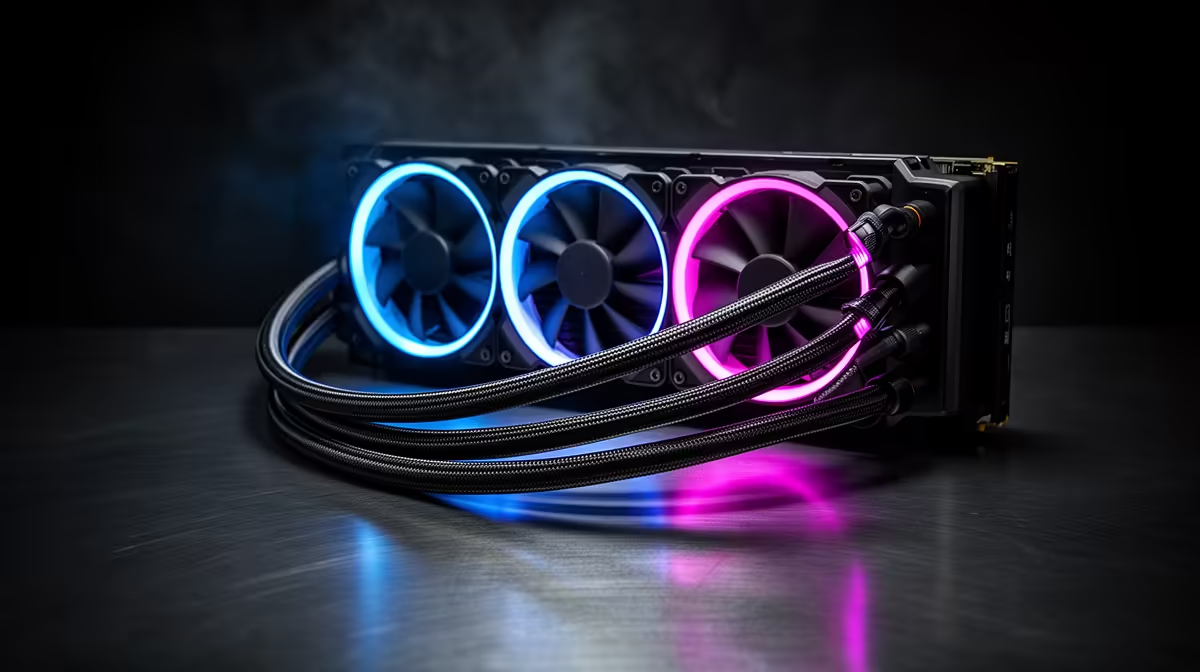
Server-grade tubing on consumer AIOs means reinforced rubber or braided nylon tubing rated for higher pressure and kink resistance than standard rubber tubes. Daisy-chained fans allow three AIO fans to connect through a single pump-head hub, reducing cable clutter. ARGB control centralises RGB fan lighting through one motherboard ARGB header connection via the hub.
Server-Grade Tubing: What It Actually Means 🔧
The term server-grade tubing on consumer AIO packaging typically refers to tubing constructed from reinforced rubber (often EPDM or similar elastomer) with a braided nylon or fibreglass outer sleeve.
Daisy-Chaining Fans Through the Pump Hub 💡
Traditional AIO fan setups route each fan's power (PWM) and RGB cables separately to the motherboard, consuming three PWM headers and three ARGB headers for a 360mm unit. Daisy-chaining, where each fan plugs into the next in a chain that terminates at the pump head hub, collapses this into a single PWM cable and single ARGB cable from the hub to the motherboard. This dramatically simplifies cable management in tight builds and reduces header consumption on boards with limited fan connectors. The hub also handles per-fan speed control: the pump head communicates with each fan individually, so each fan can run at a different speed based on thermal zone data, despite the single-header connection. NZXT, Lian Li, and Corsair all implement daisy-chain fan systems on their premium 360mm AIOs.
ARGB Control: Hub vs Motherboard Direct 🖥️
ARGB control on a modern 360mm AIO happens either through the pump head hub (which connects to the motherboard via a single 3-pin ARGB header) or through a proprietary USB connection that bypasses the ARGB header entirely and communicates via software. Hub-based control is simpler and works natively with motherboard RGB software (Asus Armoury Crate, MSI Center, Gigabyte RGB Fusion). USB-based control (used by Corsair iCUE and NZXT CAM) requires the companion software to be running but allows more granular per-LED control and additional effects. For South African builders who prefer to minimise background software, hub-based ARGB via the 3-pin header requires no additional software beyond what your motherboard brand already provides.
Route Fan Cables Through the Hub Before Case Install ⚡
Connect all three fan daisy-chain cables to the pump head hub before mounting the radiator in the case. Trying to connect small fan plugs to a hub tucked inside a fully assembled case is one of the most frustrating build experiences. Doing it on the bench with the radiator free takes under two minutes.
FAQ
Does server-grade tubing mean a longer warranty on the AIO?
Not automatically. Tubing quality contributes to longevity, but warranty terms are set by the brand, not the tubing spec. A five-year warranty AIO with reinforced tubing is a better long-term proposition than a one-year warranty unit with the same tubing quality. Always check both.
Can I replace the fans on a daisy-chain AIO with aftermarket fans?
You can replace the fans, but aftermarket fans will not daisy-chain through the pump hub unless they use the exact connector standard of the original fans. Replacing daisy-chain fans means returning to separate cable routing for each fan. Some builders do this to match a different colour theme.
How many ARGB headers does a daisy-chain 360mm AIO use?
One. The entire three-fan chain plus pump head display (if present) typically routes through a single 3-pin ARGB header and a single 4-pin PWM or SATA connection from the hub to the motherboard. This frees up your other headers for case fans and peripherals.
Want an AIO with clean cable management and simple RGB control?
Evetech stocks 360mm AIOs featuring daisy-chain fan hubs and centralised ARGB control. Browse the CPU cooler section to find a model that simplifies your build's wiring.