



550W PSU Planning for RTX 5080 Super Builds in SA
550W for RTX 5080 Super needs a full-build check, not a simple yes. Review GPU guidance, CPU draw, transient load, connectors, PSU quality, and upgrade plans before deciding.
Read moreA tripod can place a display away from a desk edge, while a folding desktop stand uses an existing surface. The R599 UStand converts between both roles and folds flat, making versatility its advantage as long as each mode remains balanced for the attached device.
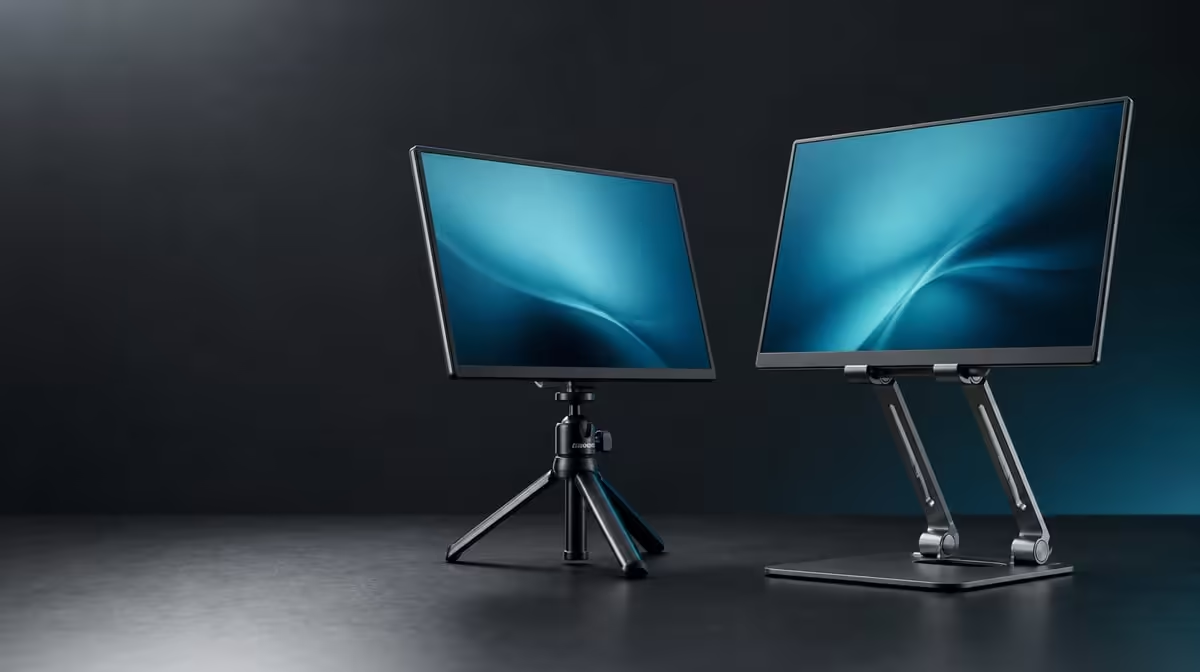
A tripod creates its own footprint; a desktop support borrows the surface already in front of you. In a tripod vs folding monitor stand choice, the better mode depends on placement, cables and traffic around the screen. The R599 UPERFECT UStand converts between both, so each arrangement can be tested with the same compatible device.
Choose tripod mode when the display needs a freestanding position, and folding desktop mode when a firm desk already provides the safest footprint. The convertible UStand costs R599, folds flat and supports 7-15.6-inch devices. Neither mode is automatically more stable; footing, centring, arm reach and cable pull decide the result.
Open the tripod unloaded and check every support point on a level surface. Keep it away from chair paths, feet and hanging leads that can catch the structure.
Attach the device centrally and use a modest height or reach first. Anti-slip rubber improves contact, while a device's weight, thickness, case and shape still need individual assessment.
Tripod positioning can help when a conventional desk edge is crowded or when a screen must face a small audience. It is less useful where people move close to the support.
Compare freestanding formats through the Evetech monitor accessories range.
A folding desktop position places the UStand on an existing work surface. Open the base completely, centre the screen and set the 135-degree arm only as far as the viewing task requires.
The desk must remain firm. A flexible table can transmit typing movement even when the aluminium support is arranged correctly. Test normal keyboard and mouse use before trusting the position.
Desktop mode also makes cable routing easier to inspect. Support each lead near the connector, preserve slack and keep the rest outside the base.
People building a second-screen desk can browse Evetech portable monitor options after confirming the exact screen's fit.
Disconnect power and video cables, remove the device and then change modes. Rebuild the new footprint, test it empty and attach the screen again. A stable desktop arrangement does not prove the tripod geometry.
Flat folding helps the UStand travel between the two roles. Pack its contact surfaces clean and avoid carrying it partly open, where a joint can catch other items.
At R599, conversion is valuable when both positions appear in the weekly routine. If the screen always stays on one desk, simple repeatability may matter more than tripod use.
The Evetech accessory best-seller collection can provide wider setup ideas after the stand mode is chosen.
Create a two-column mode check before travel. Under desktop, record the desk depth, desired screen height and cable path. Under tripod, record the available footprint, nearby traffic and how power will reach the device without crossing a walkway.
Test the same screen in both roles rather than assuming conversion preserves balance. Keep the arm reach modest, place the device centrally and observe the stand during normal use. The successful geometry can be photographed for later rebuilding.
Tripod mode may also transmit movement from a floor or table differently from desktop mode. If the screen shakes, determine whether the support is changing position or the underlying surface is flexing.
When neither arrangement passes, stop and change the location or device plan. Conversion provides options; it does not require the UStand to be used in every available mode.
For a presentation day, walk the cable route and viewing line before attaching the screen. For desk work, sit in the normal chair and check keyboard vibration. Those two rehearsals reveal why a mode that succeeds in one context may be unsuitable in the other.
It can create a freestanding screen position away from a desk edge, provided its support points remain clear and level.
It uses an existing firm surface and can provide a repeatable work position with visible cable routing.
Neither. Stability depends on the surface, footprint, device placement, reach and connected cables.
It reduces the stand's storage profile after the device and cables are removed.
Remove the device first. Convert, test the unloaded stand and then mount it again.
Its confirmed range is 7-15.6 inches, subject to weight, shape, case and contact checks.
The UPERFECT UStand is R599.
Ready to choose a footprint instead of a fashionable mode? Compare monitor stands at Evetech and test the R599 UStand as a separate tripod and desktop support.
It can create a freestanding screen position away from a desk edge, provided its support points remain clear and level.
It uses an existing firm surface and can provide a repeatable work position with visible cable routing.
Neither. Stability depends on the surface, footprint, device placement, reach and connected cables.
It reduces the stand's storage profile after the device and cables are removed.
Remove the device first. Convert, test the unloaded stand and then mount it again.
Its confirmed range is 7-15.6 inches, subject to weight, shape, case and contact checks.
The UPERFECT UStand is R599.
550W for RTX 5080 Super needs a full-build check, not a simple yes. Review GPU guidance, CPU draw, transient load, connectors, PSU quality, and upgrade plans before deciding.
Read more
8000Hz polling is overrated for most SA gamers because gains can be tiny next to battery drain and monitor limits. Mbombela players should weigh mouse feel, game support, and system stability before chasing the number.
Read more
Magnetic switches are taking over SA gaming keyboards because actuation can be tuned. For Sandton gamers, rapid trigger, reset control, and profile depth can help, but layout, key feel, and software quality still matter.
Read more
Polokwane oled monitor value questions need cautious SA context because pricing can move with availability, exchange rates, specs, and warranty support. Treat the trend as a planning signal, not a fixed price promise.
Read more
Arc B580 budget builds for Midrand gamers can shift with exchange rates, supply, specs, and model tier. Treat the title as a buying prompt, then compare SA warranty, timing, and build priorities.
Read more
ROG Ally X may beat the LCD Steam Deck for SA gamers who value stronger handheld performance, more memory, and Windows flexibility. Compare battery life, controls, game libraries, and Polokwane support needs before deciding.
Read more
Minisforum's M2 Pro pairs Core Ultra X7, Arc B390 graphics and 32GB onboard memory in 1.8 litres. SA buyers should weigh its fixed memory and $1,439 launch offer against local mini PCs.

Lenovo says Legion Go failures linked to BIOS N3CN42WW are not user error. Affected SA owners should stop retrying the update, preserve proof and open a support case.

Smart monitors can add apps and convenience, but they also add privacy settings and unwanted-software risk. SA buyers should audit the operating system before paying for extras.

A fake 113GB GTA VI ISO reportedly used empty padding around a small malware payload. SA gamers should delete unofficial builds, keep Windows security active and wait for official channels.

ASUS calls the ROG GT-BN98 the first Wi-Fi 8 gaming router. SA buyers should fix coverage and client limits before paying for a future wireless standard.

Apple's M6 Mac mini adds faster AI, graphics and networking in the same compact format. SA buyers should wait for a rand listing before comparing value.

The Vulcan II XP adds hot-swappable switches, sound damping and gaming controls to a full-size wired board. SA buyers should compare feel before features.

Microsoft says Windows on Arm now has over 7,000 verified apps and games. SA buyers should still check each driver, game and work tool before switching.
550W for RTX 5080 Super needs a full-build check, not a simple yes. Review GPU guidance, CPU draw, transient load, connectors, PSU quality, and upgrade plans before deciding.

Skyrim HD texture packs that actually run on RX 9070 helps SA readers plan hardware, settings, compatibility, and upgrade trade-offs. Check GPU, CPU, RAM, storage, monitor, and stability needs without risky performance claims.
8000Hz polling is overrated for most SA gamers because gains can be tiny next to battery drain and monitor limits. Mbombela players should weigh mouse feel, game support, and system stability before chasing the number.

Wi-Fi 7 or Wi-Fi 6e for streaming on twitch and youtube should be judged by fit, not a single winner. Compare compatibility, latency, capacity, upgrade path, cost planning, and South African setup needs.