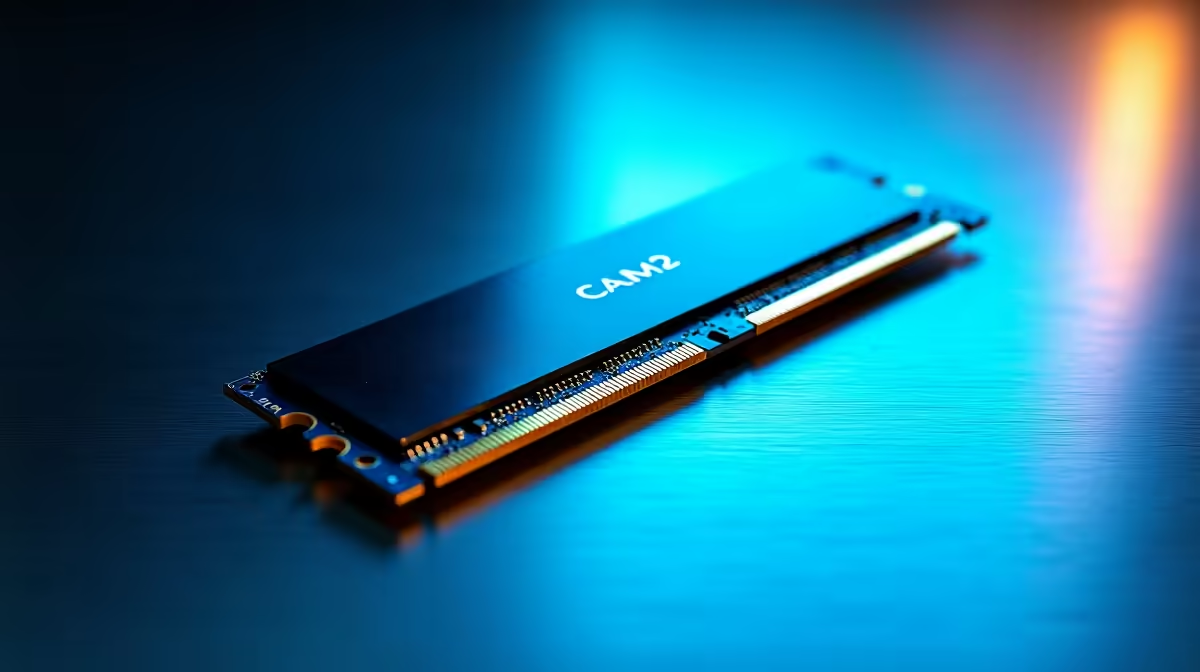
Thin laptops forced a hard trade-off for years: solder the memory on for compactness, or use replaceable SO-DIMM sticks and accept a thicker chassis. CAMM2 is the standard that breaks that compromise. It mounts flat against the board, brings upgradeable memory back to slim machines, and widens the memory bus in the process, which is a bigger deal than the simple "new RAM format" framing suggests.
Quick Answer
CAMM2 (Compression Attached Memory Module) is a flat-mounting memory module that roughly doubles the memory bus to x128, versus a SO-DIMM's x64. That wider bus lets a single CAMM2 module match the bandwidth of a dual-channel SO-DIMM pair while taking up less vertical space, which is why it suits thin laptops and is replaceable rather than soldered.
How CAMM2 Physically Works
The name describes the mechanism. Instead of slotting upright into an edge connector the way a SO-DIMM does, a CAMM2 module lies flat and is held down with screws that press its contact pads against the motherboard. That compression is what makes the electrical connection, hence "compression attached." Lying flat is the key to fitting inside a thin chassis, because an upright SO-DIMM slot needs vertical clearance that slim laptops simply do not have.
This flat design is why CAMM2 can offer something soldered memory cannot: it stays replaceable. You can unscrew the module and swap it for a larger one, which restores a freedom that thin-and-light laptops largely lost when manufacturers moved to soldering memory directly to the board.
The Bus Width Advantage
The more interesting technical point is the bus. A standard SO-DIMM connects over a x64 data bus. A single CAMM2 module roughly doubles that to x128. Memory bandwidth depends heavily on bus width, so a wider bus moves more data at once.
In practice this means one CAMM2 module can deliver the bandwidth that previously required two SO-DIMM sticks running in dual channel. You get dual-channel-class performance from a single replaceable module in a single flat footprint. For a laptop designer that is the best of both worlds: the bandwidth of a paired setup, the space efficiency of a flat module, and the upgradeability that soldering throws away.
CAMM2 carries DDR5 memory and is a JEDEC standard, the industry body that defines memory specifications, so it is a proper open standard rather than a single vendor's proprietary part. A low-power variant exists too, often referred to as LPCAMM2, aimed at the most power-sensitive thin machines.
Why It Matters for Buyers
For most people the practical upshot is simple. CAMM2 means a thin laptop can have memory you might upgrade later instead of being permanently stuck with what you bought. It also means strong memory bandwidth in a compact design, which benefits memory-hungry tasks. As the standard rolls out across more machines, it chips away at the long-standing rule that thin equals soldered and non-upgradeable. If you are shopping for DDR5 memory and platforms, it is worth knowing which form factor a given system uses, since CAMM2 and SO-DIMM are not interchangeable in the same slot.
That said, the rollout is gradual, so check the specification of any specific laptop rather than assuming the newest thin machines all use it. Where it appears, it is a genuine step forward, and the memory best-sellers range is a good place to compare what is currently available across formats.
Frequently Asked Questions
What does CAMM2 stand for?
CAMM2 stands for Compression Attached Memory Module, version 2. The name describes how it works: the module lies flat and is compressed against the motherboard by screws, which forms the electrical connection through its contact pads rather than an upright slot.
How is CAMM2 different from a SO-DIMM?
A SO-DIMM stands upright in an edge slot and uses a x64 bus, while CAMM2 mounts flat and roughly doubles the bus to x128. One CAMM2 module can match the bandwidth of two SO-DIMMs in dual channel while taking less vertical space and staying replaceable.
Is CAMM2 memory upgradeable?
Yes, which is one of its main advantages. Unlike soldered memory, a CAMM2 module is held by screws and can be removed and replaced with a larger one. This brings upgradeable RAM back to thin laptops that previously had to solder it on.
Does CAMM2 use DDR5?
Yes. CAMM2 carries DDR5 memory and is defined as a JEDEC standard. A lower-power variant often called LPCAMM2 targets the most power-sensitive thin-and-light machines while keeping the same flat, replaceable design.
Can I put CAMM2 into a SO-DIMM slot?
No. CAMM2 and SO-DIMM are physically and electrically different form factors and are not interchangeable. A laptop is built for one or the other, so check the system specification before buying memory for it.
Upgrading or building on DDR5 and want the right memory for your platform? Browse Evetech's DDR5 memory range and match the form factor your system actually uses.