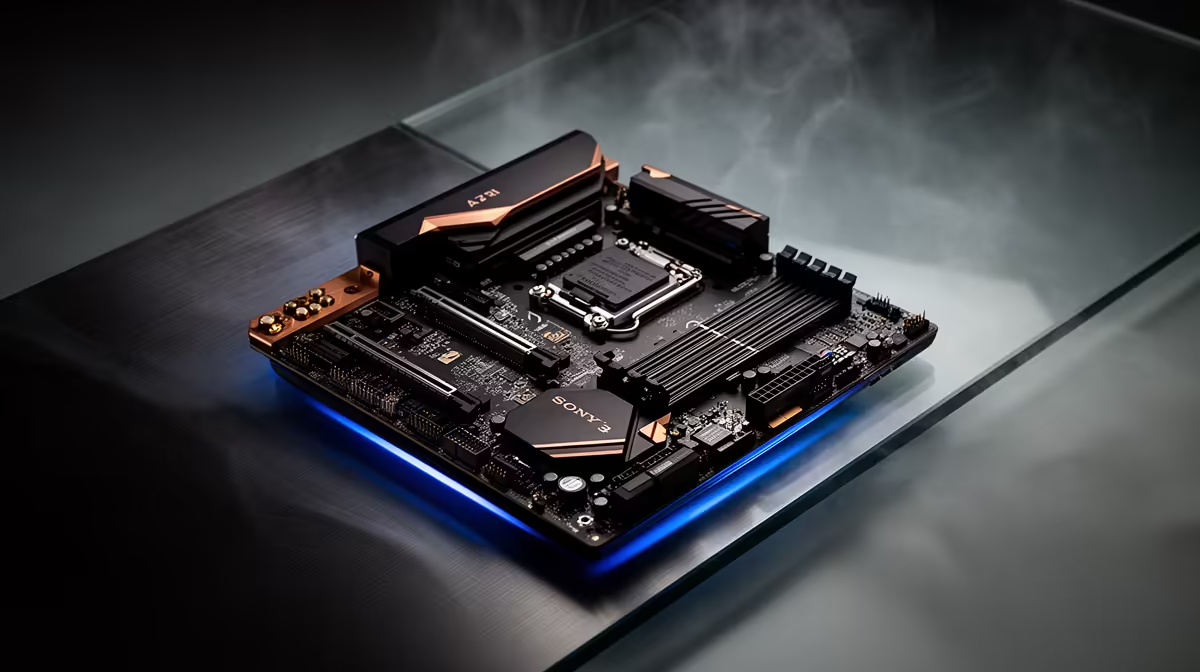
Spec sheets for AM5 boards read like alphabet soup until you know which four or five lines actually decide whether a build feels fast in five years or dated in one. A well-chosen b650e motherboard needs to nail chipset headroom, memory support, storage slots and networking together, not just one standout feature buried among filler marketing bullets.
Quick Answer
A solid Ryzen gaming motherboard needs a chipset with real PCIe 5.0 support, DDR5 headroom well above your starting kit, at least two usable M.2 slots, and dependable Wi-Fi or Ethernet. The ASUS B650E MAX Gaming WiFi ticks all four boxes at R3,499, without drifting into premium pricing territory.
🔌 Chipset and Expansion First
Start with the chipset letter, since it decides what PCIe generation is guaranteed on the graphics slot and top M.2 slot rather than merely possible. B650E here locks the graphics slot to PCIe 5.0 x16 and spreads that same generation across all three M.2 slots, so nothing downstream of the CPU becomes the bottleneck as parts get upgraded.
Why Full ATX Sizing Still Matters
Full-size ATX boards give more room for spaced-out M.2 heatsinks and additional fan headers compared to cramped Micro-ATX layouts, which keeps thermals more forgiving under sustained load. That extra width rarely costs more at this price tier, so there is little reason to downsize unless the case itself demands it.
💾 Memory Headroom Beyond Day One
Buy for the DDR5 kit you will run in two years, not just the one going in on day one. Support reaching 8000MT/s with AMD EXPO means a modest 6000MT/s kit today still leaves room to add faster memory later without hitting a wall the board cannot handle.
📶 Networking That Does Not Need an Upgrade Card
A built-in wireless radio avoids a separate purchase down the line, and it matters more in shared households or complexes with dozens of nearby networks competing for the same channels. Builders who plan to stay wired can ignore this and lean on the onboard Ethernet instead, but having both covered from the outset removes a decision later.
🧰 Extras That Save Frustration Later
A USB4 header and a CPU-less firmware tool sound like footnotes until you actually need them: the latter lets you update firmware for a brand-new chip without one already installed, which matters a great deal when Ryzen launches a new generation on the same socket. Check this board's specific listing to see the full spec sheet before comparing it against pricier alternatives.
Frequently Asked Questions
Do I need a B650E board or will plain B650 do?
B650E guarantees PCIe 5.0 on the graphics slot and typically more Gen5 M.2 slots, which matters most if you plan to add a fast NVMe drive soon.
How much DDR5 headroom should I actually buy?
Look for support well above your starting kit's speed; an 8000MT/s ceiling comfortably covers a 6000MT/s kit today with room to grow.
Is Wi-Fi 6E worth it if I plan to use Ethernet?
It is a useful fallback rather than a must-have, and it costs nothing extra when it is already built into the board.
Does ATX size affect gaming performance?
Not directly, but the extra board space usually means better spacing for M.2 heatsinks and cooling, which helps sustained performance under load.
What should I check before comparing other boards?
Look over AMD's B650 motherboard lineup and the broader AMD motherboard range side by side so chipset, DDR5 ceiling and M.2 count line up with your build plan.
Ready to build a Ryzen shortlist that actually holds up?
The ASUS B650E MAX Gaming WiFi for R3,499 waits within the AMD B650E motherboard selection, ready to tick the boxes most builders look for in a Ryzen gaming board.