Staring at a stuttering timeline in Premiere Pro again? We've all been there. When your creative flow is constantly interrupted by lag, it’s beyond frustrating. You might think you need a monster CPU or GPU, but often the unsung hero of a smooth workflow is your RAM. This guide will help you find the best RAM for an editing PC in South Africa, specifically for a powerful build that won't break the bank—staying under that R30k sweet spot.
Why Your Editing PC Craves More RAM
Think of RAM (Random Access Memory) as your computer's short-term memory or workspace. While your CPU does the heavy lifting (rendering), RAM holds all the active files it needs right now—your 4K video clips, audio tracks, effects, and colour grades. Not enough RAM? Your PC has to constantly swap data with your slower storage drive, causing that dreaded lag. ⚡ It’s a critical part of the performance puzzle, even in well-balanced budget gaming PCs that double as editing rigs.
RAM Capacity vs. Speed: What Matters More?
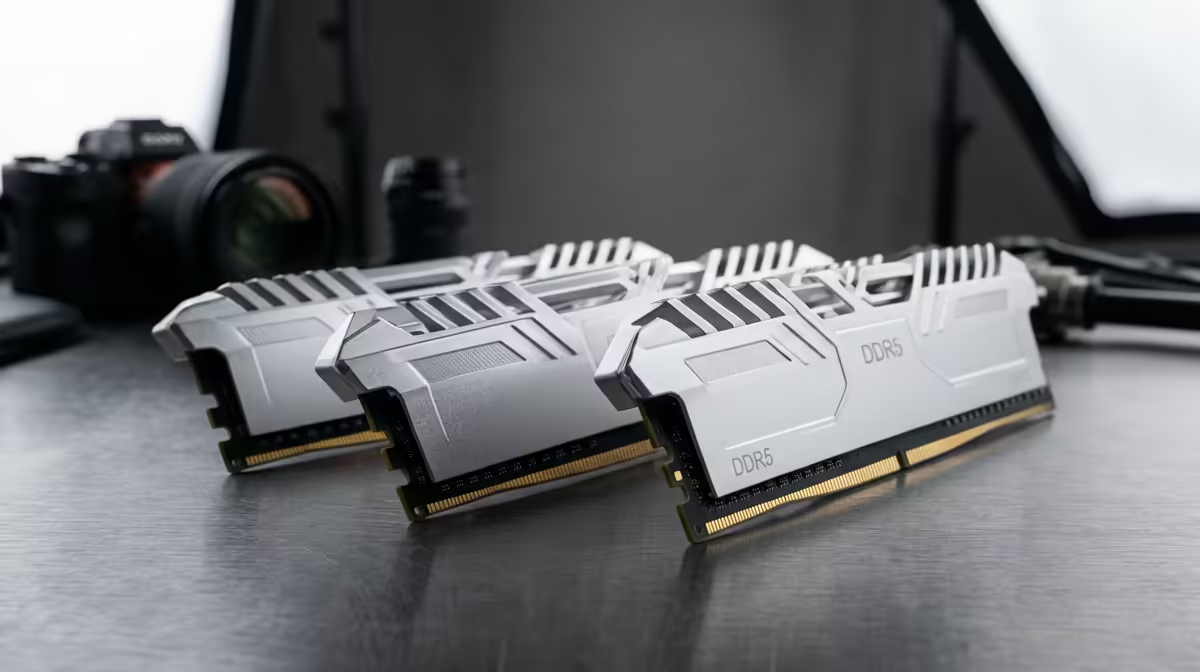
When choosing the best RAM for an editing PC, creators often get stuck on one question: should I get more RAM (capacity) or faster RAM (speed)? For video and photo editing, the answer is almost always capacity.
How Much RAM is Enough?
For a modern editing workflow, especially with 4K footage, 32GB is the new 16GB. It’s the gold standard for a sub-R30k build.
- 16GB: The absolute minimum. Fine for 1080p projects, but you'll feel the pinch with multiple apps or complex effects.
- 32GB: The sweet spot. Lets you comfortably edit 4K footage and run Adobe Premiere Pro, After Effects, and Photoshop simultaneously without your system grinding to a halt. Many powerful PCs under R20,000 can be configured with this amount.
- 64GB+: Ideal for professional 6K/8K workflows or heavy 3D rendering, but usually pushes you beyond the R30k total build budget.
What About Speed (MHz) and Latency (CL)?
Faster RAM is great, but it offers diminishing returns for editing compared to just having more of it. For an Intel build, 3200MHz DDR4 is fantastic value. For AMD Ryzen, aiming for 3600MHz is often ideal as it syncs well with the CPU. Don't obsess over it… prioritise hitting that 32GB capacity first.
Check Your Software Specs! 🔧
Always check the official recommended specs for your primary editing software. Adobe, for instance, officially lists 32GB of RAM for 4K media. This confirms that investing in capacity over niche, high-speed kits is the smartest move for your editing PC build.
DDR4 vs. DDR5 for a Value-Focused Build
The next choice is the generation: DDR4 or DDR5. While DDR5 is the newer, faster technology, for a budget-conscious editing build in South Africa, DDR4 still offers unbeatable value. The motherboards and RAM kits are more affordable, freeing up precious Rands for a more powerful CPU or a better graphics card—components that give you more tangible performance gains in rendering. You can find excellent value in both our best gaming PC deals and more specialised builds.
Remember to always buy RAM in a kit of two sticks (e.g., 2x 16GB) to run in dual-channel mode. This simple step effectively doubles the data bandwidth between the memory and the CPU, giving you a noticeable performance boost for free! It's a non-negotiable for any serious editing rig, especially as you look at powerful PCs above R20,000.
Balancing Your R30k Editing PC
Ultimately, the best RAM for your editing PC is the one that works in harmony with your other components. It makes no sense to have 64GB of RAM paired with a budget dual-core CPU. Balance is everything. For a build under R30,000, your budget should be focused on a capable 6 or 8-core CPU, a solid mid-range GPU, and that crucial 32GB of DDR4 RAM. ✨
This careful balancing act is where expertise shines through. Instead of stressing over every component, exploring professionally configured systems can save you time and headaches. Many of our pre-built PC deals are optimised for exactly this kind of price-to-performance ratio, giving you a ready-to-edit machine right out of the box. 🚀
Ready to Build Your Editing Powerhouse?
Choosing the right parts can be tricky, but building a killer editing PC under R30k is totally achievable. If you'd rather skip the hassle and get a perfectly balanced machine, explore our custom PC builder and configure the perfect rig for your creative workflow.