



ATX 3.1 vs ATX 3.0 for Video Editing in 4K in SA
ATX 3.1 and ATX 3.0 differ most in PSU connectors, compatibility, and upgrade value for video editing in 4k. SA buyers should match the choice to their actual hardware and games.
Read moreWi-Fi 7 and Wi-Fi 6E explained for SA PC builders starts with board and router support. Check add-in cards, antenna placement, and compatibility before deciding which wireless path fits your build now and later.
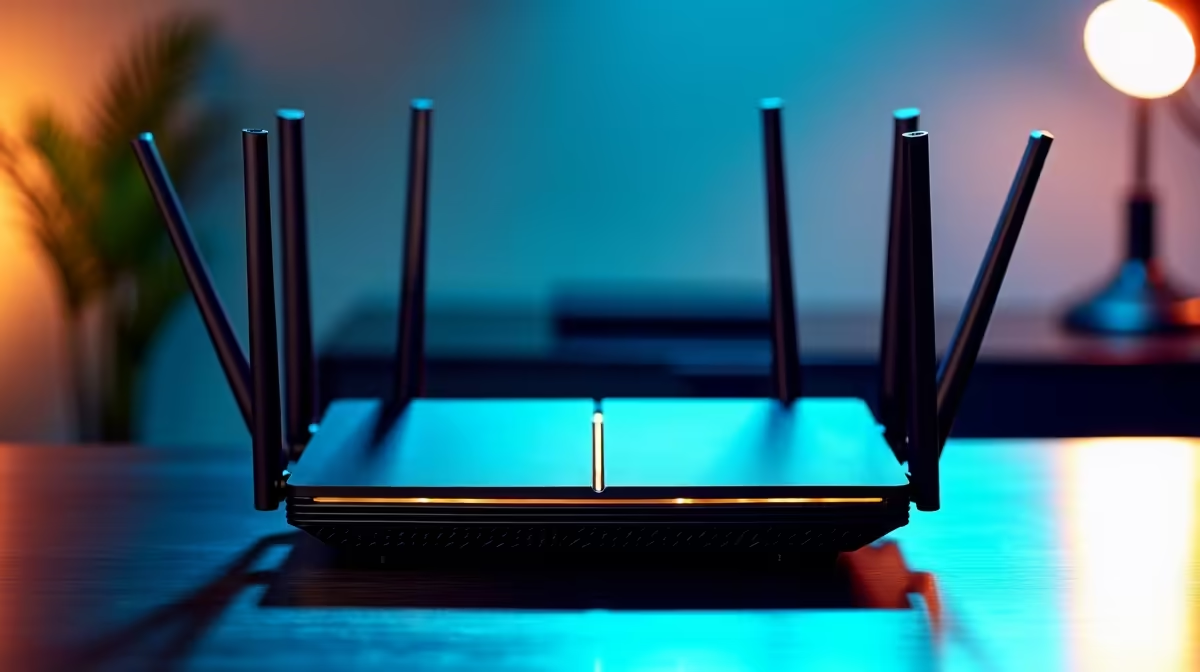
Wi-Fi 7 is faster and better for crowded premium homes, but Wi-Fi 6E is still the value pick when you mainly want clean 6GHz access. For SA PC builders, choose the newer standard only when your router, PC, phone, and home layout can use it; otherwise spend on placement, Ethernet, or a stronger GPU first.
Wi-Fi 7 can use wider 320MHz channels and multi-link operation, while Wi-Fi 6E adds 6GHz access with up to 160MHz channels. Those wider channels can reduce congestion and improve large downloads, but they do not automatically lower every game's ping.
Wi-Fi 6E routers often sit in a broad R2,000 to R5,000 band, while early Wi-Fi 7 models can cost noticeably more. That gap matters for SA buyers because many homes still have mixed devices, older laptops, and router placement limits. A good Wi-Fi 6 router in the right spot can beat a premium router hidden behind concrete walls.
For PC builders, the router, motherboard adapter, and home layout all matter. A Wi-Fi 7 card cannot show its value when connected to an old router. A 100Mbps to 200Mbps fibre line already has enough raw speed for gaming; latency, jitter, and signal quality are the usual pain points.
If the PC is in a study, bedroom, or lounge far from the ONT, test signal strength before replacing hardware. Sometimes a short Ethernet run or mesh placement fixes more than a new standard.
You need support on both ends. A Wi-Fi 7 router paired with a Wi-Fi 5 laptop will fall back to what the laptop supports. The same applies to Wi-Fi 6E and 6GHz: if the PC adapter cannot use 6GHz, the extra band does not help.
Check motherboard Wi-Fi specs, antenna placement, and driver support. Desktops often perform badly when antennas are left behind the case against a wall.
It can be worth it for cleaner wireless and faster downloads, but it does not replace Ethernet for serious competitive play. Buy it when your devices support the standard and your home layout can use it.
No. A router can improve latency, downloads, and streaming stability, but fps comes from the CPU, GPU, RAM, and game settings.
Check fibre speed, router placement, PC adapter support, and whether walls block the signal. Fixing those basics often improves Wi-Fi more than chasing the newest label.
router or mesh node where the gaming PC can see a cleaner signal, then test ping and jitter before judging the upgrade.
ATX 3.1 and ATX 3.0 differ most in PSU connectors, compatibility, and upgrade value for video editing in 4k. SA buyers should match the choice to their actual hardware and games.
Read more
80+ Gold and 80+ Platinum differ most in efficiency, compatibility, and upgrade value for strategy and sim games. SA buyers should match the choice to their actual hardware and games.
Read more
FSR 4 and FSR 3.1 can feel different in couch co-op gaming because split-screen views stress clarity. Compare motion, HUD readability, TV distance, controller-friendly settings, and GPU headroom before tuning a shared SA lounge setup.
Read more
gaming chair delivery and pickup in Gqeberha should be shortlisted around the job it must do. South African buyers should compare fit, performance, compatibility, and upgrade room, warranty path, and upgrade room before treating any pick as best.
Read more
Where Gqeberha gamers buy a Wi-Fi 7 router should be shortlisted around the job it must do. South African buyers should compare WiFi standard, coverage, latency, and device support, warranty path, and upgrade room before treating any pick as best.
Read more
Where Bloemfontein gamers buy a AIO liquid should be shortlisted around the job it must do. South African buyers should compare airflow, clearance, noise, and upgrade room, warranty path, and upgrade room before treating any pick as best.
Read more
Pre-Black Friday student laptop is a cautious guide for seasonal tech deal planning. Compare spec priorities, timing, warranty support, and realistic SA price checks for SA buyers without assuming live prices, availability, or exact benchmark

Gen 5 NVMe vs Gen 4 NVMe for Cinematic Story Games comes down to load behaviour, capacity, motherboard lanes, heat, and real game or workflow needs. SA buyers should match the choice to their setup instead of assuming one option always wins.

MMO and live-service games show Gen 5 NVMe vs Gen 4 NVMe differences through installs, patching, and busy asset loads. SA players should weigh capacity, heat, update sizes, and platform support before buying.

Dead pixel on RTX 5070 build needs careful display-chain checks, not a single-part blame. Test the screen, cable, port, scaling, drivers, and setup context before replacing hardware.

USB DAC FPS drops in South Africa often trace to drivers, shared USB controllers, audio apps, or Windows sound modes. Use local PC gaming checks to confirm whether the DAC is involved before changing parts.

8000Hz polling is overrated for most SA gamers because gains are often hard to feel. Sandton players should weigh monitor refresh, CPU load, wireless battery drain, and game support before chasing a higher mouse polling rate.

Ryzen X3D chips dominate SA gaming PCs when cache-sensitive games benefit from stronger CPU-side frame delivery. Check monitor refresh, GPU tier, motherboard path, and SA build priorities before making a gaming CPU upgrade.

Low-profile keyboards keep trending in SA because they combine a slim look with quick key travel and tidy desk space. Buyers should compare switch feel, layout, wireless reliability, and wrist comfort before choosing one.
USB DAC FPS drops in South Africa often trace to drivers, shared USB controllers, audio apps, or Windows sound modes. Use local PC gaming checks to confirm whether the DAC is involved before changing parts.
Gen 5 NVMe vs Gen 4 NVMe for Cinematic Story Games comes down to load behaviour, capacity, motherboard lanes, heat, and real game or workflow needs. SA buyers should match the choice to their setup instead of assuming one option always wins.
8000Hz polling is overrated for most SA gamers because gains are often hard to feel. Sandton players should weigh monitor refresh, CPU load, wireless battery drain, and game support before chasing a higher mouse polling rate.

Wi-Fi 7 and Wi-Fi 6E matter for couch co-op when several devices share the same room and router. This real-world difference between Wi-Fi 7 and Wi-Fi 6E guide compares latency, signal reach, PC support, and SA home setup needs.