


Best Logitech Keyboard Under R2000 in SA 2026
Top Logitech Keyboard Under R2000 picks evaluated on performance, value & SA availability with current Rand pricing from Evetech.
Read more- Assess compatibility - Choose connection method - Optimize audio settings Connect wireless gaming headset to multiple devices without losing audio quality. Learn Bluetooth, USB dongle, aptX LL, multipoint tips and switching best practices 🔊🎮
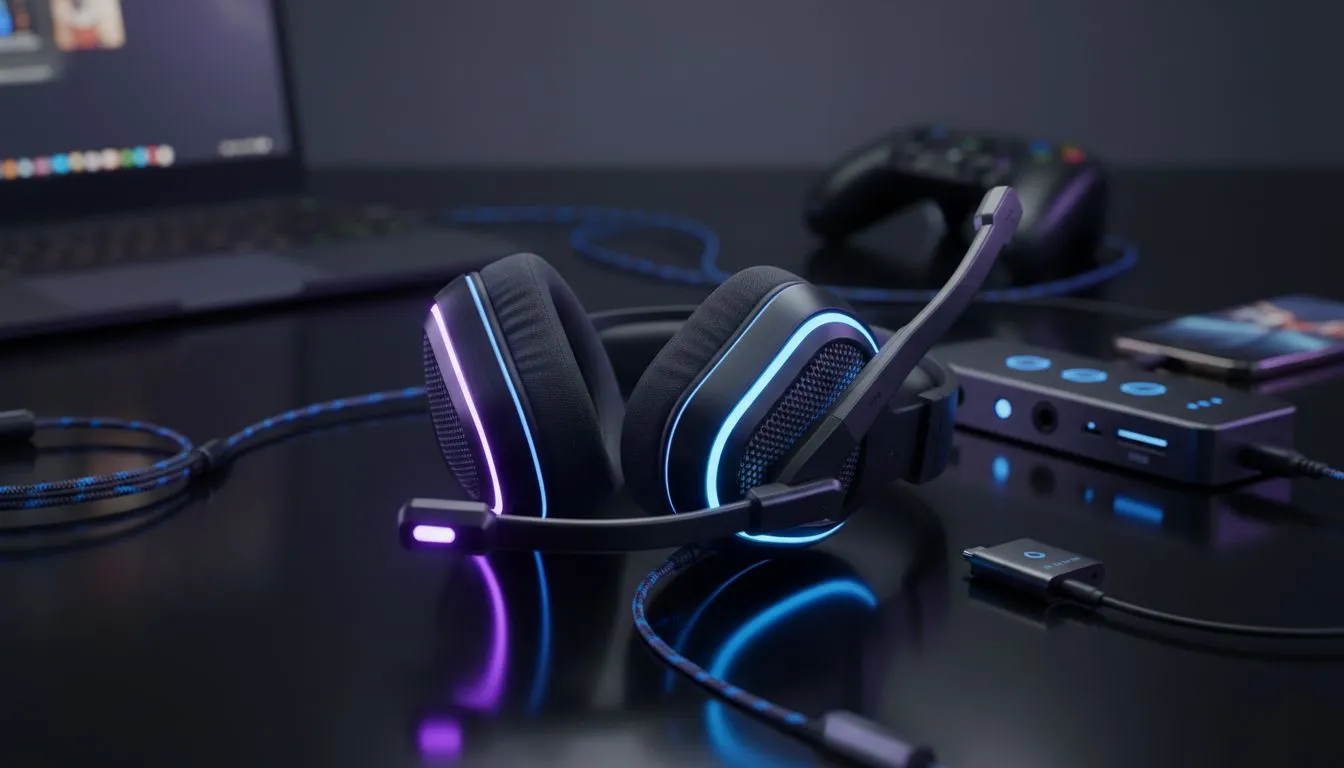
Tired of fumbling with cables or re-pairing your gear every time you switch from a Discord call on your PC to a quick mobile session? In the fast-paced world of South African gaming... managing your audio shouldn't be a chore. Learning how to connect wireless gaming headset to multiple devices is the ultimate quality-of-life upgrade for any local gamer looking to streamline their setup. ✨
The most efficient way to link your gear to several platforms is through dual-wireless technology. This usually involves a combination of a 2.4GHz USB dongle and Bluetooth. This setup allows you to stay connected to your PlayStation or PC while simultaneously paired with your smartphone. Most modern headphone and headsets now offer this "SmartSwitch" capability to make the transition seamless.
Plug your wireless dongle into your primary gaming machine. This provides the ultra-low latency audio required for competitive gaming. Many premium Razer headsets utilise this method to ensure you hear every footstep in real-time without the lag associated with older Bluetooth standards.
Once your primary connection is active... put your headset into pairing mode. Open the Bluetooth settings on your secondary device (like a tablet or phone) and select your headset. This allows you to listen to music or take calls without leaving your game. 🔧
Many modern headsets allow you to toggle between audio sources with a simple double-tap of the power button. This is perfect for when you need to answer a quick call without pausing your game or removing your gear.
Not all gear is created equal when it comes to versatility. If you want a truly effortless experience... the Razer Barracuda X Chroma is a standout choice for South African gamers. It handles the transition between a USB-C dongle and Bluetooth 5.3 beautifully... ensuring you never miss a beat whether you are at your desk or commuting. 🚀
Having a single headset that works across your entire ecosystem saves money and keeps your desk clutter-free. Instead of buying separate pairs for your console and your mobile... you can invest in one premium unit that does it all. This flexibility is vital for local players who value both high-end performance and long-term value in their tech investments.
Ready to Find Your Perfect Match? Switching between devices should be effortless, not a technical hurdle. Explore our massive range of wireless gaming headsets and find the perfect audio companion to conquer your world.
Many headsets support multipoint pairing so you can connect to two devices; check your manual for multipoint pairing and device limits.
Proper methods like USB dongles or aptX LL preserve quality; Bluetooth multipoint can add latency or compression depending on codecs.
A dedicated USB dongle often gives lower latency and consistent audio for gaming versus standard Bluetooth connections.
Use headsets with fast device switching or enable multipoint pairing; close competing audio apps and prioritize the gaming device.
Enable low-latency codecs like aptX LL, update firmware, and set the gaming device as audio priority to keep top quality.
Yes. Firmware updates often add multipoint stability and codec improvements to fix headset multi-device audio issues.
Look for models advertising multipoint pairing, aptX LL, or a USB wireless dongle to ensure reliable dual device wireless headset setup.
Top Logitech Keyboard Under R2000 picks evaluated on performance, value & SA availability with current Rand pricing from Evetech.
Read more
Top Budget Rapid Trigger Keyboard Under R2,000 picks evaluated on performance, value & SA availability with current Rand pricing from Evetech.
Read more
Top Crucial Keyboard Under R1000 picks evaluated on performance, value & SA availability with current Rand pricing from Evetech.
Read more
Top Nvidia Keyboard Under R1000 picks evaluated on performance, value & SA availability with current Rand pricing from Evetech.
Read more
Top Gaming Keyboard Under R2000 picks evaluated on performance, value & SA availability with current Rand pricing from Evetech.
Read more
Top AMD Keyboard Under R2000 picks evaluated on performance, value & SA availability with current Rand pricing from Evetech.
Read more
Snapdragon X2 NPU Explained: How 80 TOPS Changes. Plain-English explanation of what it means, why it matters & how it affects your buying decisions in SA.

HBM? High Bandwidth Memory Used in GPUs and AI. Plain-English explanation of what it means, why it matters & how it affects your buying decisions in SA.

How much should you spend on sim racing accessories in South Africa for a realistic setup? We break down budgets by quality tiers, so you buy smart gear and avoid overspending 🎮💸

G-Sync and FreeSync? Variable Refresh Rate. Plain-English explanation of what it means, why it matters & how it affects your buying decisions in SA.

AMD Laptop: Value. SA-focused analysis with local pricing data, real-world insights & actionable buying advice.

How MacBook Neo Handles 30+ Chrome Tabs with Only. SA-focused analysis with local pricing data, real-world insights & actionable buying advice.

Why Apple Put 8GB RAM in MacBook Neo: The A18 Pro. SA-focused analysis with local pricing data, real-world insights & actionable buying advice.

Upgrade your work laptop with a New Motherboard. Step-by-step instructions with SA-specific tips, common pitfalls to avoid & expert recommendations.

Maintain wired headset — Checklist: • inspect cables • clean earpads • store properly 🔧🎧 Practical steps to preserve sound quality and avoid premature replacements.

Fix crackling headset fast: step-by-step checks for cables, connectors, drivers, and settings to remove static or distorted audio on wired headsets 🎧⚙️

Stereo vs mono headsets: learn which delivers clearer calls, better spatial music, or simpler mono voice performance — pick the right headset for meetings, music, or gaming 🎧💬

- Compare gaming headset vs studio headphones; - Assess comfort, mic and sound; - Recommend best daily picks. Gaming headset vs studio headphones: learn which suits work, music and casual gaming. 🎧⚖️