


Best Logitech Keyboard Under R2000 in SA 2026
Top Logitech Keyboard Under R2000 picks evaluated on performance, value & SA availability with current Rand pricing from Evetech.
Read more-Assess fit & clearance -Show mounting and standoff fixes -Recommend case and mod options E-ATX motherboard in mid-tower case can fit with careful measurement, standoff alignment, PSU and cable planning, and small mods. 🛠️📏
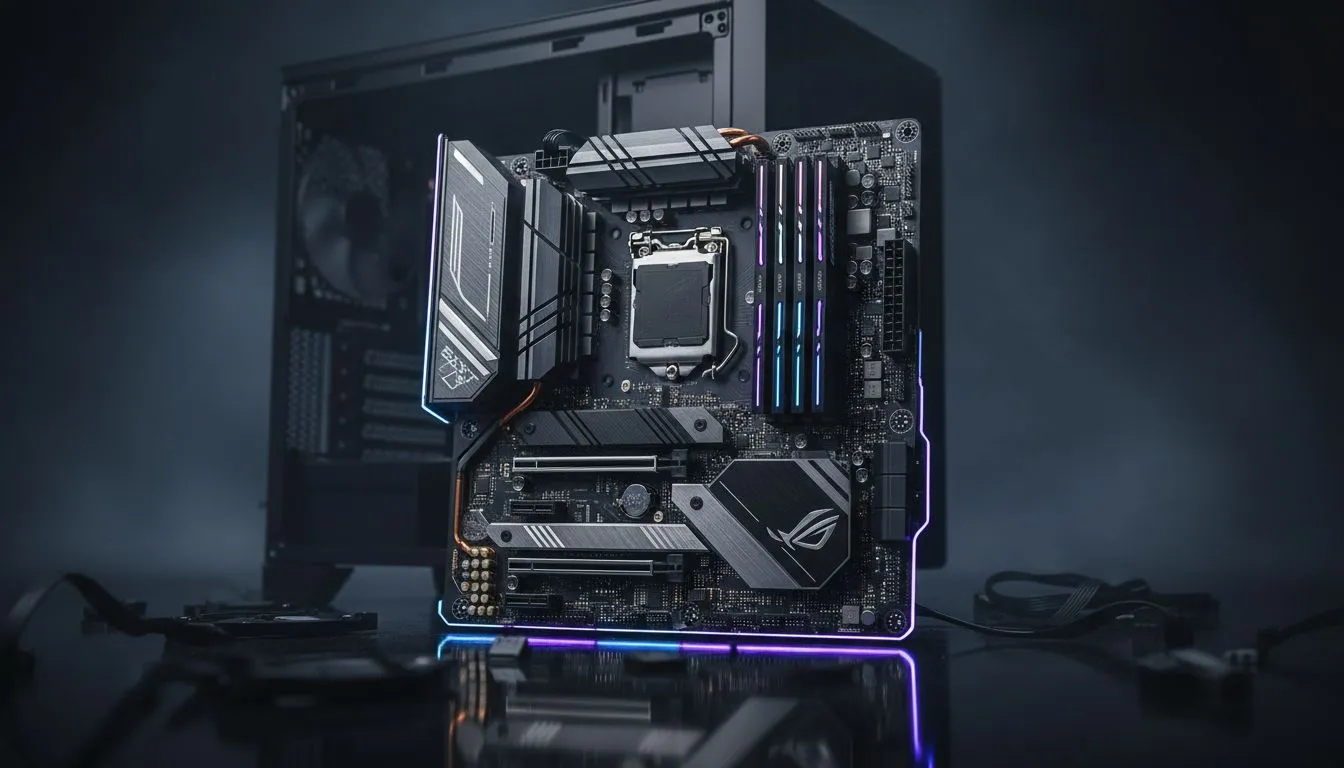
Ever tried squeezing a V8 engine into a Citi Golf? That is exactly what it feels like when you attempt to fit an E-ATX motherboard in a mid-tower case. While the extra real estate on an Extended-ATX board offers massive VRMs and connectivity, the physical constraints can be a nightmare for South African builders. Let's look at how to make this oversized dream a reality... 🔧
Choosing a motherboard usually dictates your chassis size, but many enthusiasts prefer the smaller footprint of a mid-tower. To start your journey, you need to browse a wide variety of computer cases that specifically list E-ATX compatibility. Even if a case claims to support it, the fit is often tight. You will likely find that the board extends past the standard mounting points, potentially covering your cable management holes.
The biggest hurdle for an E-ATX motherboard in a mid-tower case is the width. Standard ATX boards are 244mm wide, while E-ATX can stretch up to 330mm. This extra width often overlaps with the rubber grommets designed for cable routing. If your case has a "cable bar" instead of holes, the board might not even sit flat.
For a smoother experience, many local pros opt for premium Fractal Design PC cases. These chassis are famous for their modular layouts, allowing you to move internal panels to accommodate wider PCBs. Without this flexibility, you might find yourself forced to route your 24-pin power cable from the very bottom or top of the tray, which looks messy and ruins your airflow. ⚡
When installing a wide motherboard, use 90-degree adapters for your 24-pin power and USB 3.0 headers. This prevents the cables from bulging against the side panel or putting unnecessary tension on the motherboard sockets in tight spaces.
If you are determined to use an E-ATX motherboard in a mid-tower case, airflow becomes your next challenge. Larger boards can obstruct front-mounted fans or radiator push-pull configurations. You should look at Gamdias gaming cases which often feature mesh front panels and generous internal clearances. This ensures that even with a massive board taking up space, your components stay cool during those intense summer gaming sessions in Gauteng. 🚀
Another solution is to check the specific "E-ATX" definition of your motherboard. Some manufacturers label boards as E-ATX even if they are only slightly wider than standard. Always measure twice before clicking "buy" to ensure your GPU still has room to breathe.
Building a high-end rig does not mean you have to spend all your Rands on the housing. You can find several affordable gaming cases under R1500 that offer surprisingly good support for larger motherboards. Look for models that omit the internal drive cages at the front... this opens up the "basement" and side areas for that extra motherboard width. ✨
Remember to check the stand-off positions. Some mid-towers do not have the extra mounting holes for the far-right edge of an E-ATX board. In these cases, be extremely careful when plugging in your RAM or power cables to avoid flexing the PCB.
Ready to Find Your Perfect Match? Fitting big power into a sleek frame requires the right hardware. Whether you need a massive E-ATX beast or a compact chassis that punches above its weight, we have the gear for you. Explore our massive range of computer cases and start your ultimate build today.
Sometimes — measure the case's motherboard tray width and standoff layout. Check the manufacturer's max board size to confirm fit.
Common issues: rear I/O alignment, top radiator space, GPU clearance, and PSU cable routing. Planning measurements prevents most conflicts.
Compare your board's mounting holes to the case tray. Use extra standoffs or replace the tray if mounting holes don't match.
Often minor mods help: relocating standoffs, trimming drive cages, or using low-profile reservoirs. Choose mods only if they preserve safety.
Use flat modular cables, plan routing behind the tray, and consider a shorter PSU to free clearance for cables and GPU.
Look for cases explicitly listing E-ATX support or 12 x 10.5 inch max board size. Check real-world build photos and specs before buying.
It can. Verify top and front radiator depth and offset; you may need slimmer radiators or repositioned fans for full compatibility.
Top Logitech Keyboard Under R2000 picks evaluated on performance, value & SA availability with current Rand pricing from Evetech.
Read more
Top Budget Rapid Trigger Keyboard Under R2,000 picks evaluated on performance, value & SA availability with current Rand pricing from Evetech.
Read more
Top Crucial Keyboard Under R1000 picks evaluated on performance, value & SA availability with current Rand pricing from Evetech.
Read more
Top Nvidia Keyboard Under R1000 picks evaluated on performance, value & SA availability with current Rand pricing from Evetech.
Read more
Top Gaming Keyboard Under R2000 picks evaluated on performance, value & SA availability with current Rand pricing from Evetech.
Read more
Top AMD Keyboard Under R2000 picks evaluated on performance, value & SA availability with current Rand pricing from Evetech.
Read more
Snapdragon X2 NPU Explained: How 80 TOPS Changes. Plain-English explanation of what it means, why it matters & how it affects your buying decisions in SA.

HBM? High Bandwidth Memory Used in GPUs and AI. Plain-English explanation of what it means, why it matters & how it affects your buying decisions in SA.

How much should you spend on sim racing accessories in South Africa for a realistic setup? We break down budgets by quality tiers, so you buy smart gear and avoid overspending 🎮💸

G-Sync and FreeSync? Variable Refresh Rate. Plain-English explanation of what it means, why it matters & how it affects your buying decisions in SA.

AMD Laptop: Value. SA-focused analysis with local pricing data, real-world insights & actionable buying advice.

How MacBook Neo Handles 30+ Chrome Tabs with Only. SA-focused analysis with local pricing data, real-world insights & actionable buying advice.

Why Apple Put 8GB RAM in MacBook Neo: The A18 Pro. SA-focused analysis with local pricing data, real-world insights & actionable buying advice.

Upgrade your work laptop with a New Motherboard. Step-by-step instructions with SA-specific tips, common pitfalls to avoid & expert recommendations.

Maintain wired headset — Checklist: • inspect cables • clean earpads • store properly 🔧🎧 Practical steps to preserve sound quality and avoid premature replacements.

Fix crackling headset fast: step-by-step checks for cables, connectors, drivers, and settings to remove static or distorted audio on wired headsets 🎧⚙️

Stereo vs mono headsets: learn which delivers clearer calls, better spatial music, or simpler mono voice performance — pick the right headset for meetings, music, or gaming 🎧💬

- Compare gaming headset vs studio headphones; - Assess comfort, mic and sound; - Recommend best daily picks. Gaming headset vs studio headphones: learn which suits work, music and casual gaming. 🎧⚖️