

Best Samsung GPU Under R10000 in SA 2026
Top Samsung GPU Under R10000 picks evaluated on performance, value & SA availability with current Rand pricing from Evetech.
Read moreEXPO DDR5 Ryzen 7000: Learn how to enable and tune EXPO profiles for 16GB DDR5 on Ryzen 7000 systems to boost stability and latency. Step-by-step BIOS tips, kit checks, and fixes ⚙️⚡
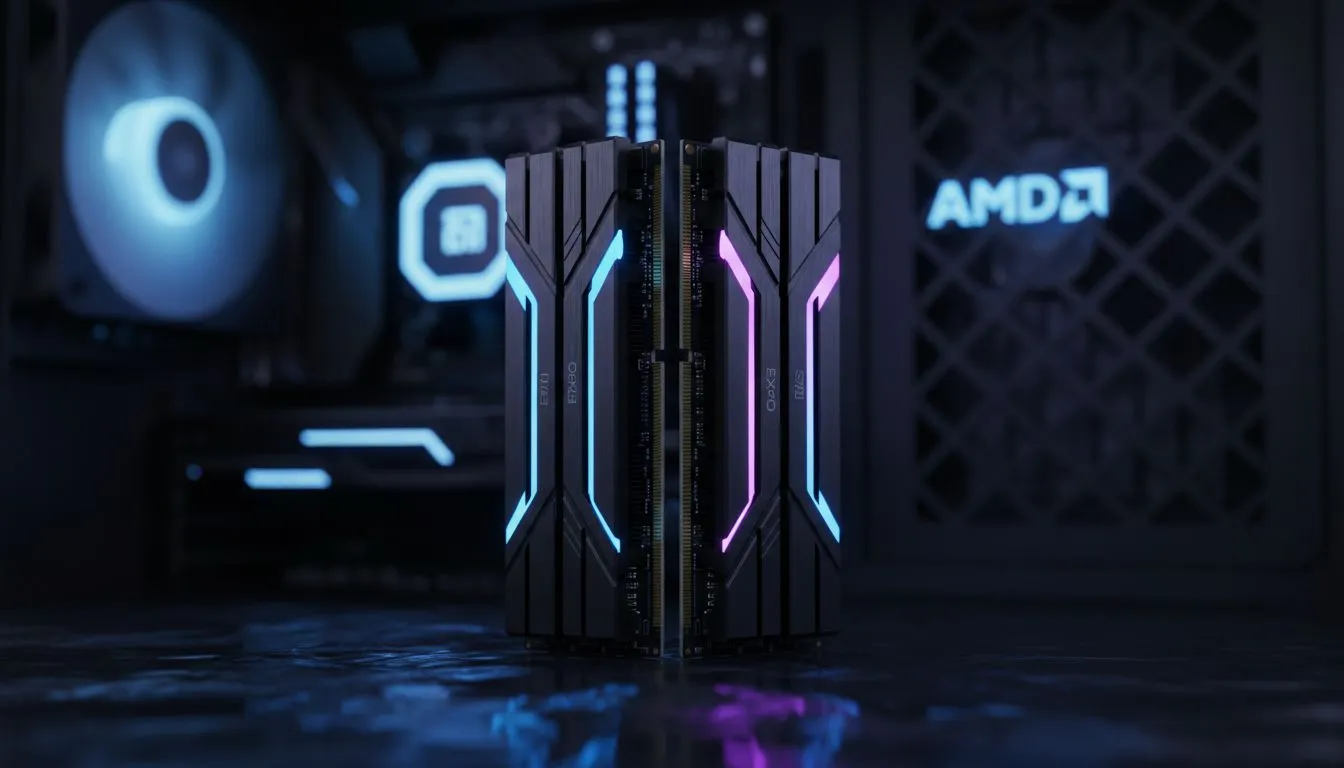
So you finally grabbed a Ryzen 7000 series CPU. You paired it with a sleek 16GB kit of DDR5 memory. You press the power button... and everything works. But is it working at its best? Most RAM defaults to slower speeds out of the box. To unlock the speed you paid for, you need to learn how to EXPO DDR5 Ryzen 7000: Set Up 16GB DDR5 Profiles properly. ⚡
AMD EXPO (Extended Profiles for Overclocking) is the key to unlocking the potential of the AM5 platform. Unlike standard JEDEC speeds, which are conservative for compatibility, EXPO profiles are tuned for performance. If you are browsing budget gaming PCs, ensuring your memory runs at its rated frequency is the easiest way to boost frames without spending more ZAR.
Without this profile active, your high-speed RAM might be "hobbled" at 4800MT/s. This creates a bottleneck that prevents your Ryzen processor from communicating efficiently with the rest of your system.
The setup process happens within your motherboard's BIOS. It is much simpler than manual overclocking.
Many of our best gaming pc deals come with these profiles pre-tested. However, if you are building your own, this one-click step is vital.
After enabling your EXPO profile, always check your "Memory Context Restore" setting in the BIOS. Enabling this can significantly reduce boot times on AM5 motherboards, though it might occasionally cause stability issues on older firmware. If your PC takes too long to post, this is the first setting to check.
For enthusiasts looking at buy-pcs-above-r20k, memory latency is everything. Ryzen 7000 CPUs thrive when the Infinity Fabric clock is in sync with the memory. Usually, 6000MT/s is the "sweet spot" for stability and speed... anything higher might require manual voltage adjustments.
If you want a machine that is already optimised for these high-speed profiles, our pre-built pc deals take the guesswork out of the equation. Our technicians ensure the BIOS is updated and the profiles are rock-solid before the PC reaches your door. 🚀
Sometimes, enabling a profile can lead to "memory training" cycles where the PC takes a minute to boot. This is normal for the first few starts. If you experience crashes, you might need a BIOS update. This is a common fix for buy-pcs-under-r20k where the motherboard might be running an early firmware version that lacks the latest stability patches from AMD. ✨
Ready to Find Your Perfect Match? Setting up your memory profiles is just the start of building a powerhouse rig. Whether you're upgrading or starting fresh, we have the hardware to make it happen. Explore our massive range of Ryzen 7000 gaming PCs and find the perfect machine to conquer your world.
EXPO is AMD's memory profile standard that stores optimized DDR5 timings for Ryzen 7000. Enabling EXPO profiles Ryzen 7000 applies validated timings for better stability and speed.
Enter BIOS, find memory or DOCP/EXPO section, select the EXPO profile for your kit, save and reboot. Follow BIOS EXPO setup Ryzen 7000 for kit-specific steps.
Yes. Proper 16GB DDR5 EXPO settings can raise stable clocks and reduce latency, improving game FPS and app responsiveness on Ryzen 7000.
Use EXPO when available for AMD boards; EXPO vs XMP Ryzen 7000 favors EXPO for validated AMD timings and fewer compatibility issues.
Reset BIOS or load optimized defaults, try the alternate EXPO profile or loosen timings. These steps help fix EXPO memory training errors and restore boot.
Most modern DDR5 kits support EXPO but check your motherboard QVL and vendor notes for compatible 16GB DDR5 kits Ryzen 7000 before buying.
Start with vendor EXPO timings and stock voltage. Minor raises up to validated vendor specs are safe; reference best EXPO timings 16GB DDR5 for details.
Top Samsung GPU Under R10000 picks evaluated on performance, value & SA availability with current Rand pricing from Evetech.
Read more
Top RTX 5070 Under R30000 picks evaluated on performance, value & SA availability with current Rand pricing from Evetech.
Read more
Ryzen 7 9800X3D + X670E + RTX 5080 Build Under. Full parts list, Rand pricing & expected performance. Build confidently with SA-available components.
Read more
Top Budget PC Build Around the RTX 5060 picks evaluated on performance, value & SA availability with current Rand pricing from Evetech.
Read more
Ryzen 5 5600X + B550 + RTX 4060 Build Under. Full parts list, Rand pricing & expected performance. Build confidently with SA-available components.
Read more
Top Intel GPU Under R10000 picks evaluated on performance, value & SA availability with current Rand pricing from Evetech.
Read more
Snapdragon X2 NPU Explained: How 80 TOPS Changes. Plain-English explanation of what it means, why it matters & how it affects your buying decisions in SA.

HBM? High Bandwidth Memory Used in GPUs and AI. Plain-English explanation of what it means, why it matters & how it affects your buying decisions in SA.

How much should you spend on sim racing accessories in South Africa for a realistic setup? We break down budgets by quality tiers, so you buy smart gear and avoid overspending 🎮💸

G-Sync and FreeSync? Variable Refresh Rate. Plain-English explanation of what it means, why it matters & how it affects your buying decisions in SA.

AMD Laptop: Value. SA-focused analysis with local pricing data, real-world insights & actionable buying advice.

How MacBook Neo Handles 30+ Chrome Tabs with Only. SA-focused analysis with local pricing data, real-world insights & actionable buying advice.

Why Apple Put 8GB RAM in MacBook Neo: The A18 Pro. SA-focused analysis with local pricing data, real-world insights & actionable buying advice.

Upgrade your work laptop with a New Motherboard. Step-by-step instructions with SA-specific tips, common pitfalls to avoid & expert recommendations.

Maintain wired headset — Checklist: • inspect cables • clean earpads • store properly 🔧🎧 Practical steps to preserve sound quality and avoid premature replacements.

Fix crackling headset fast: step-by-step checks for cables, connectors, drivers, and settings to remove static or distorted audio on wired headsets 🎧⚙️

Stereo vs mono headsets: learn which delivers clearer calls, better spatial music, or simpler mono voice performance — pick the right headset for meetings, music, or gaming 🎧💬

- Compare gaming headset vs studio headphones; - Assess comfort, mic and sound; - Recommend best daily picks. Gaming headset vs studio headphones: learn which suits work, music and casual gaming. 🎧⚖️