


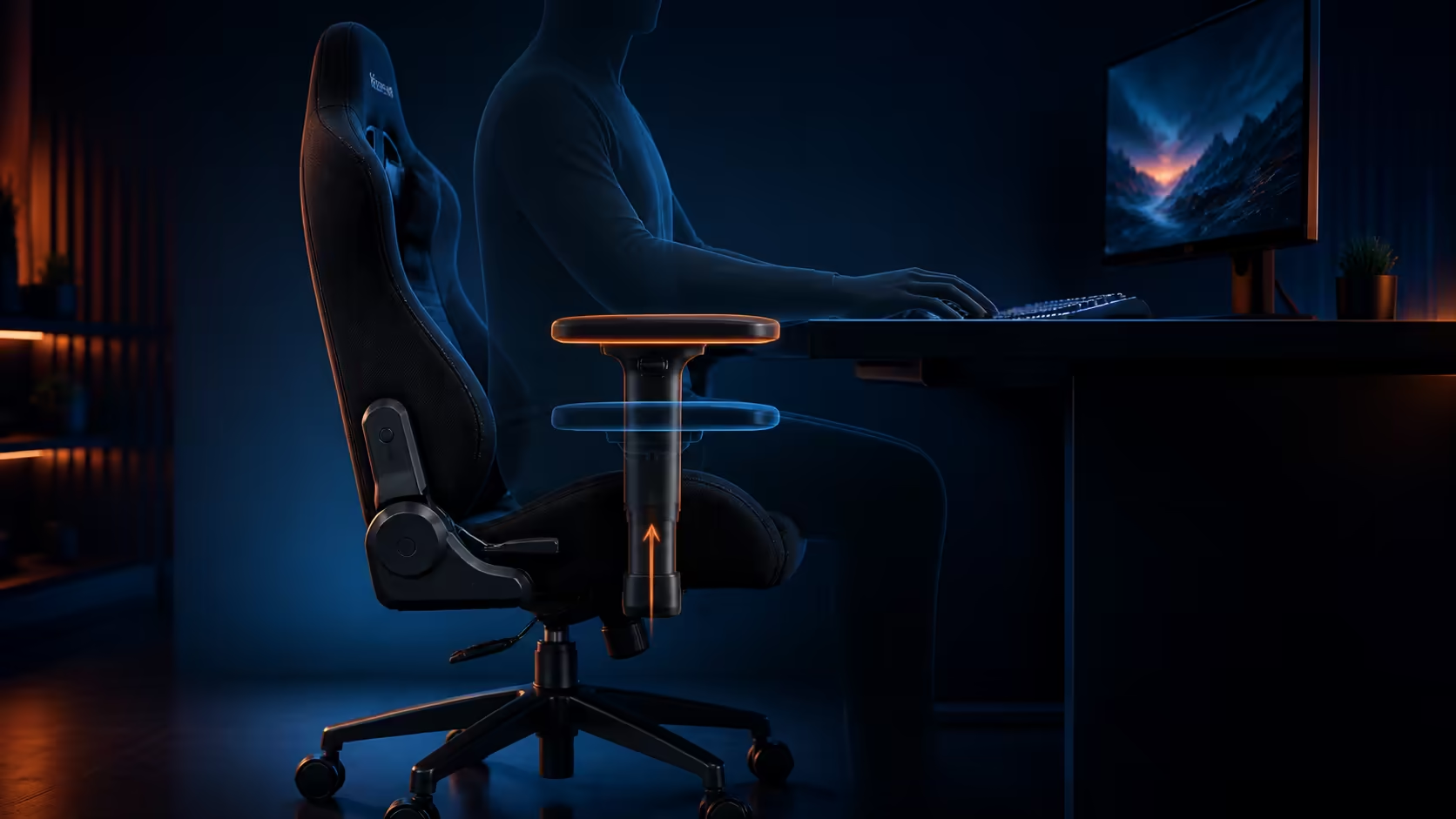
Better desk posture starts when armrest height and position match relaxed elbows without lifting the shoulders or preventing the chair from approaching the keyboard. Treat each pad as a movable forearm support, not a shelf for the wrist.
Quick Answer
Set chair height and feet first, then raise the arm pads until they lightly support relaxed forearms. Slide them to meet the task and pivot them along the natural arm angle. The R4,299 black Arozzi Torretta uses 3D armrests with height, depth and pivot adjustments, plus adjustable chair height and two supportive pillows.
🪑 Establish the seated baseline
Sit fully back with stable feet and comfortable space behind the knees. Align chair height with the desk without squeezing the thighs beneath a drawer. Place the lower pillow before adjusting the arms because it changes torso position.
Let both arms hang for a few seconds. The natural elbow height becomes the starting target for the pads.
↕️ Raise pads without shrugging
Move the pads up until some forearm weight is supported. Stop before the shoulder rises. If the desk remains much higher, raise the chair and restore foot contact rather than asking the armrests to lift the torso.
Check both sides individually. Keyboard and mouse work can need different support even when the user's body is symmetrical.
↔️ Move depth around the task
Typing may benefit from a pad that reaches farther forward. Broad mouse motion often needs the pad shifted rearward so the elbow can travel freely. Controller play can bring both hands closer to the lap and change the useful depth again.
Keep hard edges away from the wrist and do not trap the forearm between the pad and desk.
🔄 Pivot with the forearm
Turn the pad inward for a close keyboard angle or leave it neutral for straighter support. Excessive pivot presses one edge into the arm. This Torretta system is 3D; do not assume lateral width travel that belongs to a separately specified 4D design.
Compare exact armrest systems through the gaming chair range.
🛋️ Test desk clearance
Roll towards the desk at every saved pad position. Confirm that the armrests clear the edge, drawers and frame, and that fingers cannot become trapped. The chair should enter and leave safely without abandoning forearm support.
If the pads prevent close approach, try rearward depth before leaning the body forward. Desk geometry may require a different chair or work surface.
🖥️ Check keyboard and mouse reach
Move inputs close enough that the upper arms remain near the torso. The wrist should stay neutral rather than bending over a pad edge. During mouse play, perform the largest normal sweep and watch the elbow path.
A second monitor or document placed far to one side can still cause reaching. Bring frequent targets into the comfortable viewing and arm zone.
🦴 Recheck after pillow changes
The Torretta's two cushions can move the torso forwards or change shoulder position. Reset armrest depth and height whenever either pillow is moved. An upper cushion that pushes the head forward may also trigger compensating shoulder tension.
Use the breathable fluid-repellent fabric as an ownership benefit, but keep spills away from adjustment mechanisms.
💰 Compare usable range at R4,299
Evaluate whether all three directions reach the user before assigning value to the Torretta. Compare it with chairs above R4,000, then browse Arozzi gaming setups after desk fit passes.
👀 Observe rather than guess
Record a short rear view of the seated posture with permission, keeping private information out of frame. Watch shoulder height, elbow flare and whether the torso leans towards one pad after several minutes. A mirror can provide a simpler check when recording is unsuitable.
Repeat after each single change. Immediate sensation matters, but visible tension that returns during focused work is a stronger signal that the setting needs revision.
🎮 Save separate task profiles
For typing, note pad height, forward reach and pivot. For mouse play, record the rearward clearance needed by the active elbow. Controller use may place both pads farther forwards and at a different angle.
Use the smallest number of profiles that covers the real routine. Too many tiny variations make resets confusing and discourage consistent use.
🧑🧑🧒 Reset for a different user
Start with chair height and foot support, then place the two cushions before touching the arms. A shorter torso or different shoulder width changes where the 3D pads need to meet. Never inherit another person's setting without checking the baseline.
If the fixed lateral pad position misses a user's elbows, depth and pivot cannot substitute for true width adjustment. Compare a separately specified design.
🔧 Maintain the adjustment system
Keep crumbs and liquid away from moving parts. Operate height, depth and pivot gently within their stops, and inspect for looseness during routine chair care. Do not force a pad that binds.
After cleaning the fabric or moving the chair, verify desk clearance again. A restored pad setting can still collide when the desk position changed.
Frequently Asked Questions
Should armrests support the wrists?
No. Support the forearms lightly and keep hard edges away from the wrist joint.
Why move the mouse-side pad backwards?
Rearward depth creates room for the elbow during larger sweeps.
What if the desk is higher than the armrests?
Raise the chair if its fit permits, restore the feet with a footrest and reassess the whole workstation.
Do the Torretta armrests adjust sideways?
This 3D guidance covers height, depth and pivot; do not assign it 4D width travel.
When should settings be saved?
Save them only after a real typing, mouse or controller test remains comfortable.
Why observe the posture after several minutes?
Focused work can bring back shoulder lifting or leaning that a brief setup pose hides.
Can depth and pivot replace width movement?
No. If fixed pad spacing misses the elbows, compare a chair with suitable lateral range.
Ready to place each arm pad beneath the movement it should support? Establish relaxed elbows, tune height through pivot, and test desk clearance before comparing other adjustable-arm chairs.











