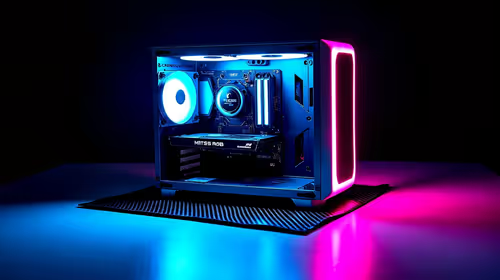
You finally drop a massive chunk of your hard-earned ZAR on a beastly new rig... only to be greeted by a flickering black screen. It is a nightmare scenario for any PC builder. Fixing display issues on high-end GPUs can feel like navigating a minefield. Whether it is a dodgy HDMI cable or a DisplayPort mismatch, the result is identical. Nothing kills your gaming vibe faster than a "No Signal" error. Let us get your rig sorted.
Navigating Cable Pitfalls and Bandwidth Limits 🔧
When you upgrade to the latest graphics cards, your old cables might not make the cut. High refresh rates demand massive data bandwidth. If you are pushing 4K at 144Hz, a cheap cable from five years ago will simply give up. This is the most common cable pitfall we see. Always look for VESA-certified cables. Uncertified cables might look identical... but they lack the internal shielding required to prevent signal interference. This interference translates directly into screen flickering or random blackouts. A premium monitor needs a premium cable to shine.
HDMI vs DisplayPort 2.1 Standards
Not all ports are created equal. While modern NVIDIA GeForce GPUs offer incredible visual fidelity... you need the right connection to unlock it. DisplayPort 2.1 is the current king for raw bandwidth. It easily handles insanely high refresh rates without breaking a sweat. HDMI 2.1 is also fantastic, especially if you are connecting your rig to a big-screen OLED TV in the lounge. HDMI 2.1 boasts 48 Gbps of bandwidth. DisplayPort 2.1 pushes a staggering 80 Gbps. If you are investing thousands of ZAR into your setup, do not bottleneck it.
Refresh Rate Pro Tip ⚡
Always check your Windows display settings after plugging in a new monitor. Windows defaults to 60Hz... even if you bought a blazing fast 240Hz panel. Go to Advanced Display Settings to manually unlock those buttery smooth frames.
Curing the Black Screen and Driver Blues 🚀
Sometimes the hardware is perfect, but the software throws a massive tantrum. Graphics drivers dictate exactly how your hardware communicates with your monitor. Corrupted files will instantly cause signal drops. Before you panic, use Display Driver Uninstaller in safe mode. Wipe the old drivers completely. Then install the freshest update from the manufacturer. Another sneaky culprit is Windows automatically installing an outdated driver in the background. Disconnect from the internet while running the uninstaller to prevent this. If you are hunting for the best graphics card deals to replace a truly dead component, ensure your motherboard BIOS is updated first. This simple step solves countless compatibility headaches.
Power Delivery and Pre-Built Solutions ✨
High-end GPUs are incredibly power-hungry. Ensure your power supply unit can handle the extreme load. A sagging power rail can easily cause display dropouts during intense gaming sessions. Ensure your PCIe power cables are firmly seated. If troubleshooting feels like too much effort... you might want to explore our top gaming PC deals. Pre-built systems are stress-tested by experts to ensure zero display issues out of the box. You can also keep an eye on our weekly tech specials for power supply upgrades that will not drain your wallet.
Ready for a Flawless Visual Experience?
Stop fighting with black screens and outdated hardware. For maximum performance and the best value in South Africa, upgrading your setup is the ultimate fix. Explore our incredible component specials and find the perfect hardware to conquer your favourite games.